
CAD Guides: STEP Measurement, Weight & File Formats
Practical notes on CAD formats, model properties, units and engineering handoffs. — Page 10
109–120 of 131 results
 Troubleshooting
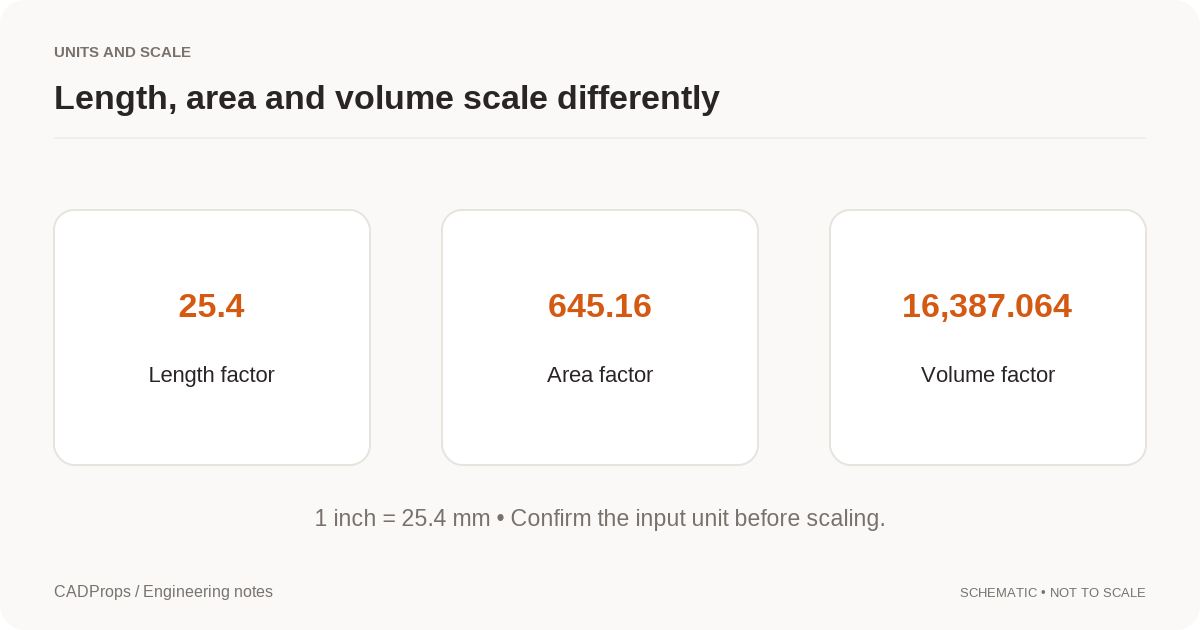
DXF Scale Wrong? Check Drawing Units Before Resizing
Diagnose DXF drawings that import too large or too small by checking drawing units, insertion settings, one known dimension and the receiving application's scale assumptions.
 Troubleshooting
How to Inspect the First Layer of a G-code Print
Use CADProps to step through a slicer file, isolate the first printed layer and tell travel moves from deposited lines.
 Troubleshooting
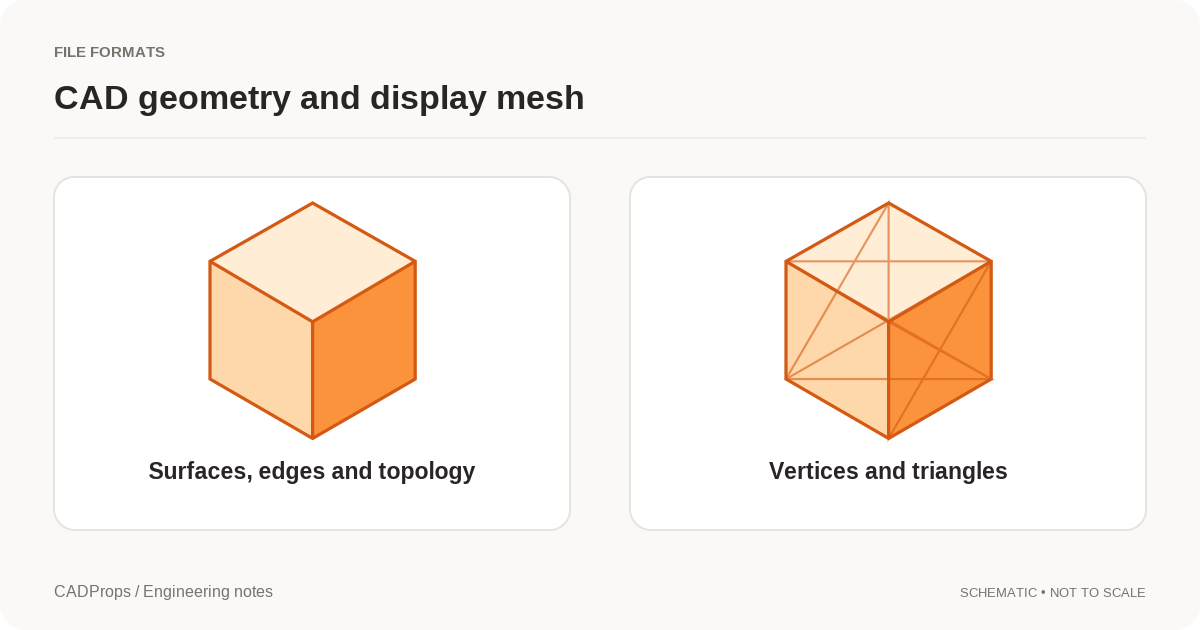
glTF Missing Textures? Fix .bin and Image File Paths
Diagnose glTF files that open with missing geometry resources or textures, package relative .bin and image dependencies correctly, and know what CADProps does and does not render.
 Troubleshooting
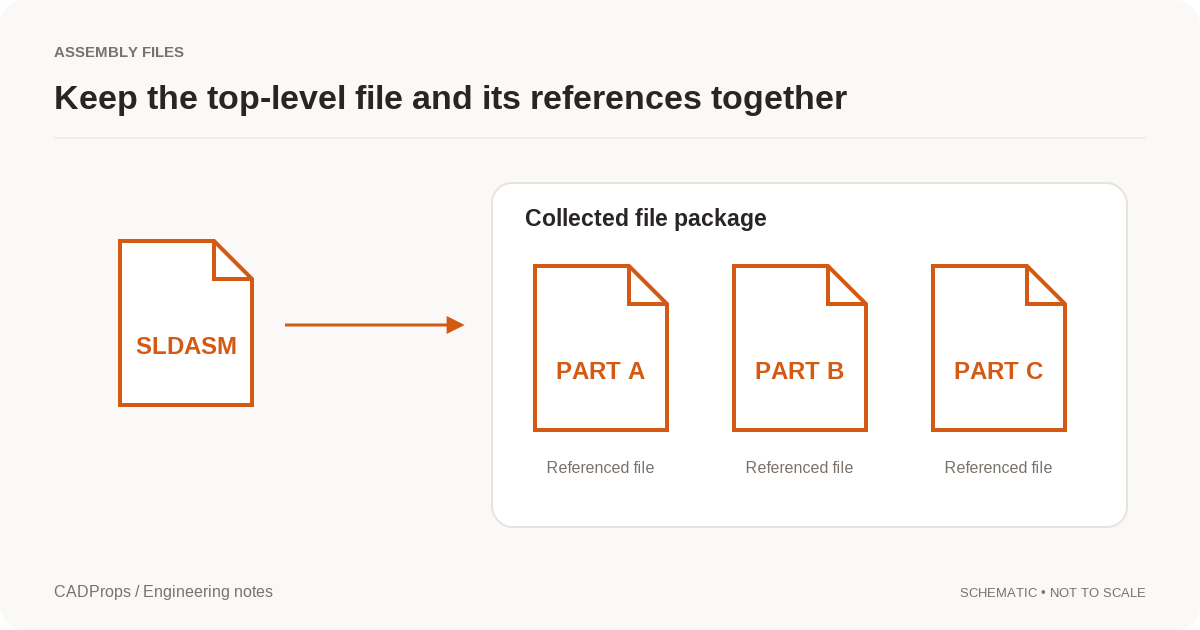
IAM Missing Parts? Fix Autodesk Inventor Assembly References
Diagnose Inventor IAM assemblies with missing IPT or nested IAM components, preserve folder structure, rebuild the package and avoid incomplete geometry totals.
 Troubleshooting
IGES Surfaces Not Solid? Check Volume and Open Shells
Understand an IGES surface import before stitching boundaries or assuming the reader failed to create a solid.
TroubleshootingOBJ File Has No Materials? Fix Missing MTL and Texture Paths
Diagnose an OBJ that opens with plain gray geometry by checking the MTL sidecar, material assignments, texture files and relative paths before re-exporting.
TroubleshootingParasolid X_B File Won’t Open? Check the File and Export Version
Open a binary Parasolid X_B file in CADProps. If it fails or shows missing geometry, check the original file, reader version and export settings.
TroubleshootingSLDASM Missing Parts? Fix SolidWorks Assembly References
Diagnose SolidWorks SLDASM assemblies with missing SLDPRT components, preserve folder structure, distinguish partial geometry from complete results, and rebuild the package.
 Troubleshooting
Reduce STEP File Size: Keep Required CAD Geometry
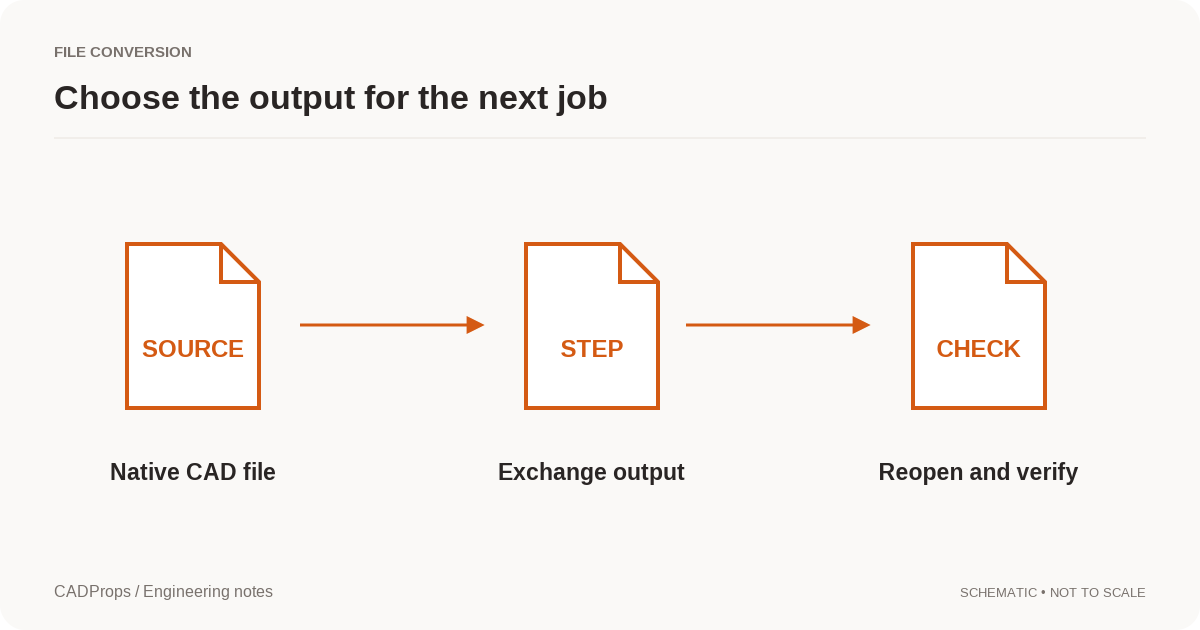
Distinguish archive compression, model simplification and display optimization before changing a CAD handoff.
TroubleshootingSOLIDWORKS Future Version File? What an Older Release Can Open
Understand why an older SOLIDWORKS release may reject a newer SLDPRT or SLDASM, what previous-release SP5 can open, and when to request STEP instead.
TroubleshootingSolidWorks Part Opens in the Wrong Configuration: What to Check
Check a SolidWorks part preview against its released configuration, then ask for a verifiable export when the visible geometry differs.
TroubleshootingSolidWorks STEP Export Missing Components? Check Selection, Suppression & Assembly State
Diagnose a SolidWorks assembly that exports to STEP with missing components by checking selected entities, suppressed or hidden parts, lightweight state, configuration and the exported file itself.
Batch & handoffAnnotate a CAD Model Online and Share Review Notes
Place numbered notes on a 3D model, return to saved viewpoints, and include saved annotations in a new CADProps share link.
 Batch & handoff
Export STEP Properties to Excel: Batch CAD Measurements
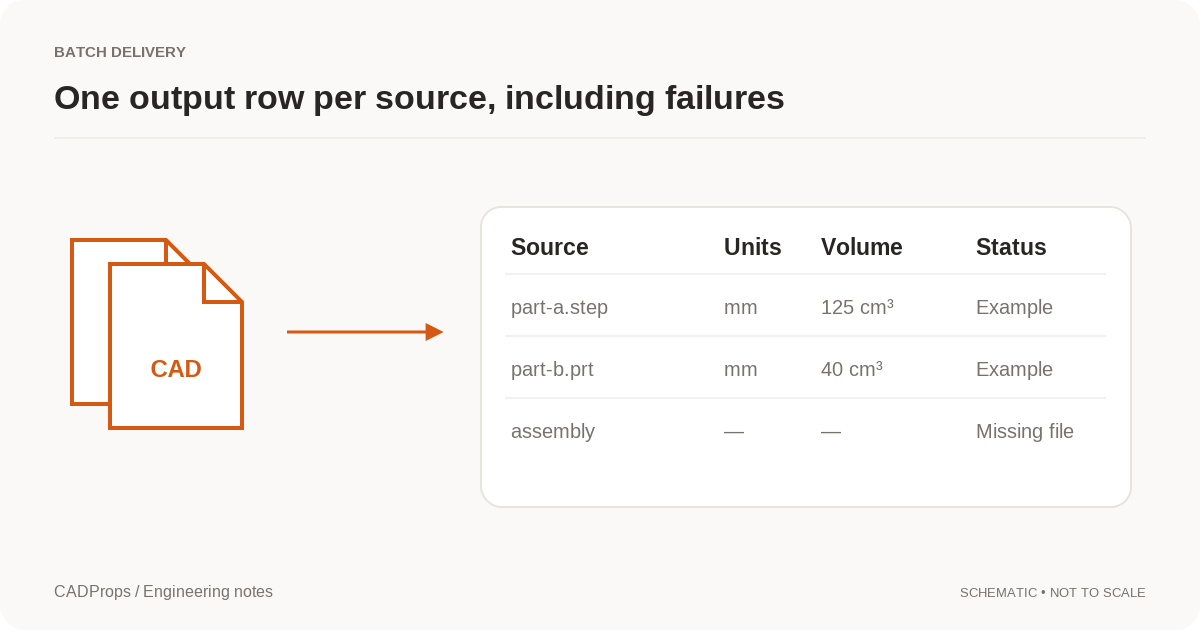
Design a useful batch report with one row per defined item, explicit units, material inputs and an exceptions list.
Batch & handoffCheck a CAD Assembly Before RFQ: Completeness & Scope Checklist
Verify assembly scope, missing references, component count, placement, revision and quote boundaries before a supplier prices a native CAD package or STEP assembly.
 Batch & handoff
Check a Supplier STEP File Against a Drawing Before Quotation
Cross-check revision, units, model scope, critical dimensions and manufacturing callouts before using a STEP file and drawing for a CNC quote.
Batch & handoffHow to Export a Rotatable 3D PDF With PMI
Export an eligible STEP AP242 part to an interactive 3D PDF with visible source PMI, then open and rotate it in desktop Adobe Acrobat Reader.
Batch & handoffNative CAD vs STEP for Supplier Handoff: Which File Should You Send?
Choose native CAD, STEP, or both based on supplier task, editability, assembly references, PMI, revision control and downstream CAD/CAM needs.
Batch & handoffPrepare CAD Data for First Article Inspection: Model & Drawing Checklist
Build a controlled CAD and drawing package for first article inspection by checking revision, nominal geometry, PMI, inspection requirements and traceability before measurement begins.
Batch & handoffPrepare a STEP File for a CNC Quote: A Shop-Ready RFQ Checklist
Check STEP geometry, units, holes, revision, drawing requirements, material and quantity before sending a CNC machining RFQ, without assuming the 3D model contains every manufacturing requirement.
Batch & handoffReverse Vending Machine Planning: From CAD Layout to a Better Return Point
Plan a reverse vending machine installation with practical CAD checks for footprint, visitor access, service clearance and supplier handoff. Explore RECYNEX.
Batch & handoffShare CAD Files with Suppliers: STEP Handoff Checklist
Prepare a small delivery package that identifies the model revision, intended use, units and any excluded components.
Batch & handoffThreads Missing from a STEP File? Geometry, PMI and Shop Handoffs
Understand why thread callouts can disappear in STEP handoffs, how modeled and cosmetic threads differ, what AP242 PMI can carry, and what to send a machine shop.
Batch & handoffHow to View STEP PMI and GD&T Online
Open a STEP AP242 part, show its saved dimensions, geometric tolerances and datums, and check which PMI survived the CAD handoff.
ConversionCAD File Conversion Checklist: Units, Solids & Accuracy
Reopen the output, verify scope and units, inspect critical geometry, and include a short record of what was and was not checked.
ConversionConvert DWG or DXF to PDF, SVG or DXF Online
Export a DWG or DXF layout as a vector PDF, an SVG or a new DXF in the browser, without AutoCAD. What each output keeps, what it leaves out, and when to ask for a plotted PDF.
ConversionHow to Convert NX PRT to STEP: Units & Assembly Checks
Convert Siemens NX or UG NX PRT files to STEP with a repeatable check for source identity, units, assemblies and the converted geometry.
 Conversion
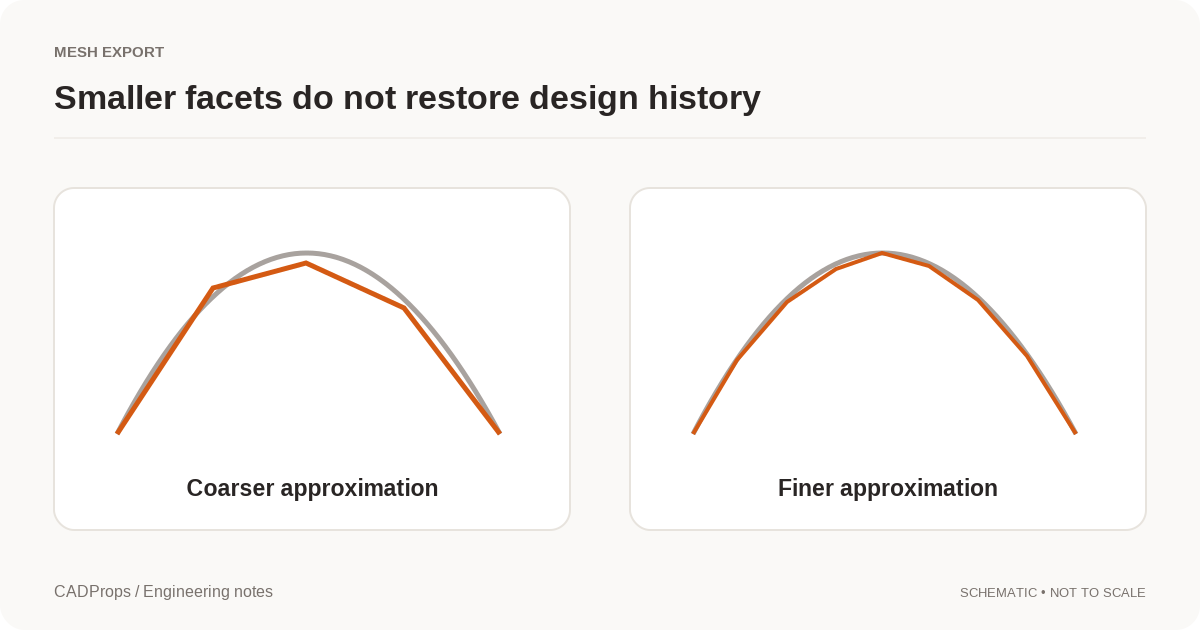
STL Export Settings: Mesh Resolution, Units and Scale
Choose tessellation settings for the receiving task and verify curved features, thin regions and units after exporting.
Engineering notesAutodesk Fusion AutoTimeline: Why CAD Feature Recognition Matters Again
A CADProps engineering note on Autodesk's September 2026 AutoTimeline announcement, imported-geometry feature recognition, and why explainable geometry checks still matter as AI moves deeper into CAD and CAM.
File formats3MF vs STEP: Additive Manufacturing Package or Exact CAD Exchange?
Compare 3MF and STEP for geometry, units, assemblies, materials, additive-manufacturing metadata, machining handoff and downstream editing.
File formats3MF vs STL: Units, Multiple Parts and Mesh Handoff
Compare 3MF and STL for mesh exchange, including declared units, packaging, multiple objects, metadata and what CADProps can actually inspect from each format.
File formatsCAD Tessellation: When a Solid Becomes a Triangle Mesh
Tessellation approximates CAD faces with triangles for display, STL or glTF. Finer meshes stay approximate and do not restore B-Rep volume.
File formatsDoes a STEP File Contain a BOM? Structure, Names and Quantities
STEP can carry assembly structure and BOM-like information, but a random STEP file is not automatically an authoritative engineering or manufacturing BOM.
File formatsDoes a STEP File Contain Material? What You Can Trust
A STEP file can carry product data beyond geometry, but material name, grade and density do not reliably survive every export and import. Learn what to verify before quoting weight or manufacturing a part.
File formatsDoes a STEP File Contain Tolerances and GD&T?
STEP can carry semantic or graphic PMI in modern workflows, but many files are geometry-only. Learn how to tell what manufacturing tolerances actually survived the exchange.
File formatsDWG vs DXF: Which Drawing Format Should You Send?
Compare DWG and DXF for CAD drawing exchange, editing, interoperability, layers and supplier handoff, then choose the format that matches the receiving workflow.
File formatsGLB and glTF for CAD Handoff: A Viewing Mesh, Not the Source
Use GLB or glTF to show a CAD model. Keep STEP when the recipient must measure solids, machine the part or edit the design.
File formatsGLB vs glTF for CAD: 3D Model Files, Assets and Units
Use a display derivative for the web while keeping engineering geometry and revision records separate.
File formatsIGES vs Parasolid: Surfaces, Solids and CAD Exchange
Compare IGES and Parasolid X_T by the receiving system, solid closure and units. Neither extension guarantees a perfect transfer or a native feature tree.
File formatsJT vs STEP: Lightweight Collaboration or Neutral CAD Exchange?
Compare JT and STEP for visualization, precise geometry, supplier collaboration, product structure and cross-CAD exchange, including what CADProps reads from a JT file.
File formatsParasolid vs STEP: Which CAD Exchange File to Send
Parasolid (X_T, X_B) or STEP (STP)? Choose by the receiving application and the data the handoff needs, not by assuming one extension always converts better.
File formatsSAT vs IGES: ACIS Solids or Neutral CAD Surfaces
Choose SAT or IGES by the receiving application. SAT and binary SAB are ACIS geometry; IGES is a neutral exchange file.
File formatsSAT vs STEP: ACIS Geometry or Neutral CAD Exchange?
Compare SAT and STEP for precise solid-model exchange, ACIS compatibility, cross-CAD handoff, version risk and the current CADProps SAT-to-STEP workflow.
File formatsSTEP AP203 vs AP214 vs AP242: Which Protocol to Export
AP203, AP214 or AP242? Choose the STEP protocol by what the receiver must keep, such as geometry, colors, assembly structure or PMI, not by the highest number.
File formatsSTEP AP242 Edition 4 in 2026: What It Means for CAD Handoffs
Put AP242 Edition 4 in practical context: richer model-based product data, persistent identity and PMI improvements, current 2026 implementation signals, and the checks that still matter after export.
File formatsWhy STEP Files Lose the SolidWorks Feature Tree
A neutral CAD export can preserve useful geometry without preserving the original feature history. Learn what to request and what not to promise.
File formatsSTEP vs IGES: Which CAD Exchange Format Fits the Job?
Compare STEP and IGES for CAD handoffs, solids, surfaces, assemblies and downstream verification without assuming one file extension guarantees a perfect transfer.
File formatsSTEP vs STL: CAD Measurement, Geometry and Accuracy
STEP and STL serve different jobs. Learn what changes when surfaces become triangles and which checks belong in a CAD handoff.
File formatsSTEP vs STP: Same Exchange Format, Different Extension
STEP and STP are two common extensions for the same STEP exchange data, not different formats. Learn what renaming changes, what it does not, and which checks matter more.
File formatsWhat B-Rep Means in a STEP or IGES File
Boundary representation is the face, edge and solid model behind precise CAD properties. A shaded triangle view is not the same thing.
 Getting started
CADProps File Storage Limits and Expiry
Understand guest versus signed-in file retention, what uses account storage, which actions extend expiry and what deletion does to share links.
Getting startedHow to Use CADProps: Open, Inspect and Save a CAD File
An illustrated CADProps walkthrough: selection, seven measurement modes, CSV, sections, explode, annotations, PNG, comparison, conversion, storage and sharing.
Getting startedSave and Organize CAD Files in Your CADProps Library
Use My files to find recent uploads, group models in folders, mark favorites, reopen originals and manage batches across devices.
Getting startedShare a CAD Model with a View-Only Link in CADProps
Create a fixed 3D model link, keep the free 7-day link or upgrade to a Pro link with a longer expiry or password, and check the recipient's view before sending.
ManufacturingBlind Tapped Hole Depth: Separate Thread Depth from Drill Depth
Design blind tapped holes by separating usable full-thread depth from drilled depth, tap lead, drill-point clearance and chip space before releasing a CNC drawing or STEP model.
ManufacturingCNC Hole Edge Distance: Leave Enough Material Around Drilled Features
Review CNC holes near part edges by checking the remaining ligament, largest feature diameter, depth, tolerance and load path before releasing a machined part.
ManufacturingCNC Internal Corner Radius: Design Pockets for Real End Mills
Understand why CNC-milled internal corners need radii, how cutter diameter and tool access affect the result, and how to review pocket corners before sending a STEP file for quote.
ManufacturingMinimum Wall Thickness for CNC Machining: No Single Safe Number
Thin CNC walls lose stiffness and can vibrate, deflect or warp. Use published wall-thickness values as starting points, then check material, wall height, tool access, workholding and tolerance.
ManufacturingDeep Hole Drilling: Use Depth-to-Diameter Ratio Before You Quote
Calculate drilling depth-to-diameter ratio, understand why tool reach, chip evacuation and coolant change with deeper holes, and review deep holes in CAD before CNC quoting.
ManufacturingReamed Hole vs Drilled Hole: Use Precision Only Where the Fit Needs It
Compare drilled and reamed holes for CNC parts, including diameter tolerance, surface finish, position, pre-hole quality and when a drawing should call for a precision fit.
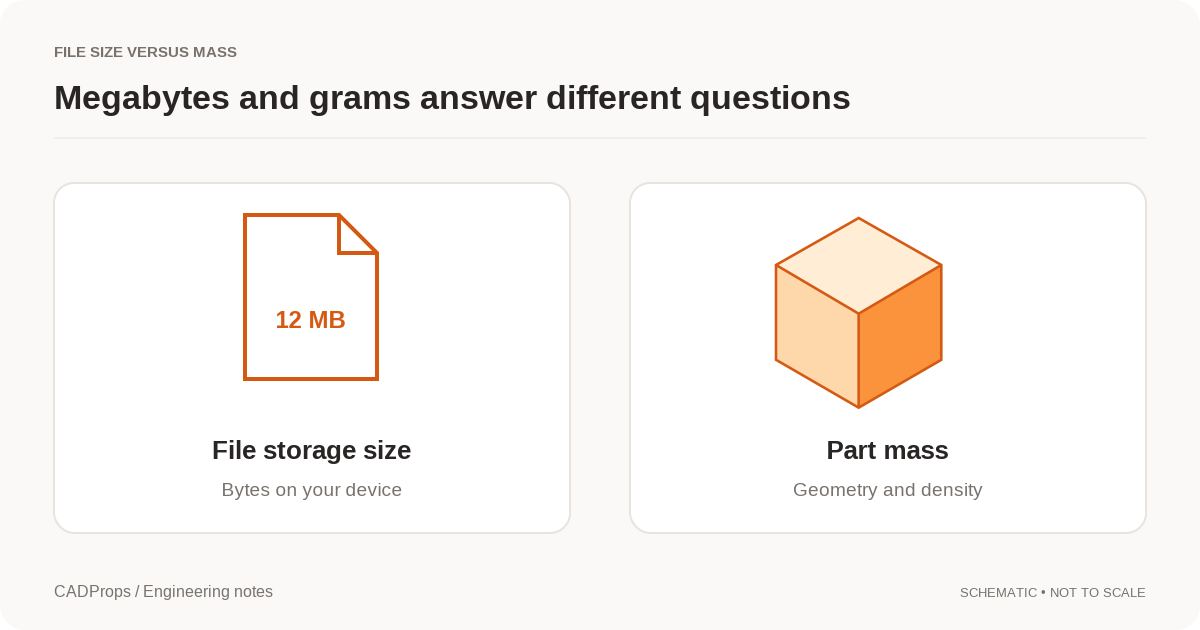
MeasurementCAD File Size vs Part Weight: Why MB Does Not Mean Mass
Megabytes describe storage. Grams describe mass. Here is why a large file can represent a light part, and what you need for a useful mass estimate.
MeasurementSTEP File Scale Wrong by 25.4? Fix Inch and mm Units
Diagnose STEP and CAD models that import 25.4× too large or small by checking inch/mm interpretation, a known dimension and downstream import settings.
 Measurement
How to Calculate Volume from a STEP File
Calculate volume from a STEP file using valid CAD solid geometry, verify units and body scope, diagnose unavailable results, and use volume safely for mass estimates.
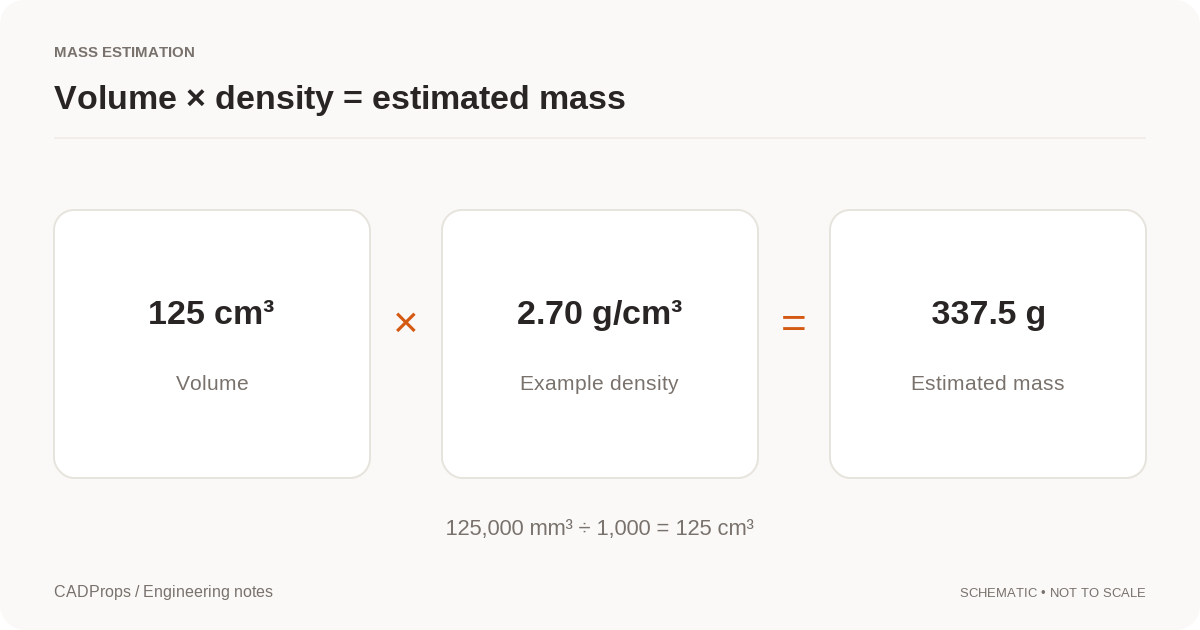
MeasurementCalculate STEP File Weight from Volume and Density
Work from valid solid volume, choose a documented density and keep units, configuration and assembly scope visible in the result.
MeasurementMeasure STEP Files Online: Dimensions, Distances & Units
Measure STEP files online, check X/Y/Z dimensions, verify units, distinguish bounding boxes from local measurements, and record the geometry scope correctly.
MeasurementOBJ Mesh Units and Volume: Check Scale and a Closed Shell
OBJ does not declare reliable units. See how millimetres are assumed, when mesh volume is only an approximation, and why OBJ is not a CAD solid.
MeasurementSTEP Assembly Instances: Check Repeated-Part Totals
Verify two occurrences of a shared STEP part definition and distinguish instance totals from the assembly envelope.
MeasurementSTEP File Bounding Box: Get Overall Dimensions Online
Read a STEP file's overall X, Y and Z extents, understand why orientation changes a bounding box, and avoid confusing envelope dimensions with drawing dimensions.
MeasurementSTEP Hole Recognition: Detect Through and Blind Holes
Recognize supported cylindrical holes in STEP files, read diameter and depth from B-Rep geometry, and understand why stepped, intersecting or conical holes remain unclassified.
MeasurementSTEP Inch Units: A Reproducible Dimension Check
Verify an inch-declared STEP block against known millimetre dimensions without rescaling the model.
MeasurementOpen STEP Surface: Area Available, Volume Unavailable
Use a known planar STEP face to distinguish measurable surface area from unavailable solid volume.
MeasurementDo STL Files Have Units? How to Fix mm vs Inch Scale
No. STL has no standard unit declaration, so 25 can mean 25 mm or 25 inches. Diagnose mm-versus-inch scale errors and verify dimensions before printing or manufacturing.
MeasurementCalculate Surface Area from a STEP File
Calculate STEP file surface area from CAD faces, verify units and body scope, distinguish total geometry from process area, and avoid common coating-estimate mistakes.
Measuring filesWhich CADProps CSV Contains Your Measurements?
Download local measurements or whole-model properties from CADProps and check scope, units and geometric basis before sending the table.
Measuring filesHow to Measure One Curved Face in a STEP File
Use Surface area in the CADProps STEP viewer to measure a single curved B-Rep face and check which surface the result covers.
Measuring filesHow to Measure Thickness Between Two STEP Faces
Measure between parallel planar faces in CADProps and fix a rejected selection when you pick a side wall or curved surface.
Measuring filesHow to Measure Hole Center Distance in a STEP File
Open a STEP file in CADProps and measure between circular rims or bore axes. Check the selected references before comparing the result with a drawing.
Opening filesHow to Make an Exploded STEP Assembly View for Review
Separate a STEP assembly in CADProps, export a PNG for a review note and restore the original positions before measuring.
Opening filesHow to Find the Center of Mass of a STEP Model
Turn on the center-of-mass marker in CADProps, check its X, Y and Z coordinates on a sample STEP block, and understand the uniform-density estimate.
Opening filesIGES File (.igs, .iges): What It Is and How to Open It
An IGES file is an older neutral CAD format for curves, surfaces and some solids. Learn how to open an .igs or .iges file online and check what you received.
Opening filesHow to Isolate a Part in a STEP Assembly in CADProps
Find a component in the STEP model tree, isolate it for inspection, and restore the assembly view without changing the file.
Opening filesHow to Make One Part Transparent in a STEP Assembly
Use CADProps to see through a cover while keeping it in context. Learn when to make a part transparent, hide it, or use a section plane.
Opening filesOpen a Rhino 3DM File Without Rhino
Open Rhino 3DM with saved meshes or tessellated NURBS for approximate preview. Learn object limits and when to request STEP, IGES or STL.
Opening filesOpen CAD Files on Mac: STEP Viewers and Format Options
A practical Mac workflow for STEP, SLDPRT and NX PRT files: identify the format, check browser or desktop options, and verify the result.
Opening filesHow to Open a CATPart File Online Without CATIA
Open CATIA V5 CATPart files in a browser without CATIA. Check version, geometry and units, and convert readable parts to exact or mesh STEP.
Opening filesHow to Open a CATProduct File Without CATIA
What CADProps shows for a CATIA V5 CATProduct, why the assembly is not rebuilt in 3D, and the practical routes to a usable model, STEP export or individual CATPart files.
Opening filesOpen a Creo File Without Creo
Creo PRT and ASM files are not opened by the Siemens NX path. Identify the source, ask for STEP, and do not rename a Creo file to force a reader.
Opening filesOpen DWG or DXF Files Without AutoCAD
Open supported 2D DWG/DXF drawings with layouts, layers and measurement, or preview detected 3D ACIS solids as a mesh. Know when to request STEP or native CAD.
Opening filesF3D Files: How to Open a Fusion 360 Design Online Without Fusion
An .f3d file is an Autodesk Fusion design archive. Learn how to view one online without Fusion, what is shown from the design, why measurements are approximate and when to ask for STEP.
Opening filesG-code Files: What They Are and How to Open Them Online
A .gcode or .nc file is a list of machine moves from a slicer or CAM program. Learn what it contains, how to preview 3D printing and CNC G-code online and why some files will not draw.
Opening filesHow to Open an IAM File Without Autodesk Inventor
Open Autodesk Inventor IAM assemblies without Inventor by packaging referenced IPT files, checking missing components, verifying dimensions and converting to STEP.
Opening filesIFC Files: How to Open a BIM Model Online and What You Will See
IFC is the open buildingSMART format for BIM models. Learn how to open an .ifc or .ifczip file online, which building elements are shown, how units are read and what a quick viewer leaves out.
Opening filesHow to Open an IPT File Online Without Inventor
View Autodesk Inventor IPT files in a browser without Inventor. Check geometry and units, zip IAM assembly references, and convert supported models to STEP.
Opening filesJT File (.jt): What It Is and How to Open It Online
A JT file is a Siemens 3D format, published as ISO 14306, for lightweight visualization and exchange. Learn what a .jt file can contain, how to open it online and check its triangle geometry.
Opening filesNEU Files: How to Open a Creo / Pro/ENGINEER Neutral File Online
A .neu file is a Pro/ENGINEER or Creo Neutral export, a text description of a part's faces and edges. Learn how to open one online, what is rebuilt and why its units need checking.
Opening filesHow to Open an NX PRT File Online Without Siemens NX
View Siemens NX or UG NX PRT files in a browser without installing NX. Confirm the PRT is NX, zip assembly references, measure, and convert to STEP.
Opening filesPLT and HPGL Files: What They Are and How to Open Them Online
A .plt or .hpgl file is a pen plotter program, usually a CAD drawing plotted to file or a cutter job. Learn what it contains, how to preview it online and why some PLT files will not open.
Opening filesPRC Files: What They Are and How to Open Them Online
PRC is the ISO 14739-1 3D format used inside 3D PDFs. Learn what a .prc file holds, how to open one online, what the preview shows from its B-Rep and tessellation, and how its units are read.
Opening filesHow to Open SAT Files Online Without an ACIS CAD System
Open an ACIS SAT file in a browser, verify solids, units and dimensions, understand SAT versus SAB, and validate a STEP handoff before reuse.
Opening filesOpen an SLDASM File Without SolidWorks or Convert to STEP
Open an SLDASM assembly online by zipping it with its referenced SLDPRT files. Check missing parts and dimensions, then sign in to convert it to STEP.
Opening filesHow to Open SolidWorks SLDPRT Files Without SolidWorks
View SolidWorks SLDPRT parts in a browser without SolidWorks. Check the source version and geometry, measure the part, and convert supported models to STEP.
Opening filesOpen a Solid Edge File Without Solid Edge
Preview Solid Edge PAR, PSM and supported ASM files as approximate 3D, with thumbnail fallback. Request STEP or X_T for exact geometry work.
Opening filesHow to Open and Measure an STL File Online
Open a binary or ASCII STL file in the browser, measure distances between points and check dimensions, area and volume. Learn what an STL mesh can and cannot tell you compared with a CAD file.
Opening filesU3D Files: What They Are and How to Open Them Online
U3D (Universal 3D) is the ECMA-363 mesh format used inside 3D PDFs. Learn what a .u3d file contains, how to open one online, what the preview simplifies and why its units need checking.
Opening filesUNV Files: What They Are and How to Open Them Online
A .unv file is an I-DEAS Universal file, usually a finite-element mesh from Salome, Code_Aster, CalculiX or a CFD tool. Learn what it contains, how to open one online and how to check its units.
Opening filesVDA-FS Files: What They Are and How to Open Them Online
A .vda file is a VDA-FS surface export from the German automotive industry. Learn what VDA-FS stores, how to open one online, what the preview simplifies and when to ask for STEP instead.
Opening filesHow to Open an X_T File Online Without Parasolid Software
Open Parasolid X_T files online, verify the source model and units, measure readable geometry, and know when to convert the file to STEP.
Opening filesX3D and X3DV Files: What They Are and How to Open Them Online
X3D is the ISO web 3D scene format; .x3d files use XML and .x3dv files use the classic VRML-style syntax. Learn what a CAD export in X3D contains, how to open one online and why its units need checking.
 Opening files
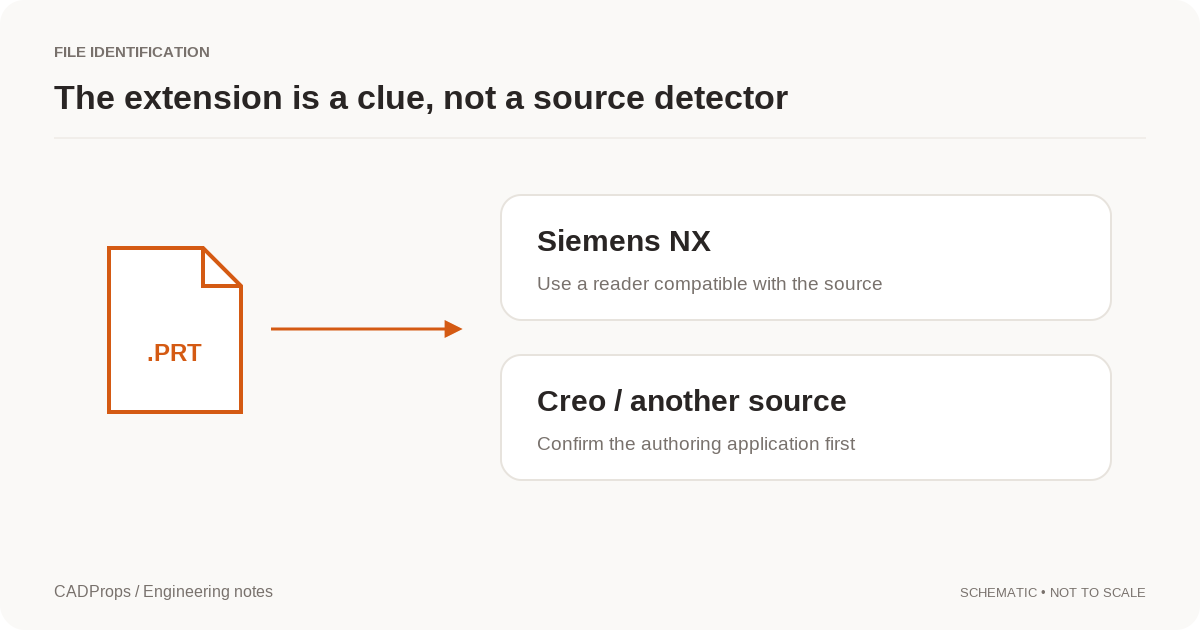
PRT File from NX or Creo? How to Tell and Open It
A .prt file can come from Siemens NX or Creo. Identify the source, pick the matching viewer, and check assembly references before you convert it.
Opening filesHow to Save and Restore Inspection Views in a STEP Model
Save two angles of a STEP model in CADProps and switch between them while inspecting the same file. See where saved views are kept.
Opening filesHow to Rotate a STEP Model Around a Small Feature
Set a rotation center on a STEP model in CADProps, inspect a hole or local feature, then restore the model center when navigation becomes awkward.
Opening filesSTEP File (.step, .stp): What It Is and How to Open It
A STEP file is a neutral ISO 10303 CAD model saved as plain text. See what it contains, how to open a .step or .stp file online, and what to check first.
Opening filesHow to Inspect an Internal Passage in a STEP Section View
Use a section plane in CADProps to inspect a hidden bore, shoulder or cross-drilled passage, then measure the original geometry separately.
Opening filesHow to Use a Section Box in a STEP Model
Use the CADProps Section box to inspect a small region of a STEP part or assembly, adjust opposing faces and restore the full view.
Opening filesPack a CAD Assembly ZIP: Choose the Root and Keep Paths
Package an assembly with its referenced parts, keep relative folders, and choose the root model so missing components are visible instead of silent.
TroubleshootingCATPart Only Shows a Thumbnail in CADProps: What to Check
Tell a saved CATIA thumbnail from a rotatable 3D preview and request the right file when you need to measure the part.
TroubleshootingCATProduct Missing Parts? Fix CATIA Assembly References
Diagnose CATIA CATProduct assemblies with missing CATPart components, request the exact dependencies, and check the STEP export for missing parts before you rely on it.
TroubleshootingHow to Inspect CNC G-code Rapids and Z Steps
Show rapid moves and step through a CNC program in CADProps. Learn what apparent low moves, overlapping offsets and drilling cycles mean in the preview.
TroubleshootingHow to Compare a G-code Toolpath with Its CAD Model
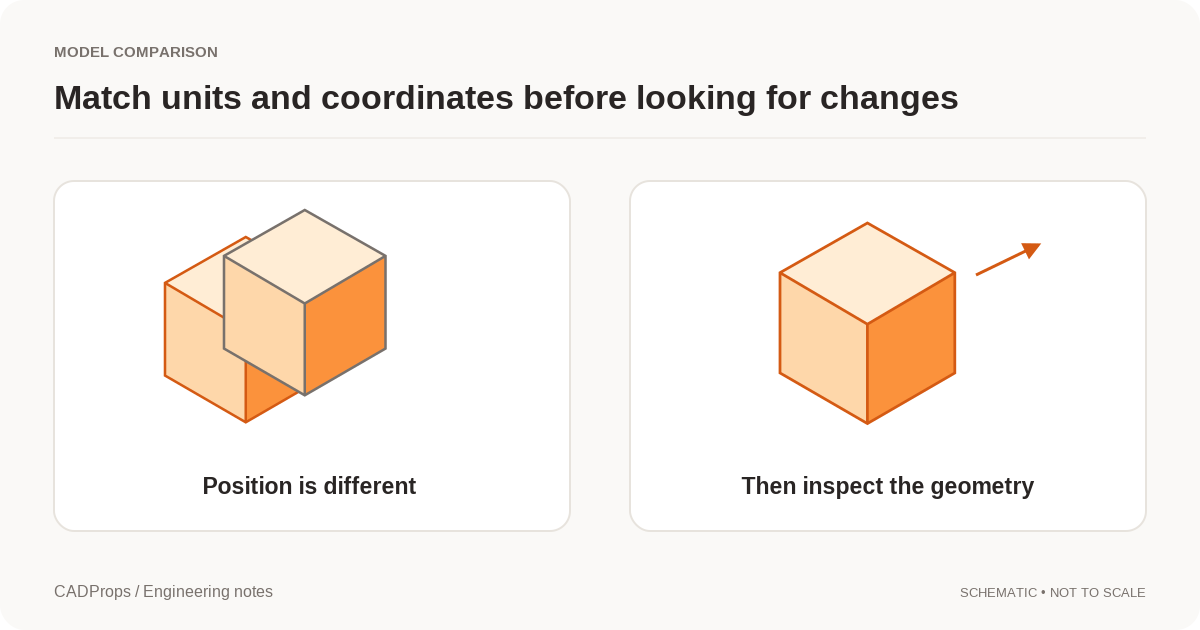
Show the source model beside a G-code toolpath in CADProps. Check the revision, units, placement and layer before diagnosing an offset.
TroubleshootingDWG Layers Missing or Not Showing? Check Visibility Before Converting
Diagnose DWG or DXF layers that appear missing by checking model space, layouts, layer On/Off state, Freeze/Thaw, viewport overrides and unsupported drawing dependencies.
TroubleshootingDXF Scale Wrong? Check Drawing Units Before Resizing
Diagnose DXF drawings that import too large or too small by checking drawing units, insertion settings, one known dimension and the receiving application's scale assumptions.
TroubleshootingHow to Inspect the First Layer of a G-code Print
Use CADProps to step through a slicer file, isolate the first printed layer and tell travel moves from deposited lines.
TroubleshootingglTF Missing Textures? Fix .bin and Image File Paths
Diagnose glTF files that open with missing geometry resources or textures, package relative .bin and image dependencies correctly, and know what CADProps does and does not render.
TroubleshootingIAM Missing Parts? Fix Autodesk Inventor Assembly References
Diagnose Inventor IAM assemblies with missing IPT or nested IAM components, preserve folder structure, rebuild the package and avoid incomplete geometry totals.
TroubleshootingIGES Surfaces Not Solid? Check Volume and Open Shells
Understand an IGES surface import before stitching boundaries or assuming the reader failed to create a solid.
TroubleshootingOBJ File Has No Materials? Fix Missing MTL and Texture Paths
Diagnose an OBJ that opens with plain gray geometry by checking the MTL sidecar, material assignments, texture files and relative paths before re-exporting.
TroubleshootingParasolid X_B File Won’t Open? Check the File and Export Version
Open a binary Parasolid X_B file in CADProps. If it fails or shows missing geometry, check the original file, reader version and export settings.
TroubleshootingSLDASM Missing Parts? Fix SolidWorks Assembly References
Diagnose SolidWorks SLDASM assemblies with missing SLDPRT components, preserve folder structure, distinguish partial geometry from complete results, and rebuild the package.
TroubleshootingReduce STEP File Size: Keep Required CAD Geometry
Distinguish archive compression, model simplification and display optimization before changing a CAD handoff.
TroubleshootingSOLIDWORKS Future Version File? What an Older Release Can Open
Understand why an older SOLIDWORKS release may reject a newer SLDPRT or SLDASM, what previous-release SP5 can open, and when to request STEP instead.
TroubleshootingSolidWorks Part Opens in the Wrong Configuration: What to Check
Check a SolidWorks part preview against its released configuration, then ask for a verifiable export when the visible geometry differs.
TroubleshootingSolidWorks STEP Export Missing Components? Check Selection, Suppression & Assembly State
Diagnose a SolidWorks assembly that exports to STEP with missing components by checking selected entities, suppressed or hidden parts, lightweight state, configuration and the exported file itself.
TroubleshootingSolidWorks STEP Export Has Faceted Holes: What to Check
Use CADProps to check a SolidWorks-to-STEP export, then find out whether a hole wall is cylindrical or made from flat faces.
TroubleshootingSTEP Assembly Flattened After Import? Check Structure and Names
A STEP file can carry assembly structure, but exporters and importers may flatten components into bodies. Learn how to diagnose lost hierarchy without confusing it with missing geometry.
TroubleshootingSTEP to IGES Failed Because of Mesh Faces? What to Do
Check a STEP file that CADProps cannot convert to IGES because some faces have no CAD surfaces, and choose the right replacement export.
TroubleshootingSTEP Volume Changed After Conversion: What to Check
If two CAD files both report a volume but the numbers differ, check units, body scope, missing components, healing and solid validity before blaming rounding.
TroubleshootingWatertight Mesh: When an STL Can Have a Volume
A watertight mesh is a closed, consistent triangle boundary. Open or inconsistent STL and OBJ meshes have no reliable volume, and CADProps does not replace that with zero.
TroubleshootingSTEP File Volume Zero or Missing? Check Solid Geometry
Diagnose STEP files that show zero or unavailable volume by checking open shells, solid closure, selected scope, units, missing components and geometry-processing warnings.
TroubleshootingSTL Volume Zero or Missing? Check the Mesh Is Closed
Diagnose STL files with zero, missing or unreliable volume by checking watertightness, inconsistent faces, units and export quality before calculating mass.
Versions & reviewCAD Versions vs Revisions: Track Models and Exports
Keep upload history, engineering revision labels and converted files separate so a new export does not masquerade as a design change.
Versions & reviewCompare CAD Revisions: Geometry and Property Checks
Use fixed versions, explicit units and a deliberate alignment method before interpreting overlays or property differences.
Versions & reviewManage CADProps Share Links: Passwords, Expiry and Revocation
Find active CAD model links, understand recipient access, stop a link early and handle a replacement model without changing a fixed snapshot.
Versions & reviewShare a Fixed CAD Revision: File and Version Checklist
Pin a shared model or comparison to an explicit version, check recipient permissions and handle replacements without silent updates.