

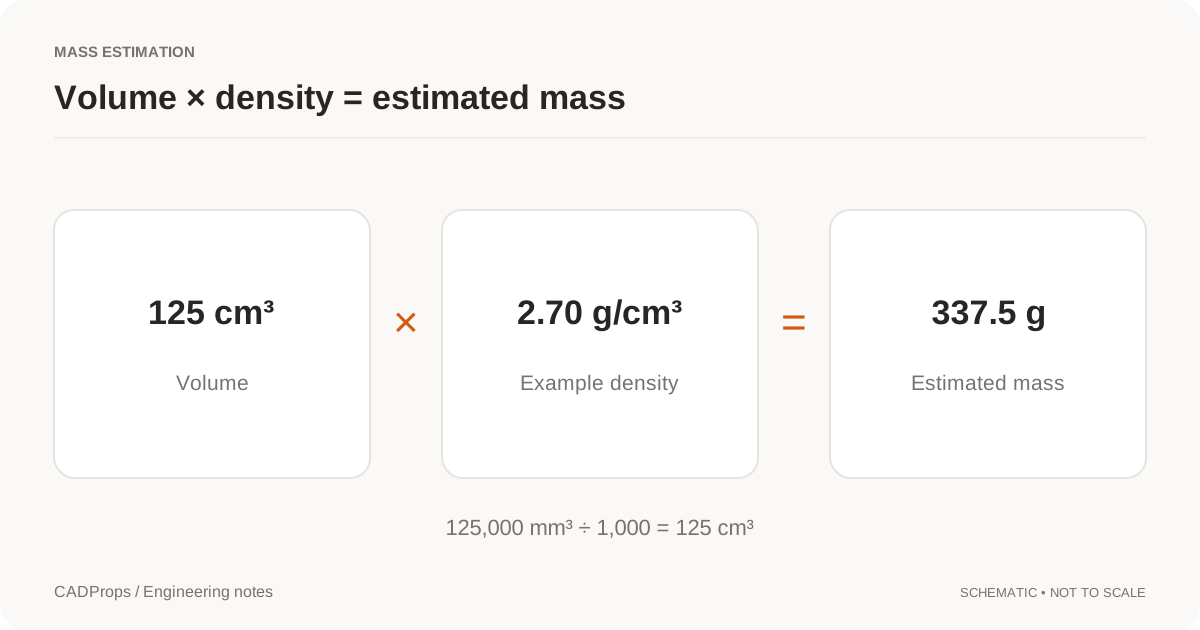
To estimate a part's mass from a STEP file, you need two things: a usable volume for the intended geometry and a density for the intended material. A file can supply the shape without supplying a trustworthy material assignment.
Start with the model scope and units. Only then choose a density. This order prevents a neat-looking mass calculation from concealing a missing body, an incomplete assembly or a unit mistake.
Confirm the model you are measuring
Identify the revision and the bodies included in the calculation. Is it one finished part, a collection of solids, a casting before machining or a partially loaded assembly? The answer belongs beside the result.
A section view can help inspect hollow regions, but the picture is not a validity test. CAD property calculations rely on valid input geometry; the relevant kernel documentation should state the prerequisites. Open CASCADE's BRepGProp reference, for example, warns about closure and consistent orientation in volume calculations. Calculation requirements.
If the geometry is not valid for volume, report that condition. Do not treat unavailable volume as zero and multiply it by a density.
Put volume and density in compatible units
One cubic centimeter contains 1,000 cubic millimeters. This is a common source of a three-order-of-magnitude error because the length conversion must be cubed.
An illustrative calculation is:
Volume:           125,000 mm³
In cm³:           125,000 / 1,000 = 125 cm³
Assumed density:  2.70 g/cm³
Estimated mass:   125 × 2.70 = 337.5 g
In kilograms:     337.5 / 1,000 = 0.3375 kg
The arithmetic is exact for the supplied numbers. The engineering estimate is only as good as the geometry scope and density input. Do not attach more confidence to it because a calculator displays six decimal places.
Use a density that belongs to the material
“Steel,” “plastic” and “aluminum” are broad labels. For a job that needs more than a rough estimate, use the specified material and a density from an appropriate datasheet or agreed engineering reference. Record that source with the result.
A convenient preset can be a starting point, but it should not silently override a user's material choice. A custom density field should show both the number and the unit. Label the outcome as estimated mass when it depends on an assumed material.
If the file contains a saved material or mass property, display it as imported information. It may relate to another configuration or a particular authoring workflow. Comparing that value with a recomputed one is useful; assuming that they mean the same thing is not.
Handle assemblies component by component
For a mixed-material assembly, calculate the mass of each included component and account for its instances. Keep excluded or unresolved components in an exceptions list.
| Component | Included count | Volume source | Density source | Result state |
|---|---|---|---|---|
| Housing | 1 | Valid geometry | Specified material input | Calculated |
| Fastener | 4 | Resolved part definition | Selected density | Calculated |
| Motor | 1 | Missing reference | Unknown | Incomplete |
This is an example report structure, not a calculation of the pictured sample. An incomplete component list should prevent the total from being presented as a complete assembly mass.
Distinguish mass, stock mass and shipping weight
A finished part model describes one stage of a process. Its mass is not automatically the mass of the starting stock. A bounding box plus machining allowance describes another volume, and the allowance needs an engineering decision.
Shipping weight adds packaging and other items. Coatings, inserts and fasteners may or may not exist in the geometry. Ask what the number will be used for before deciding which additions are appropriate.
Save the calculation inputs, not just the answer
A useful record includes file revision, selected bodies, volume unit, density value, density source, estimated mass and warnings. When material changes but geometry does not, create a new calculation record rather than claiming a geometric revision.
For multiple parts, use consistent columns and leave missing values blank with a status field. A zero mass must mean a calculated zero, not “the reader failed.” The batch reporting guide gives a practical column layout.
Check a density scenario before calling it assembly mass
For the public block, 24,000 mm³ equals 24 cm³. At an explicitly assumed 2.70 g/cm³, the calculated mass is 64.8 g. If you change only density, geometry and volume remain unchanged; the new number is a material scenario rather than a design revision.
Applying one workspace density to a mixed-material assembly is not a per-component material assignment. It estimates the selected volume as though that density applied to all of it. For a defensible mixed-material total, calculate the relevant component/material volumes separately and combine them with confirmed densities outside that single-density scenario.
Check for modeled coatings, inserts or purchased items before adding them again. Conversely, do not assume they are included merely because the assembly name suggests a complete product. Keep unknown contributions in an exception list rather than giving the calculated subtotal the label “shipping weight.”
Store the volume, density, resulting unit, source revision and unresolved scope together. Those inputs let another engineer reproduce the number without inferring material from color or filename.
Original article: CADProps · https://www.cadprops.com/guides/calculate-weight-from-step/