View without an account
 Temporary workspace
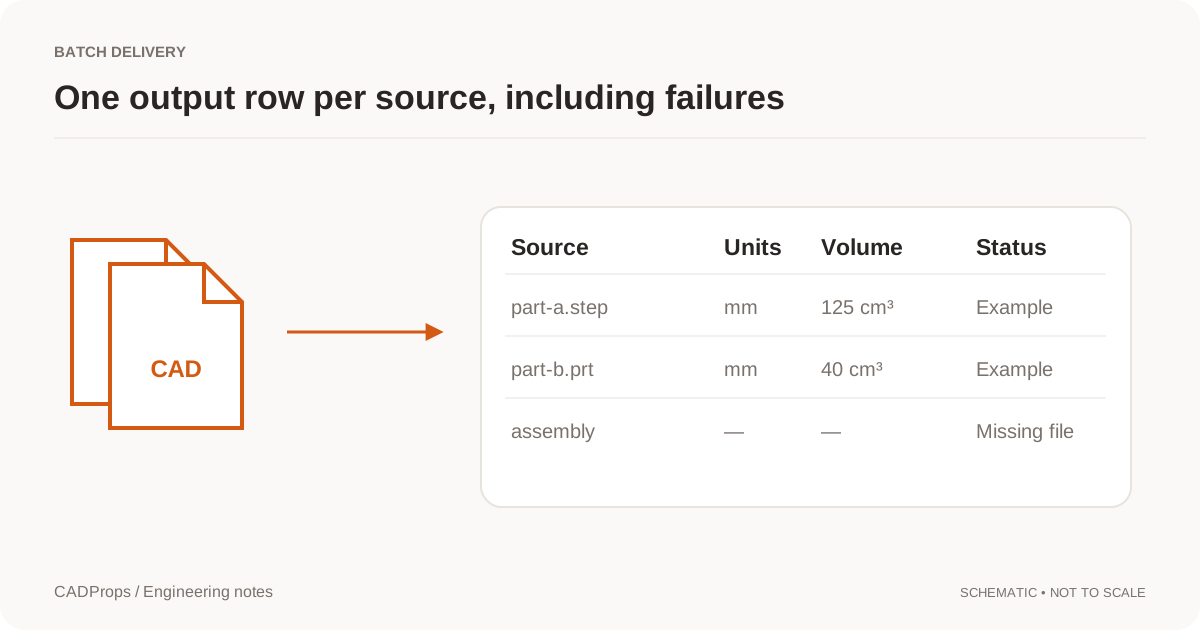
Use one row per source to keep a mixed batch understandable. Record units, calculation scope and failures alongside the values rather than silently omitting difficult files.
Keep each file accountable
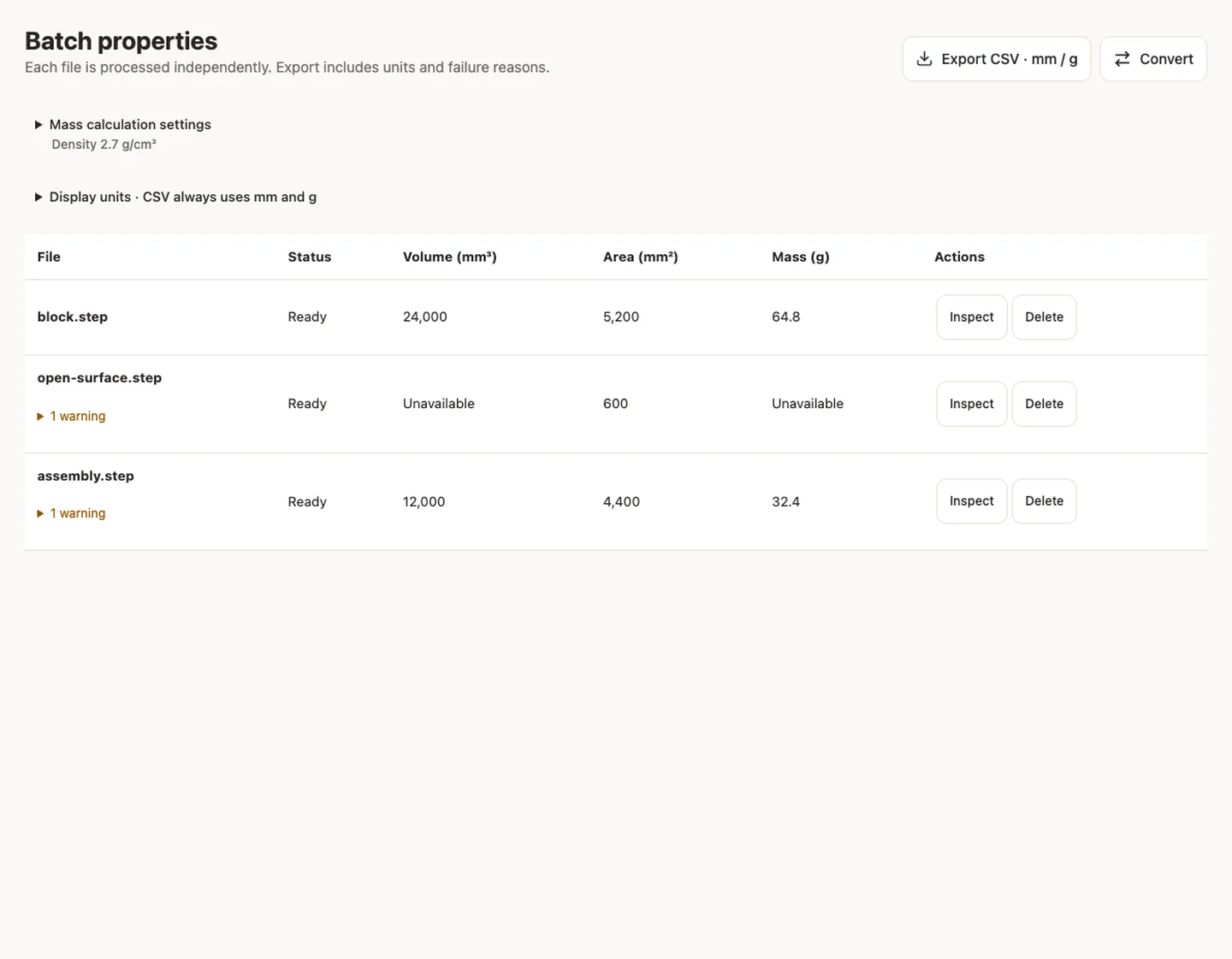
Every selected STEP file gets its own processing status. A failed file stays in the list with a reason instead of silently disappearing from the report.
Use consistent units and density
Dimensions, area and valid solid volume are normalized to millimetres. The density you choose is applied consistently when estimating mass; confirm that it is suitable for the parts in your batch.
Take the properties with you
Export a CSV containing file names, status, dimensions, surface area, volume, density, mass, source units and warnings. This release does not export converted models or ZIP packages.
Input formats: STEP / STP
General steps for uploading, viewing, sectioning, measuring, converting and exporting are explained once in How it works. This page covers what is specific to this file type.
Real CADProps screenshots
The screenshots show the English interface. Captions and instructions describe the same operations.
Sample source and verification
When a result needs another check
Viewing can start without an account. Conversion, account storage and share creation require signing in. Temporary files expire after the displayed retention period. Read the privacy statement for server processing and deletion, and the accuracy notes before using numerical results. Do not assume that hiding a part, clipping it or exploding an assembly changes the exported source geometry.
When a result needs another check · Input formats
Continue with a related task
- SolidWorks to STEP Converter: SLDPRT & SLDASM
- NX PRT to STEP Converter Online: Siemens NX / UG NX
- CAD Weight Calculator: STEP Volume & Material Density
Original article: CADProps · https://www.cadprops.com/tools/batch-cad-processing/