View without an account
 Temporary workspace
Inspect IGES surfaces, solids and curve-only files using Open CASCADE. Surface and solid models can expose dimensions and area; volume and mass require valid closed solids. Curve-only files are shown as wireframe.
Open your file
Inspect IGES surfaces, solids and curve-only files using Open CASCADE. Surface and solid models can expose dimensions and area; volume and mass require valid closed solids. Curve-only files are shown as wireframe. Select or drop the file to start processing immediately. For guests, temporary workspace copies remain limited to the browser session and expire after the configured retention period. Signed-in files are saved to the account library when space is available; otherwise they remain temporary.
What is supported
IGES can contain solids, surfaces and curve entities. Open shells can show area and dimensions but no reliable volume or mass. If the file contains curves without supported surfaces, CADProps keeps the viewable geometry as a sampled wireframe; area, volume and mass are unavailable. Self-contained models only; no external references.
Read the result responsibly
Display units can be changed without changing source geometry. Confirm source units and material density before using physical properties. A preview is not a manufacturing validation.
Open an IGES or IGS file
- Open the viewer and select or drop a
.igsor.igesfile. - Wait while the file is processed on the server. Viewing and measuring need no account, and guest files are temporary.
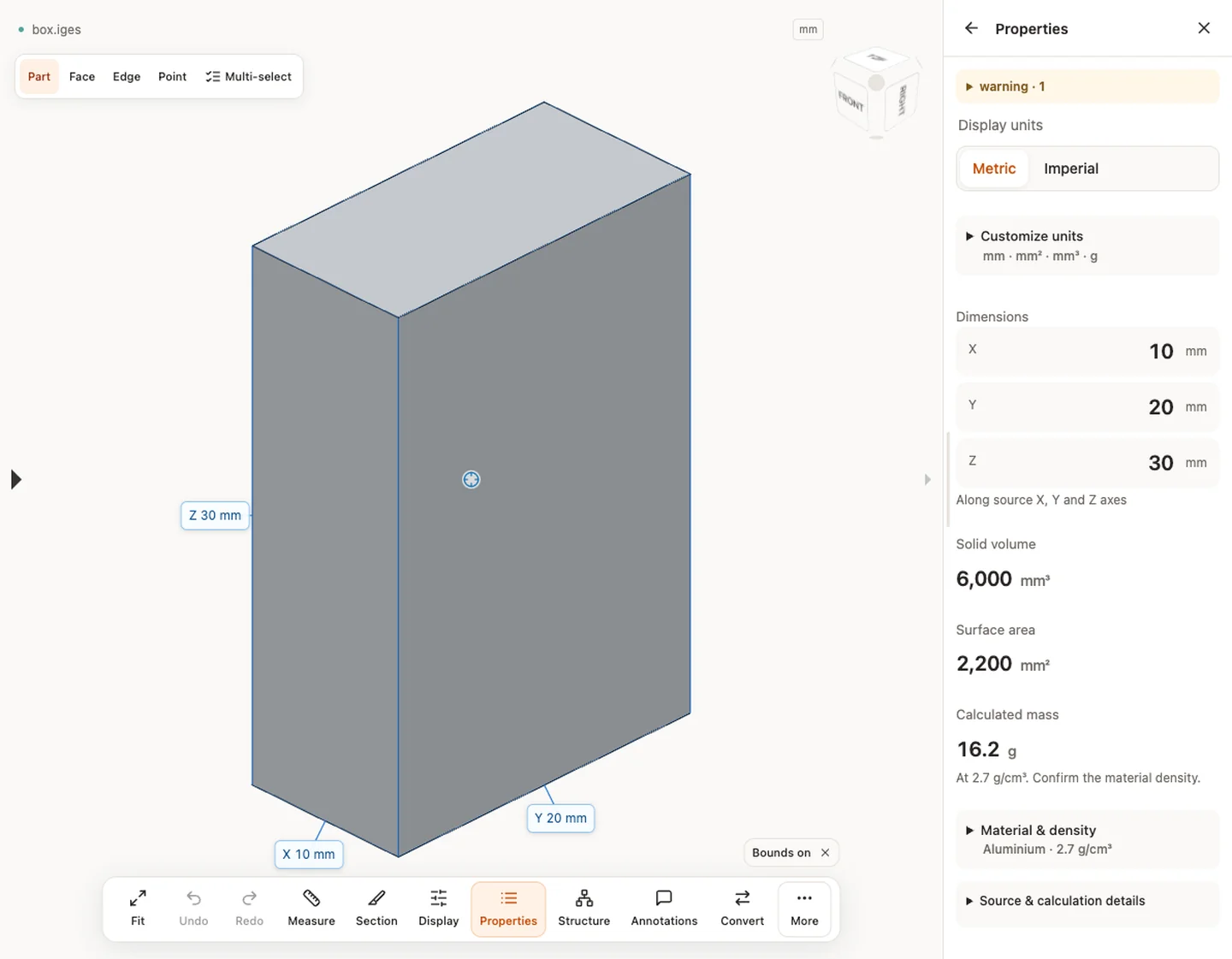
- Read the header of Properties first: it shows the solid count. A count of 0 means you received surfaces or curves, not a closed solid.
- Compare one X, Y or Z extent with a dimension you already know.
- Open Source units, method and precision to see the unit the reader took from the file and how each value was calculated.
What an IGES file is and how to open it explains the five sections of the file, the unit flag and how to tell a solid from a set of surfaces.
Measure edges and faces
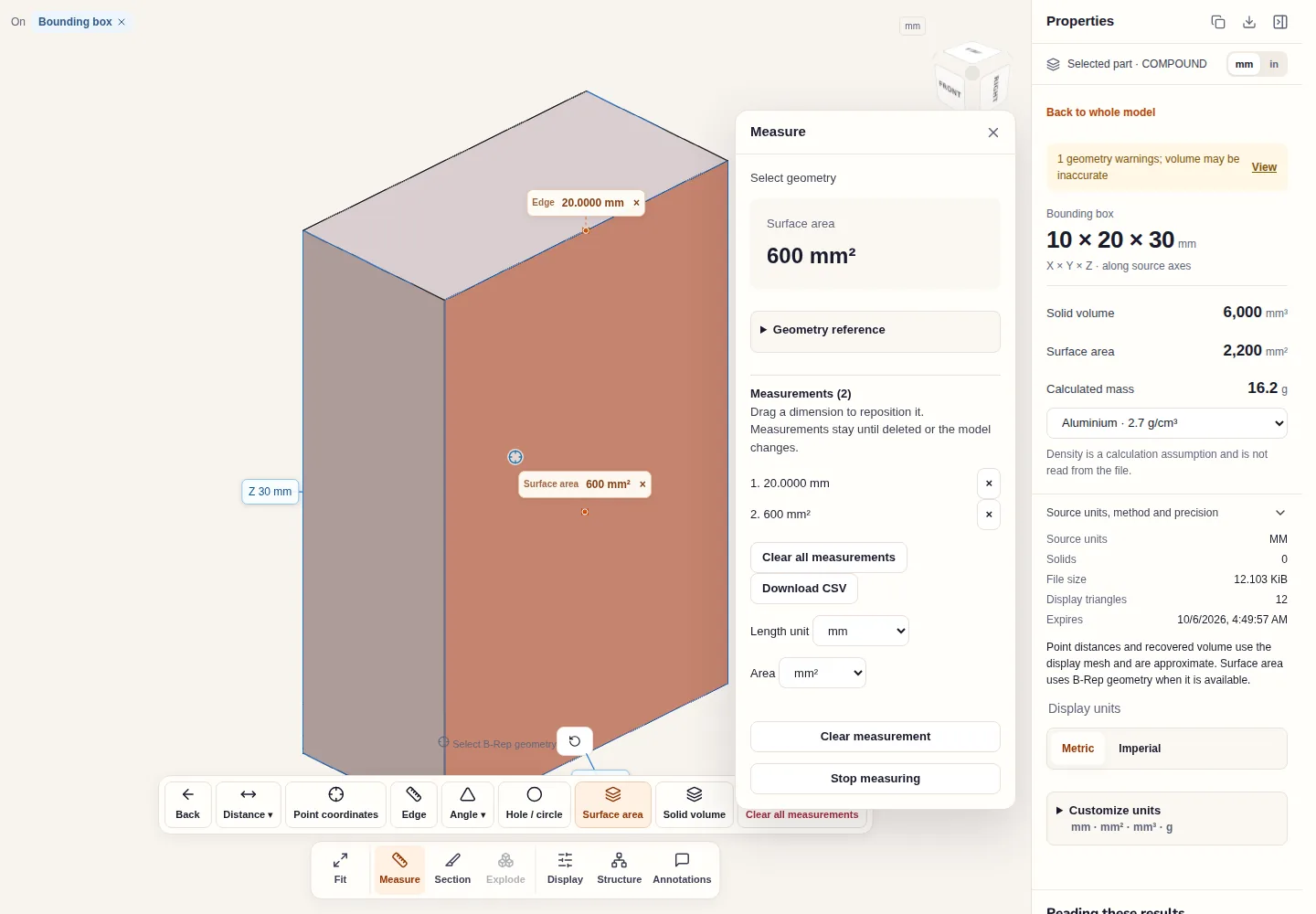
IGES surfaces are exact geometry, so more measurement modes are available than for a mesh:
- Edge reads the length of a straight or curved edge from the B-Rep.
- Surface area reads the area of the face you click; the Properties panel gives the total.
- Hole / circle reads a diameter from a circular edge or cylindrical face.
- Distance → Face distance measures between two parallel planar faces, and Angle between two planar faces that intersect. Distance → Two points and Point coordinates work on picked points and are approximate.
- Solid volume applies to closed solids. For a surface-only file, any volume is recovered from the display mesh and marked with a geometry warning.
Every result goes to a Measurements list that downloads as CSV, and the length and area units can be changed without changing the file.
Section and display the model
Section cuts the view with one plane, several planes or a box. It only clips what you see and does not calculate a cross-section area. Display switches to wireframe or transparent views, which help when a surface hides another or when you want to see whether a shell is closed.
Checks specific to IGES files
- Solid or surfaces. Many systems export IGES as trimmed surfaces even when the source was a solid. Use surface area, not volume, unless the solid count is above zero. Why an IGES file shows surfaces instead of a solid explains why.
- Curves only. A wireframe of curves shows shape and extents only; area, volume and mass do not apply.
- Units. The unit comes from a flag in the file's Global section. If a known dimension is 25.4 times off, the flag was set wrongly at export; see fixing a 25.4 scale error.
- External references. Only the geometry inside the file is read; referenced files are not fetched.
- Levels and assemblies. IGES carries limited assembly structure, and level assignments are not kept. STEP vs IGES explains when to ask for STEP, and IGES to STEP converts the geometry that was read.
Input formats: IGES / IGS
General steps for uploading, viewing, sectioning, measuring, converting and exporting are explained once in How it works. This page covers what is specific to this file type.
Real CADProps screenshots
The screenshots show the English interface. Captions and instructions describe the same operations.
Sample source and verification
When a result needs another check
Viewing can start without an account. Conversion, account storage and share creation require signing in. Temporary files expire after the displayed retention period. Read the privacy statement for server processing and deletion, and the accuracy notes before using numerical results. Do not assume that hiding a part, clipping it or exploding an assembly changes the exported source geometry.
When a result needs another check · Input formats
Continue with a related task
- CAD Surface Area Calculator: Measure STEP Geometry
- CAD Volume Calculator: Measure STEP Solid Volume
- STEP File Viewer Online: Open STP Files, No Account
Original article: CADProps · https://www.cadprops.com/tools/iges-viewer/