View without an account
 Temporary workspace
Open a CATIA V5 CATPart without installing CATIA. CADProps reads the part in-house and shows the display geometry CATIA saved with it. When the part's B-Rep is reconstructed completely and matches that display, exact properties and exact STEP export are available; otherwise dimensions and properties are approximate.
What you see after upload
Most CATPart files show their saved display triangles within seconds. A part saved without display geometry shows the thumbnail stored in the file instead, with no 3D measurement. Check orientation, the expected bodies and one known dimension before using the numbers.
Exact and approximate results
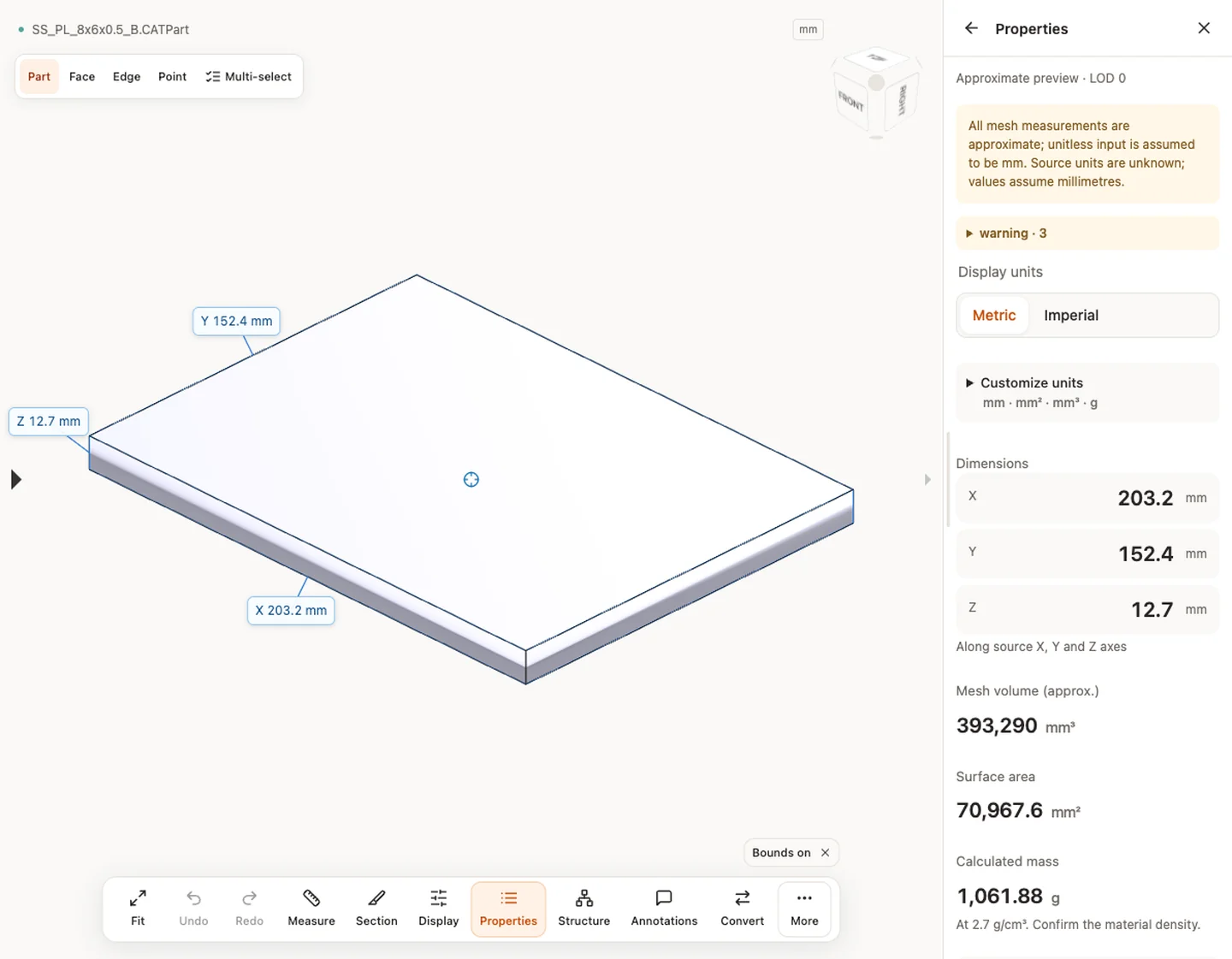
The result states whether the geometry is an exact B-Rep or an approximate mesh. Exact results support B-Rep edge and diameter measurement, and volume and surface area from the solid. Approximate results give overall size and mesh-based values; treat volume and mass from them as estimates.
Exact reconstruction does not yet work for every CATPart, so many parts open with CATIA's saved display geometry only. That is enough to identify a part, check its overall size and spot a wrong revision, but not to quote a bore diameter or a machined volume. When the result says approximate and you need exact values, ask for a STEP export from CATIA rather than re-uploading the same CATPart.
Check a CATPart before it goes to a supplier
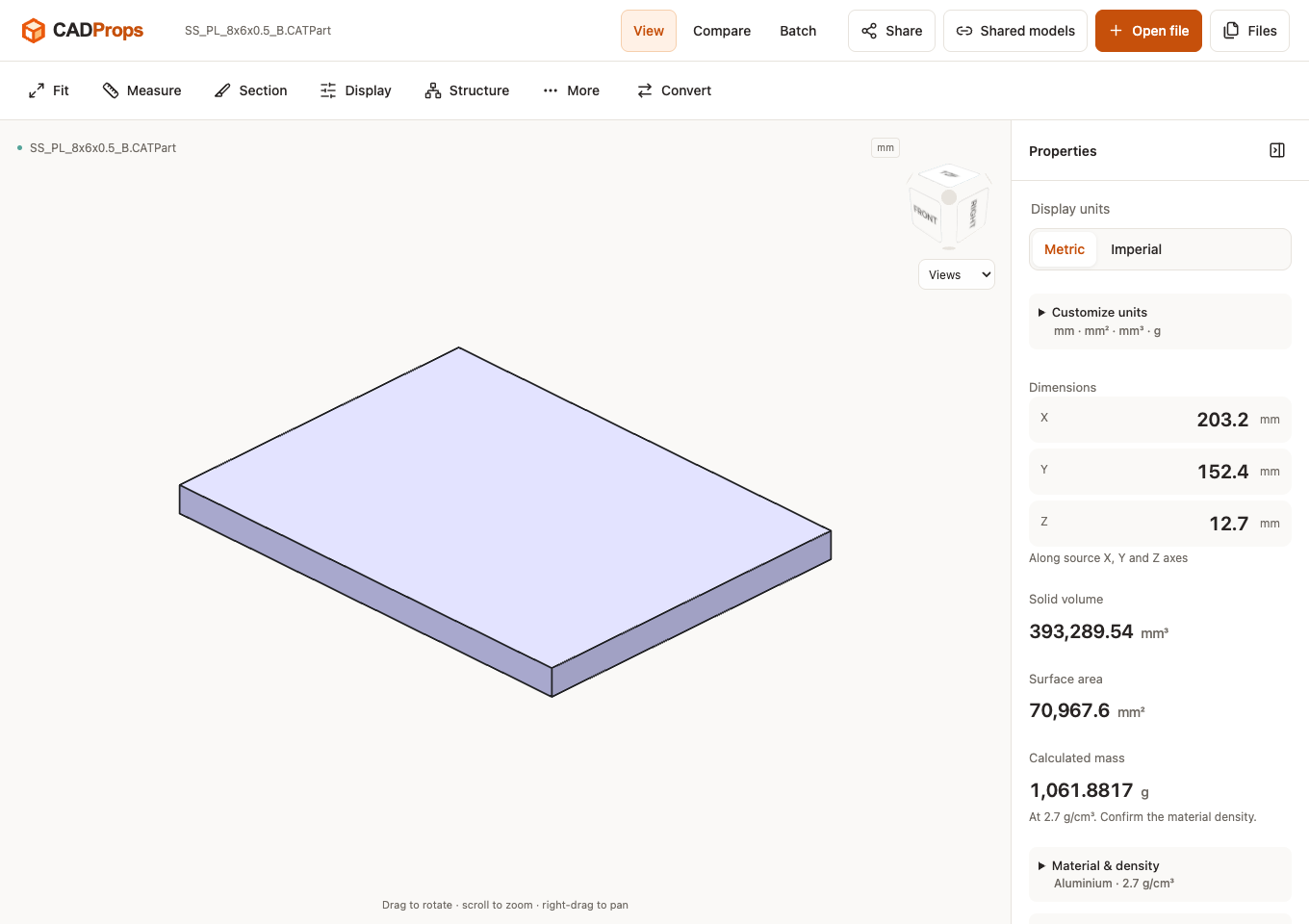
- Compare the overall size with the drawing. The plate in the screenshot below was modelled as 8 × 6 × 0.5 in and reads 203.2 × 152.4 × 12.7 mm; switch the unit display to inches to compare it directly with an inch drawing.
- Confirm the expected number of bodies. A part that should be one solid but shows several pieces, or shows surfaces only, needs a look in CATIA before anyone quotes it.
- Read volume and mass only from a closed solid. A part built from open surfaces still has a size and an area, but no meaningful volume.
- Note whether the result is exact or approximate in the handoff, so the receiver knows which numbers came from the solid.
CATProduct assemblies
A CATProduct upload shows only the thumbnail saved in the file; CADProps does not assemble its parts in 3D. To review the parts, upload the CATPart files individually. For the whole assembly, ask for a STEP export from CATIA.
Convert CATPart to STEP
Sign in and choose STEP in Convert. You get an exact STEP when the part's B-Rep is complete, and a mesh STEP otherwise. Neither restores CATIA sketches, constraints or the feature tree. CATPart to STEP explains the difference.
CATPart to STL, OBJ or 3MF
After signing in, Convert also offers STL, OBJ, 3MF, GLB and glTF. These files are built from the triangles you see in the viewer. For a part shown from CATIA's saved display, the facet density is whatever CATIA used when the part was saved, so curved faces may look coarser than a print or render needs. Zoom in on fillets and holes before you print; if the facets are too coarse, ask for an STL exported from CATIA with a finer tolerance.
When a file will not open
CATIA releases and saved data vary, and compatibility with every release is not established. Do not rename the file. Confirm the source release and request a fresh STEP export when needed. CATShape, CGR and CATIA V4 MODEL/SESSION are not supported. 3DXML exports with XML or CATIA V5 binary (UVR) .3DRep tessellations have a separate 3DXML viewer: approximate meshes with unverified units, without exact B-Rep.
CATDrawing: the saved preview image
Upload a .CATDrawing to see its saved preview, when present. The image can help identify the attachment, but CADProps does not read drawing views, dimension entities or title-block data. There is no 3D rotation, measurement, exact property calculation or model conversion from this image; its physical units are unknown. If the saved image is missing or too small for review, ask for a PDF, DXF or DWG export. Request the CATPart or a STEP export for 3D geometry.
Input formats: CATPart / CATProduct / CATDrawing (saved image only)
General steps for uploading, viewing, sectioning, measuring, converting and exporting are explained once in How it works. This page covers what is specific to this file type.
Real CADProps screenshots
The screenshots show the English interface. Captions and instructions describe the same operations.
Sample source and verification
When a result needs another check
Viewing can start without an account. Conversion, account storage and share creation require signing in. Temporary files expire after the displayed retention period. Read the privacy statement for server processing and deletion, and the accuracy notes before using numerical results. Do not assume that hiding a part, clipping it or exploding an assembly changes the exported source geometry.
When a result needs another check · Input formats
Continue with a related task
- CATPart to STEP Converter Online: CATIA V5 Parts
- STEP File Dimensions Online: Measure X, Y, Z & Distances
Original article: CADProps · https://www.cadprops.com/tools/catia-viewer/