

 View without an account
 Temporary workspace
Open a Solid Edge part, sheet-metal document or supported assembly in the browser without installing Solid Edge. CADProps shows recoverable embedded geometry or supported saved display meshes as an approximate 3D preview. Files without usable 3D data can show their saved thumbnail instead. Viewing does not require an account; selecting a file uploads it for server processing.
PAR, PSM and ASM: what can be displayed
| File | Solid Edge document | Current viewing path |
|---|---|---|
.par |
Part | Recoverable bodies from a complete embedded Parasolid transmit, otherwise supported saved primary-body meshes; thumbnail fallback |
.psm |
Sheet-metal part | The same approximate preview paths as PAR; auxiliary flat-pattern caches are omitted |
.asm |
Assembly | Supported saved preview scenes with verified occurrence placements; older or unsupported scenes fall back to a thumbnail and unresolved component names when available |
A complete embedded Parasolid stream does not guarantee a complete reconstructed model. The native PAR/PSM path has not been admitted as exact: saved-display agreement and model completeness remain unverified. A shaded model is useful for visual review, but does not establish that all source faces or the current feature state were recovered.
How to open a Solid Edge file online
- Select the original
.par,.psmor.asmfile in the upload panel. Renaming it to STEP does not convert it. - Wait for processing. For a 3D result, rotate, zoom and fit the model; a thumbnail-only result is a saved image, without interactive 3D geometry.
- Read the representation, unit and completeness notices. Compare the visible bodies and a known dimension with the source model.
- For an assembly with missing bodies, supply referenced parts in a ZIP while preserving the expected filenames and relative paths. Supported scenes reuse their saved placements; packaging files cannot supply an unsupported assembly placement layout.
- If only a thumbnail appears, or the preview omits geometry needed for your task, ask the sender to export the current part or complete assembly as STEP in Solid Edge and open it in the STEP viewer.
Input formats: PAR, PSM, ASM
Saved meshes, units and sheet-metal state
Saved display meshes approximate the model surfaces. The viewer selects the supported primary model rather than combining feature-history displays, construction sketches and flat patterns. Native appearances are not decoded on the saved-mesh path, so these previews use a neutral color. Do not infer the source material from that color.
Solid Edge embedded Parasolid and supported saved display coordinates use metres, converted to millimetres internally. Supported placed ASM scenes scale both the mesh and its placement translations. Check the reported unit status and a known length; camera fit alone cannot establish scale. Thumbnail-only files provide no physical dimensions.
A PSM preview does not establish that you are reviewing the intended formed or flat state. Auxiliary flat-pattern caches are omitted. For a manufacturing handoff, request an explicit export of the intended state and confirm thickness, revision and units with the sender.
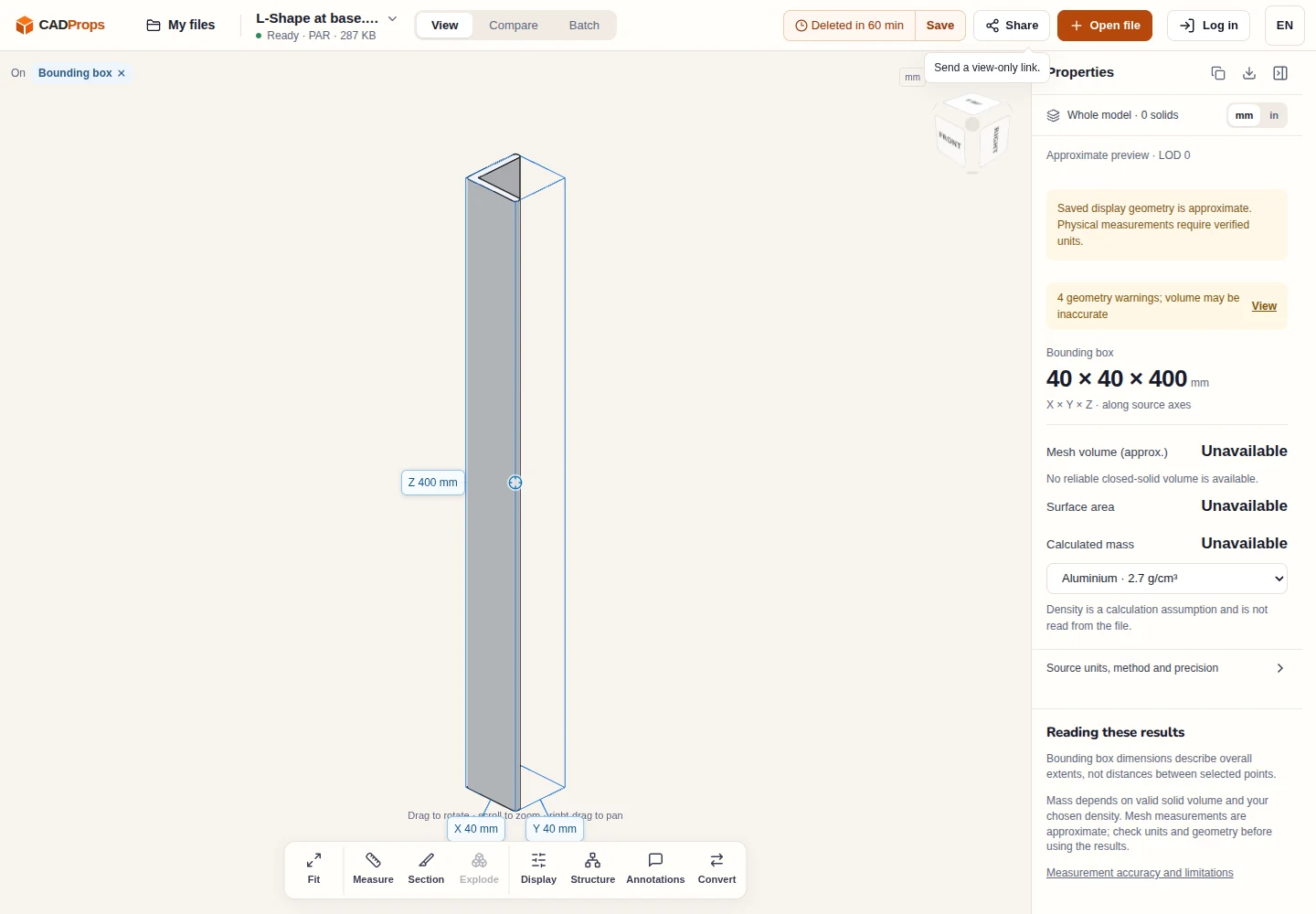
Sample source: Simple Barbeque grill · MIT licence notice
Assembly placement and ZIP limits
Some newer ASM files contain supported saved preview scenes with component geometry and occurrence placements. Those saved bodies can be displayed without external part files. Support is limited to verified scene layouts; older placement layouts and nested assemblies are not reconstructed, and parts are not arranged by guessing their positions.
For a supported scene, referenced PAR/PSM files in a ZIP can supply verified saved meshes using the assembly's placements, including replacement of a damaged cached body. Resolution uses the expected relative filename, not an arbitrary basename match or a path on the sender's computer. Missing or undecodable bodies are listed, and the remaining scene is marked incomplete. Check the component list even when the visible model looks plausible.
ZIP packages are limited to 50 entries and 100 MiB expanded. Keep relative paths; encrypted archives, nested ZIPs, symlinks and parent paths are rejected. Uploading a ZIP does not make an unsupported ASM layout viewable. For that case, export the resolved assembly as STEP in Solid Edge.
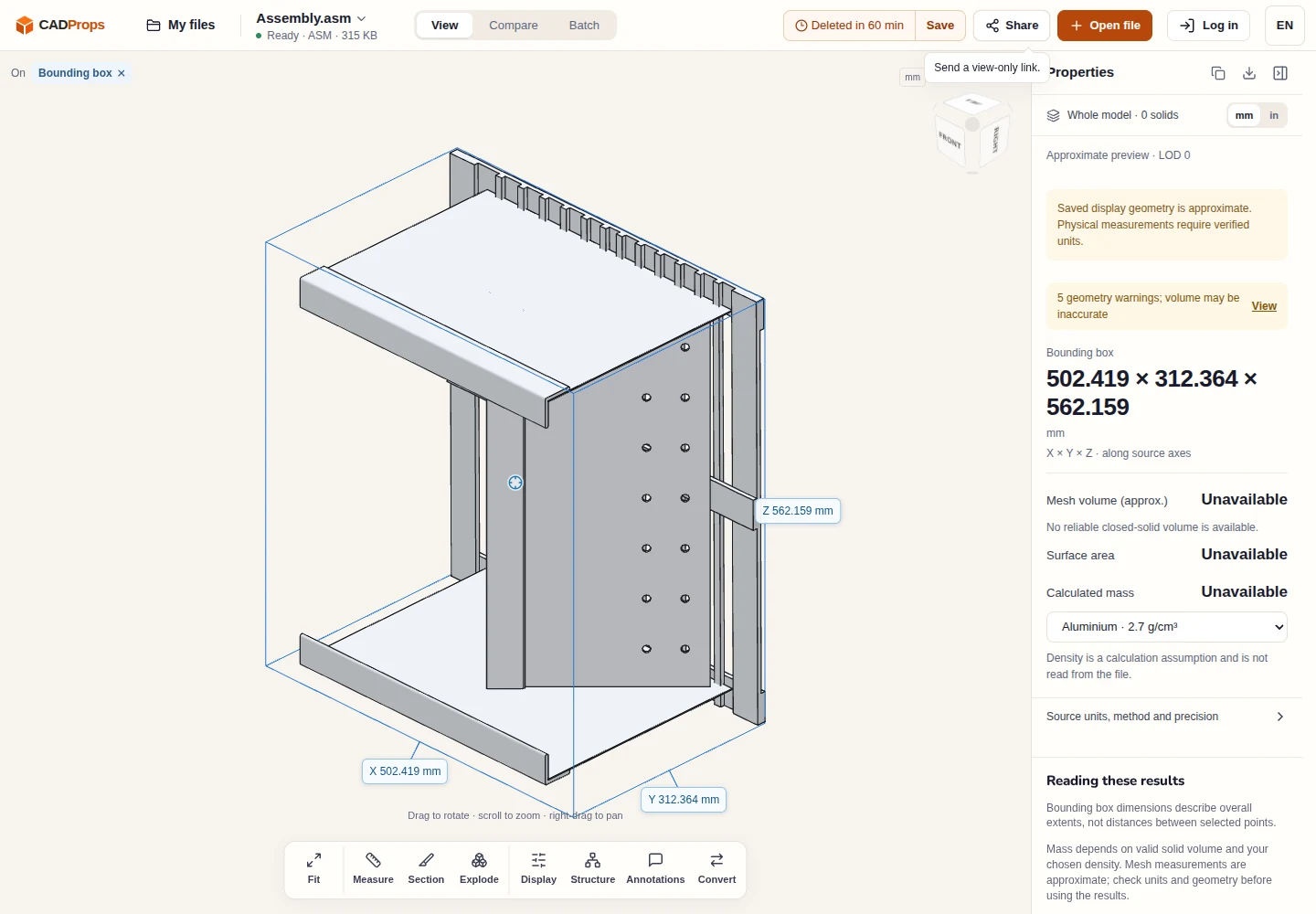
Sample source: Simple Barbeque grill · MIT licence notice
Approximate preview versus exact measurement and export
Available 3D bounds and point distances describe the displayed geometry and are approximate. This Solid Edge path provides no exact B-Rep measurements, surface area, volume, calculated mass or exact STEP export. ASM model export is unavailable. There is no native editing, feature-tree restoration, history replay or flat-pattern generation.
For an exact CAD handoff, export STEP from Solid Edge and verify units, component scope and critical geometry in the receiving application. A standalone Parasolid export can also be opened in the X_T / X_B viewer, where capabilities depend on that export's readable geometry. Neither route restores Solid Edge modeling history. Numerical model results describe nominal geometry, not inspection of a manufactured part.
Upload and retention
Files are processed on CADProps servers. Guests use a temporary workspace copy tied to their browser session, which expires after the displayed retention period and can be deleted early. Signed-in files are saved to the account library when space is available; otherwise they remain temporary. Account storage and share creation require signing in. Read privacy before uploading confidential geometry and accuracy before using numerical results.
Continue with a related task
Original article: CADProps · https://www.cadprops.com/tools/solid-edge-viewer/