

 View without an account
 Temporary workspace
Open a Parasolid X_T or X_B file without installing the originating CAD application. Upload the original file, inspect the geometry and warnings, then check units and loaded bodies before choosing a STEP handoff. Viewing does not require an account; files are uploaded for server processing.
What is X_B? X_T versus X_B
X_T is the text encoding of Parasolid model data; X_B is its binary form. Both can describe bodies, surfaces and topology. Binary encoding does not by itself make geometry more accurate or restore a native feature tree. Keep the original extension: renaming X_B to X_T does not convert its contents.
How to open an X_B file online
- Select the original
.x_bor.x_tfile in the upload panel. - Wait for processing, then rotate, zoom and fit the model in the workspace.
- Read completeness and unit notices. Compare a known dimension and the expected body count with the sender's information.
- If geometry is missing or the encoding is unsupported, ask for a fresh X_T or STEP export from the source application.
Check geometry before using measurements
A successful preview is only the first check. Confirm the expected bodies, source scale and overall X/Y/Z extents. Parasolid coordinates follow a metre convention and are normalized to millimetres for display. Compare a known length before using properties. An incomplete result describes only geometry that loaded.
Measure the model, not the screenshot
Read the reported representation and calculation method. Display uses triangles, while readable reconstructed B-Rep can provide geometry properties and supported edge or face measurements. Point distances picked on the display mesh are approximate. A closed display mesh can also have recovered approximate volume even when the source contains sheet bodies with zero solids; the warning and method identify that fallback. Do not report it as source solid volume. Surface area uses B-Rep geometry when available. Mass additionally needs a confirmed density; model dimensions do not establish manufactured tolerances.
Convert X_T or X_B to STEP
After inspection, sign in, open Convert and choose STEP for the Parasolid source. Exact STEP export requires complete, valid reconstructed source B-Rep; an incomplete preview is not enough and export is refused when required geometry cannot be rebuilt. Sheet bodies remain surfaces rather than becoming solids just because they look closed on screen. Reopen the downloaded STEP in the receiving CAD system and compare units, bodies and critical geometry. Conversion does not restore modeling history. The Parasolid-to-STEP tool uses the same workspace conversion controls.
Know the compatibility boundary
Parasolid versions, geometry and binary machine encodings vary. Supported X_B encodings include neutral binary and bounded ASCII/IEEE bare-binary streams; legacy VAX floating-point and EBCDIC character encodings are not implemented. Unsupported surfaces, invalid geometry and resource limits can cause omissions or an error. Read every warning, keep the original unchanged and ask for the exporting application/version or a fresh X_T or STEP export when necessary.
Input formats: X_T, X_B
General steps for uploading, viewing, sectioning, measuring, converting and exporting are explained once in How it works. This page covers what is specific to this file type.
Real CADProps screenshots
The screenshots show the English interface. Captions and instructions describe the same operations.
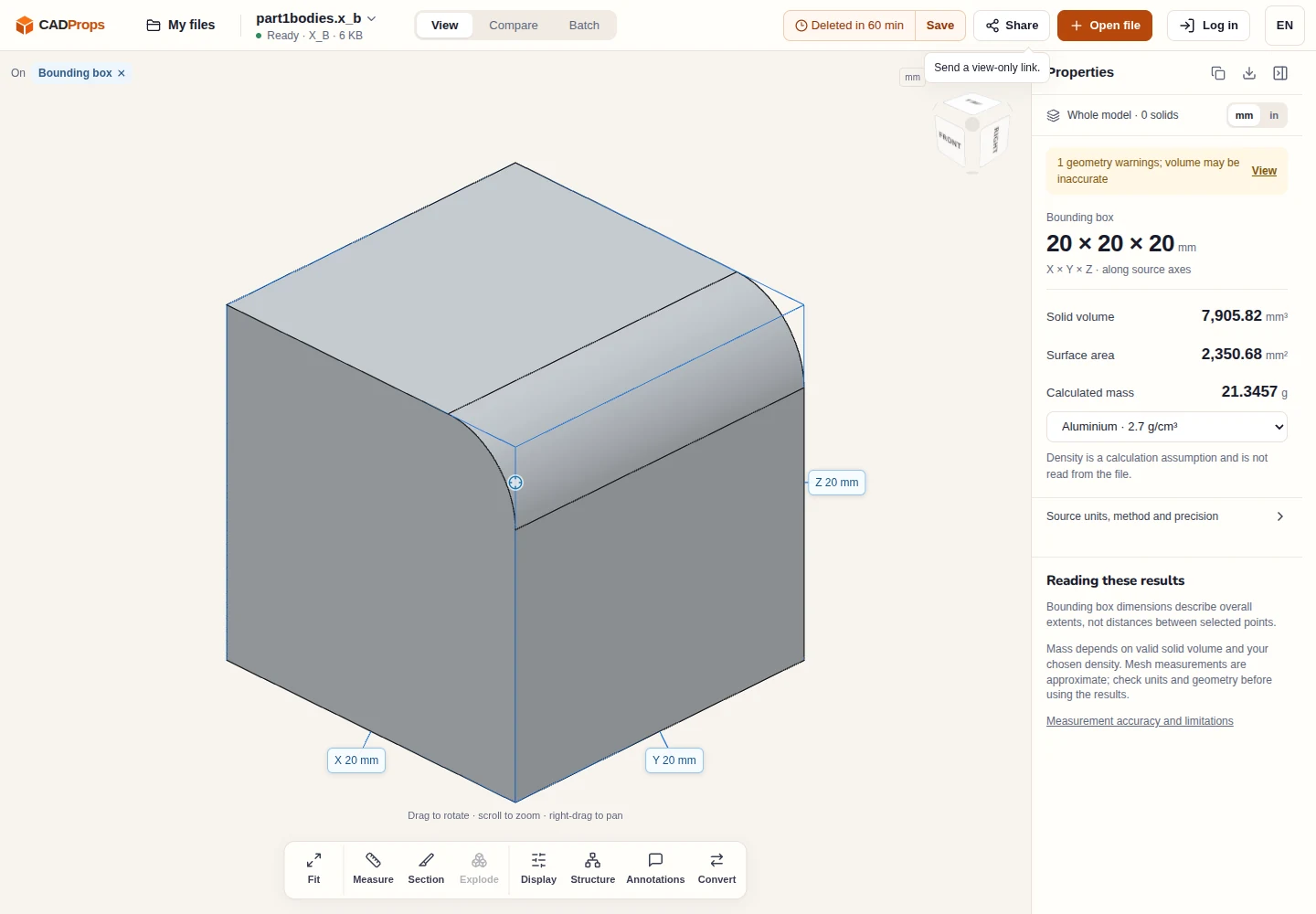
Sample source and verification
When a result needs another check
Viewing can start without an account. Conversion, account storage and share creation require signing in. Temporary files expire after the displayed retention period. Read the privacy statement for server processing and deletion, and the accuracy notes before using numerical results. Do not assume that hiding a part, clipping it or exploding an assembly changes the exported source geometry.
When a result needs another check · Input formats
Continue with a related task
- Solid Edge PAR / PSM / ASM viewer
- X_T to STEP Converter Online: Convert Parasolid Files
- STEP File Dimensions Online: Measure X, Y, Z & Distances
Original article: CADProps · https://www.cadprops.com/tools/parasolid-viewer/
