

 Sign in to convert
 Temporary workspace
Convert a Parasolid X_T or X_B file to STEP without installing a desktop translator. CADProps reads both encodings in-house; units in the file are metres. You get an exact STEP when every face is reconstructed, and a mesh STEP otherwise. View and measure without an account; sign in to convert.
Inspect the source before converting
Open the Parasolid file first and confirm that the expected solid or bodies are present. Check a known dimension and the model scale. Converting the wrong source file perfectly still produces the wrong deliverable.
Exact STEP or mesh STEP
Exact STEP keeps surfaces and edges for CAD and CAM. If any face is omitted or approximated, exact STEP is disabled and the Convert dialog offers a mesh STEP, STL, OBJ, 3MF, glTF and GLB built from the preview triangles. A mesh STEP suits review and overall size, not machining features.
STEP does not carry Parasolid history
The output is intended for neutral geometry exchange. It does not reconstruct sketches, constraints, feature history or application-specific design intent.
Verify units and overall dimensions
After conversion, compare a known source dimension with the STEP result. A unit mistake can create a plausible-looking model at the wrong physical scale. Record whether the handoff is millimetres, inches or another agreed unit.
Check bodies and downstream usability
Confirm body count, orientation and any critical holes, pockets or mating surfaces. When the next workflow is CAM, quoting or supplier review, open the STEP in that receiving workflow where practical rather than relying only on a conversion-success message.
Keep the original Parasolid file
Treat the STEP as a derivative deliverable. Keep the original X_T or X_B unchanged with its revision context so a later conversion can be reproduced or compared if the receiving system reports a problem.
Input formats: X_T / X_B
Points: viewing and measuring are free. A new account gets 3 free conversion points; free points are valid for 90 days. One point converts one file to every output format for 30 days, and a failed or incomplete conversion uses none. See pricing.
General steps for uploading, viewing, sectioning, measuring, converting and exporting are explained once in How it works. This page covers what is specific to this file type.
Real CADProps screenshots
The screenshots show the English interface. Captions and instructions describe the same operations.
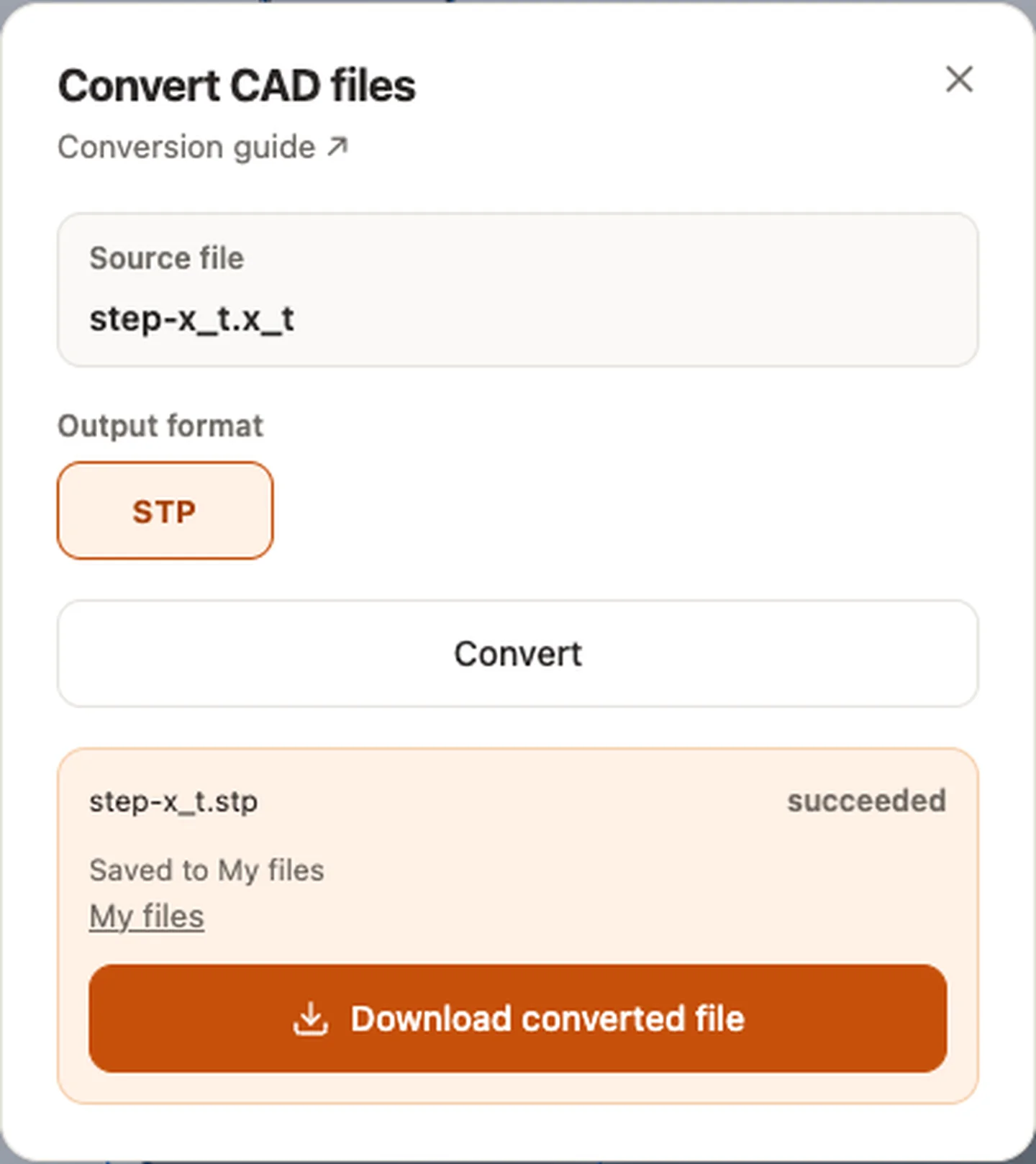
Sample source and verification
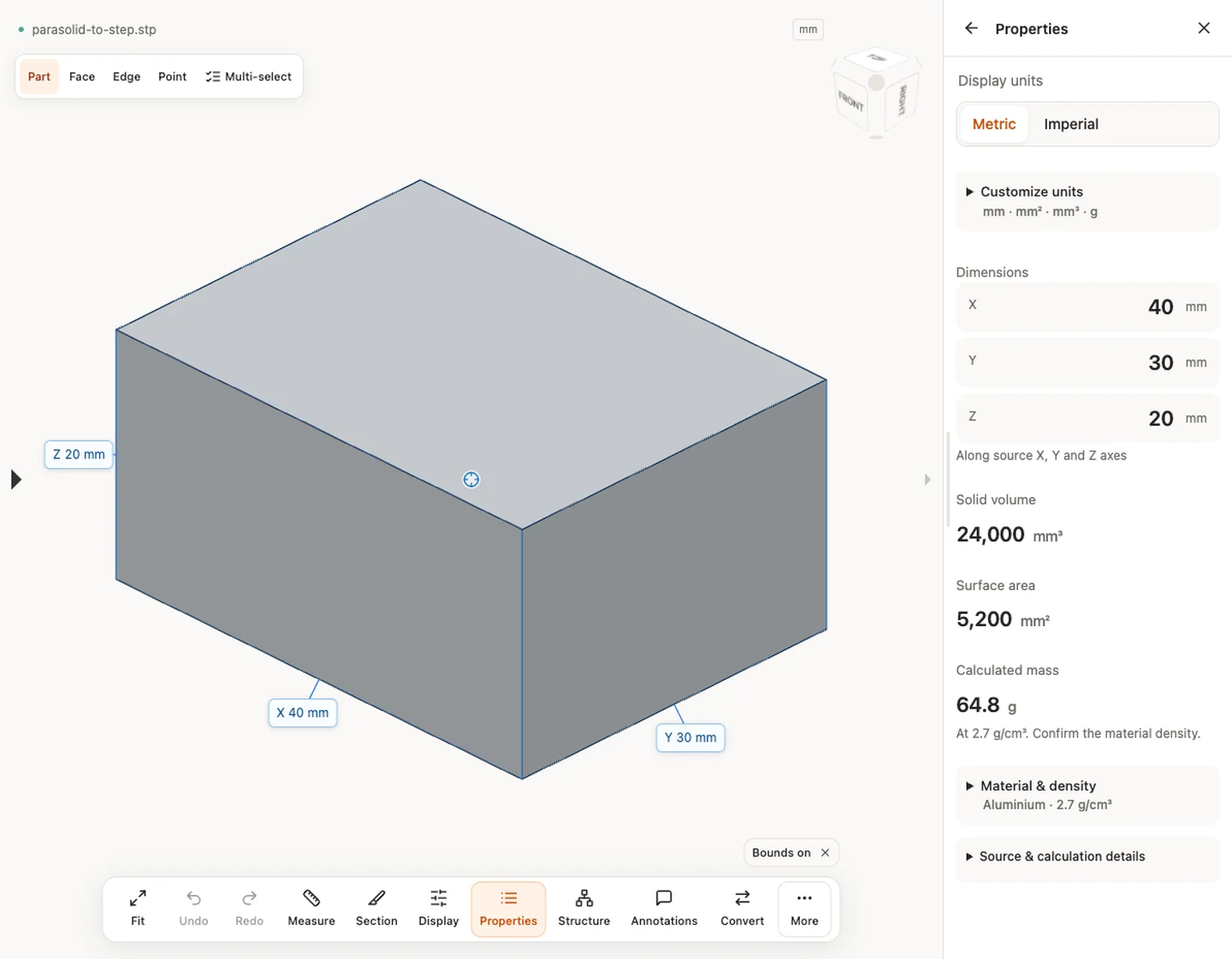
When a result needs another check
Viewing can start without an account. Conversion, account storage and share creation require signing in. Temporary files expire after the displayed retention period. Read the privacy statement for server processing and deletion, and the accuracy notes before using numerical results. Do not assume that hiding a part, clipping it or exploding an assembly changes the exported source geometry.
When a result needs another check · Input formats
Continue with a related task
- X_T Viewer Online: Open Parasolid Files & Measure CAD
- STEP File Dimensions Online: Measure X, Y, Z & Distances
Original article: CADProps · https://www.cadprops.com/tools/parasolid-to-step/
