

From model to shared link in three steps
- Upload a supported 3D model and wait for processing to finish.
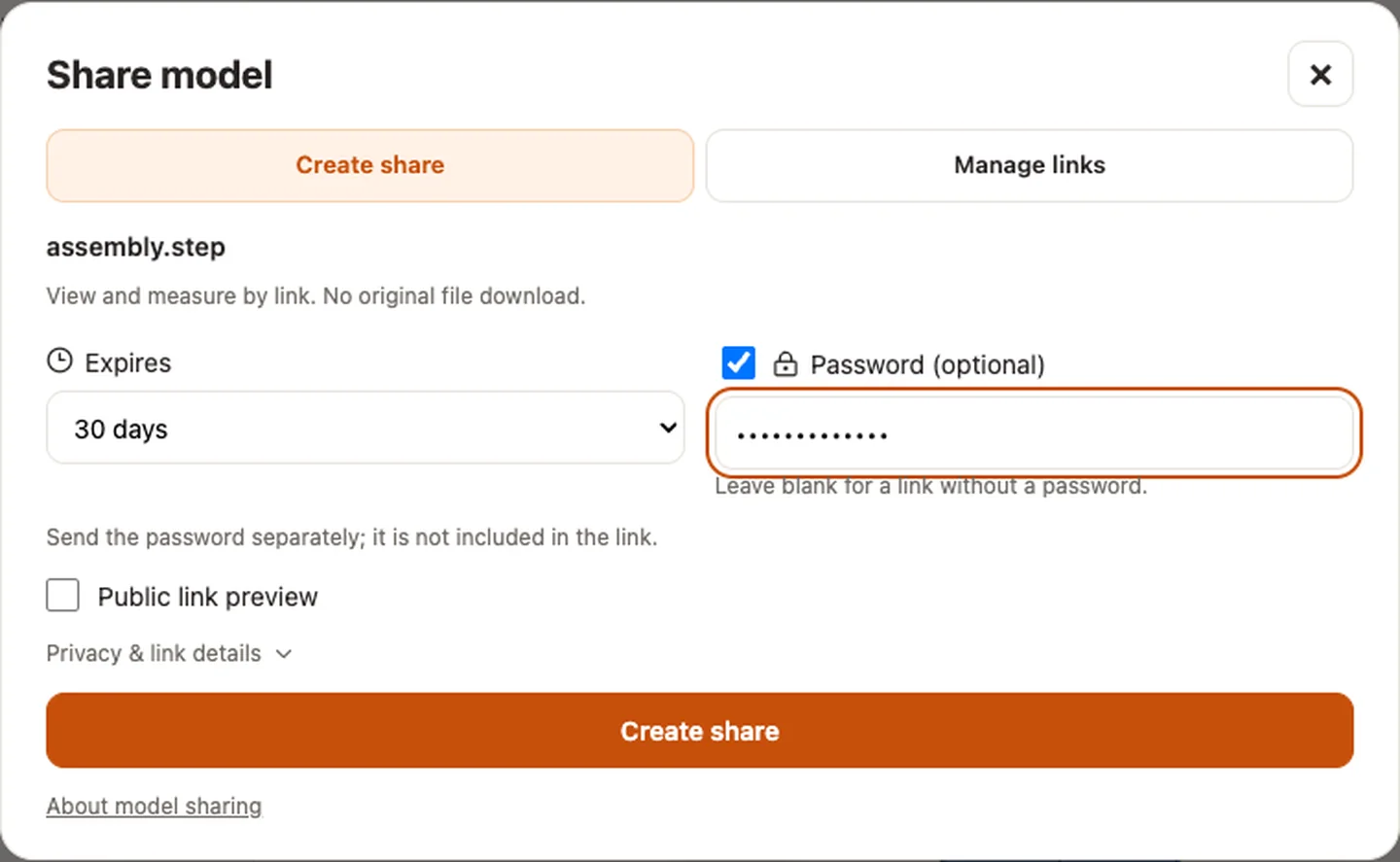
- Choose Share and sign in when prompted. The link is created right away and lasts 7 days for free. For 30 days, 90 days or 1 year, a password, original downloads, a public preview or a website embed, turn the link into a Pro link, which uses 1 point once (pricing).
- Send the copied link and, if set, send the password separately. Your recipient opens the same fixed model in a browser without installing CAD software or signing in.
View, inspect and measure
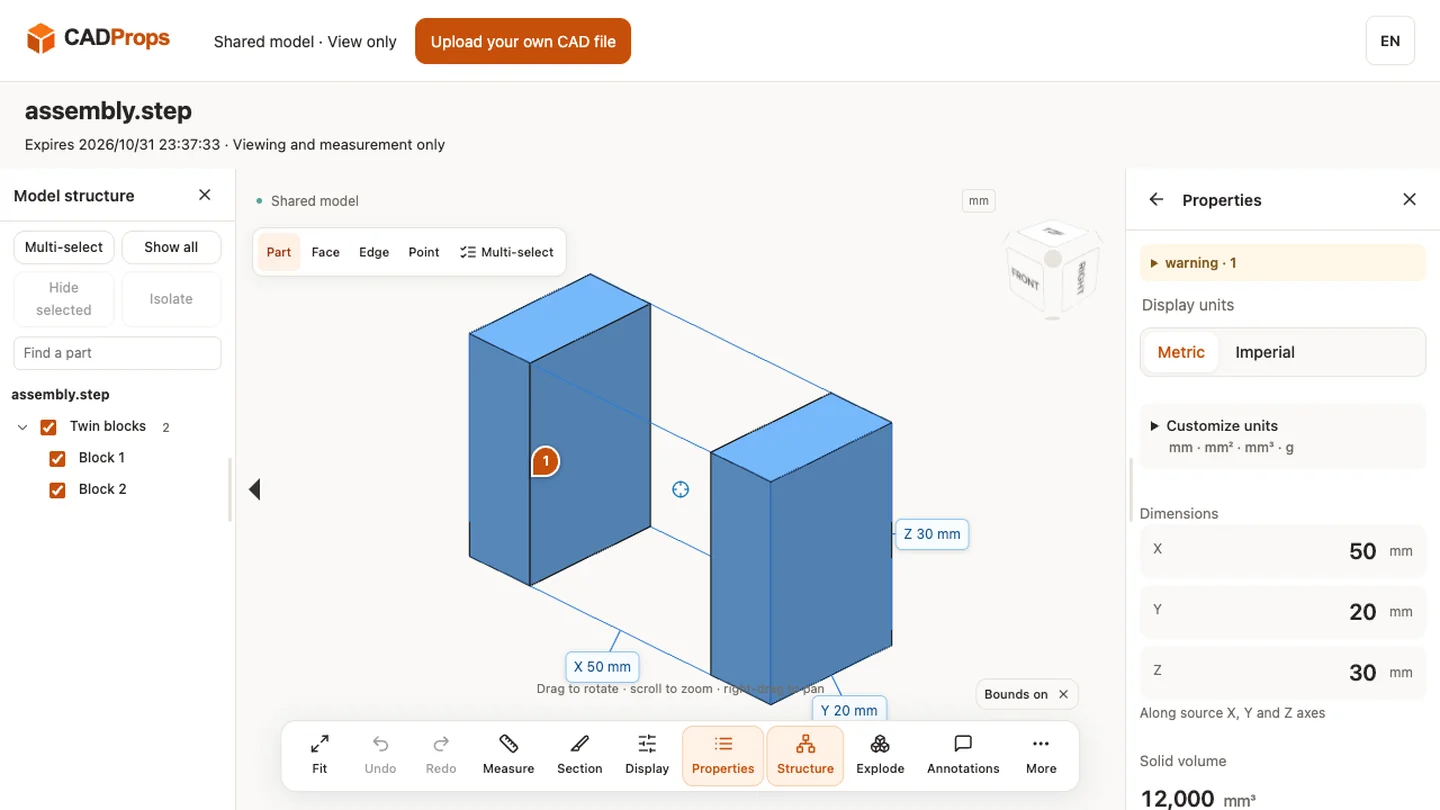
Recipients can rotate the model, inspect parts and properties, use section views, and measure with the existing viewer tools. Capabilities depend on the source format: mesh measurements are approximate; volume needs suitable closed geometry and weight requires a user-confirmed material density. See supported formats and measurement accuracy.
A fixed model with an expiry date
A share is an independent snapshot of one completed 3D model. It does not change when you upload another file. A free link expires 7 days after creation. A Pro link lasts the 30 days, 90 days or 1 year you choose, counted from when you choose it. The exact time appears beside the link and on the viewing page. You can stop a share earlier, and deleting its saved source file also revokes the link. Multi-model workspaces, comparisons and 2D drawings are not shareable in this release.
You control when sharing stops
Sign in and open My shares to copy a link again or Stop sharing early, including from another device. Clearing browser cookies signs you out; sign in again to manage your links. Up to 10 active shares per account are supported, subject to the 200 MB account storage limit. One of them can be a free link; while it is in use, each further link is a Pro link. A free link that was never copied, sent or opened is replaced when you share another file.
Optional password protection
A password is a Pro link option: set one of 6–20 characters, or leave it off. Protected links require both the link and password before any model, property or measurement data can be loaded. Only a salted password hash is stored. Passwords are not included in links and cannot be recovered; stop the old share and create a new one if you forget the password. Existing links still accept their original passwords.
An unlock lasts up to one hour in the current page. Reloading the page or a service restart requires entering the password again. Unlocking does not extend the share's expiry date.
Share with the intended recipients
Anyone with an unprotected link, or with both a protected link and its password, can open it. Recipients can forward the link. Shared models are excluded from search indexing and are not listed publicly. The original CAD file is offered for download only when you allow it on a Pro link; you can turn downloads off again at any time. A Pro link also shows how many times the shared page was opened. Stopping sharing ends access through the link.
Read our file privacy and storage policy, fixed revision checklist and supplier handoff checklist.
Optional public link preview
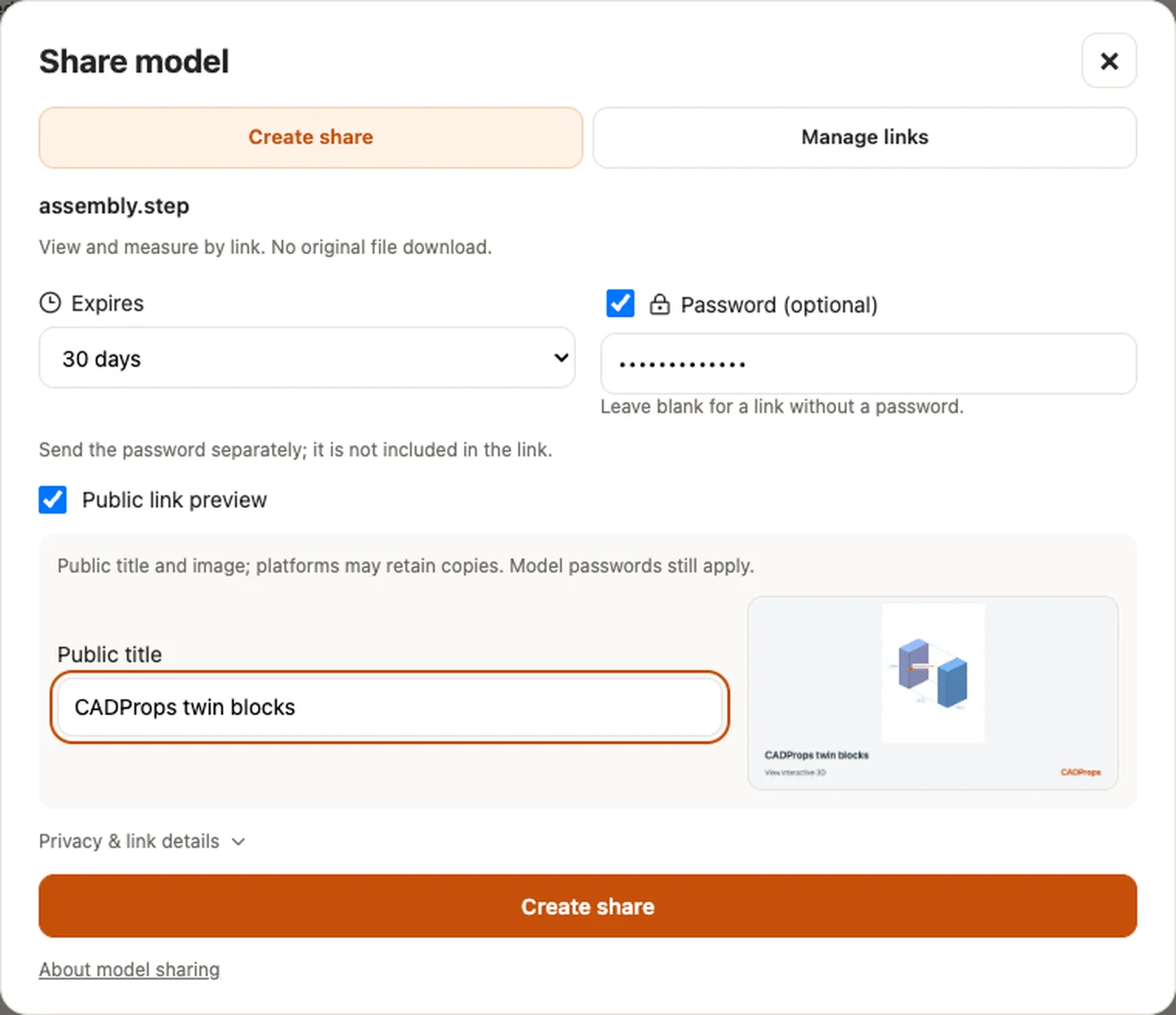
Public link preview is a Pro link option and is off by default. Enable it only for a model you are allowed to show publicly. Choose a public title, preview the current view, then create the share. The cover does not automatically include the source filename, dimensions or material. The public title and 1200 × 630 cover can be fetched without a model password; viewing the model still requires the complete link and its password, if set. Without the complete link, visitors see only the cover.
Social platforms may retain copies of the title and image after you disable the preview or stop sharing. Noindex is not access control. To replace a cover, disable the public preview and publish a new one; the new preview has a different address. If the cover fails, the ordinary model link remains available.
Send a card or QR code
Copy the link, use your device’s Share menu, open LinkedIn or X, or copy a short message. Passwords are never included; send them separately. Download the card or a locally generated QR code for the complete link. The QR code has the same expiry as the link. Opening a social sharing window does not mean a post was published.
The receiving page includes an upload-your-own-file link. Shared viewing pages do not initialize GA4; the destination workspace can count visits and uploads from that generic entry point without sending model identifiers. Website embeds need a Pro link. Public model galleries are not included.
Real CADProps screenshots
The screenshots show the English interface. Captions and instructions describe the same operations.
Sample source and verification
Sample source and verification
Sample source and verification
Original article: CADProps · https://www.cadprops.com/share/