

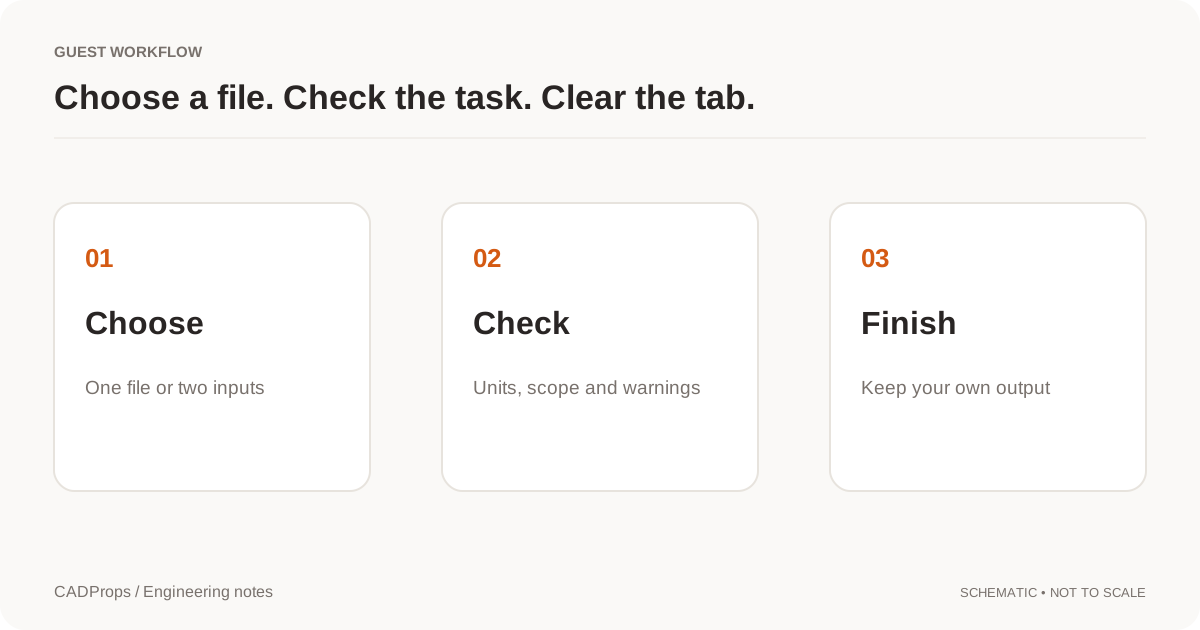
A .sat file is an ACIS geometry file. If you only need to inspect a part, confirm its size or create a neutral STEP handoff, you do not necessarily need the CAD application that originally exported it. A reader that understands the file's ACIS geometry can be enough for that narrower job.
CADProps reads text SAT and binary SAB files in-house; the header millimetre factor is applied and units are marked assumed. It displays converted geometry and reports available properties according to the imported representation; a triangle preview has approximate mesh properties rather than analytic B-Rep measurements. Supported inputs can also produce STEP output, which must be verified separately. Binary .sab is a different encoding and is not enabled in the current CADProps workflow. Do not rename SAB to SAT to bypass that distinction.
Spatial, the company behind ACIS, describes SAT as the text representation of ACIS model data and SAB as its binary counterpart. SAT can carry exact solid and surface geometry rather than only a triangle mesh. Spatial's SAT format overview is useful background when you need to distinguish the formats.
Open a SAT file in the browser
- Open the ACIS SAT viewer.
- Select the original
.satfile. Keep an untouched copy rather than resaving it before the first test. - Wait for processing and use Fit to bring the model into view.
- Confirm the number of loaded solids and compare the overall X, Y and Z dimensions with a trusted value.
- Measure at least one known feature before relying on area, volume or a converted file.
- If you need a neutral deliverable, create the available STEP output and reopen that STEP in the application that will actually use it.
Successful display is a compatibility check, not a manufacturing approval. Keep the drawing, revision and material specification alongside the model when those documents control the job.
SAT versus SAB: check the encoding before troubleshooting
The similar names cause avoidable confusion:
| File | Typical representation | CADProps status |
|---|---|---|
| SAT | ACIS text representation | Supported for validated readable geometry |
| SAB | ACIS binary representation | Read in-house, like SAT |
Changing .sab to .sat changes only the filename. It does not convert binary data into the SAT text representation, so upload the file as received.
The same rule applies to any file whose extension was changed manually. A parser failure after a rename does not prove the underlying geometry is damaged; it may simply be the wrong format for the selected reader.
Check units with a known dimension
Do not infer physical size from how large the model looks in the viewport. A viewer can fit a tiny component and a machine frame into the same screen area.
Instead, choose a dimension you know independently: a drawing dimension, a supplier specification or a value from the authoring system. Compare that value with the loaded model before doing anything else downstream.
A useful check sequence is:
- expected part or assembly revision;
- solid/body count;
- overall X, Y and Z extents;
- one known linear dimension;
- only then surface area, volume and any density-based mass calculation.
If the scale is wrong, investigate the source/export and receiving-unit assumptions first. Do not apply an arbitrary visual scale until the mismatch has been explained.
Worked example: a 40 × 30 × 20 mm block saved as SAT
To see what the checks above look like on a real file, we saved the block from our CC0 sample block.step as a text SAT file. Its nominal size is 40 × 30 × 20 mm, which gives a volume of 24,000 mm³ and a surface area of 5,200 mm². We then opened the SAT in the ACIS viewer on 2026-10-01 (English interface, www.cadprops.com).
| Check | Expected | Shown in Properties |
|---|---|---|
| X / Y / Z | 40 / 30 / 20 mm | 40 / 30 / 20 mm |
| Volume | 24,000 mm³ | 24,000 mm³, labelled Mesh volume (approx.) |
| Surface area | 5,200 mm² | 5,200 mm² |
| Mass | depends on density | 64.8 g at the default 2.7 g/cm³ |
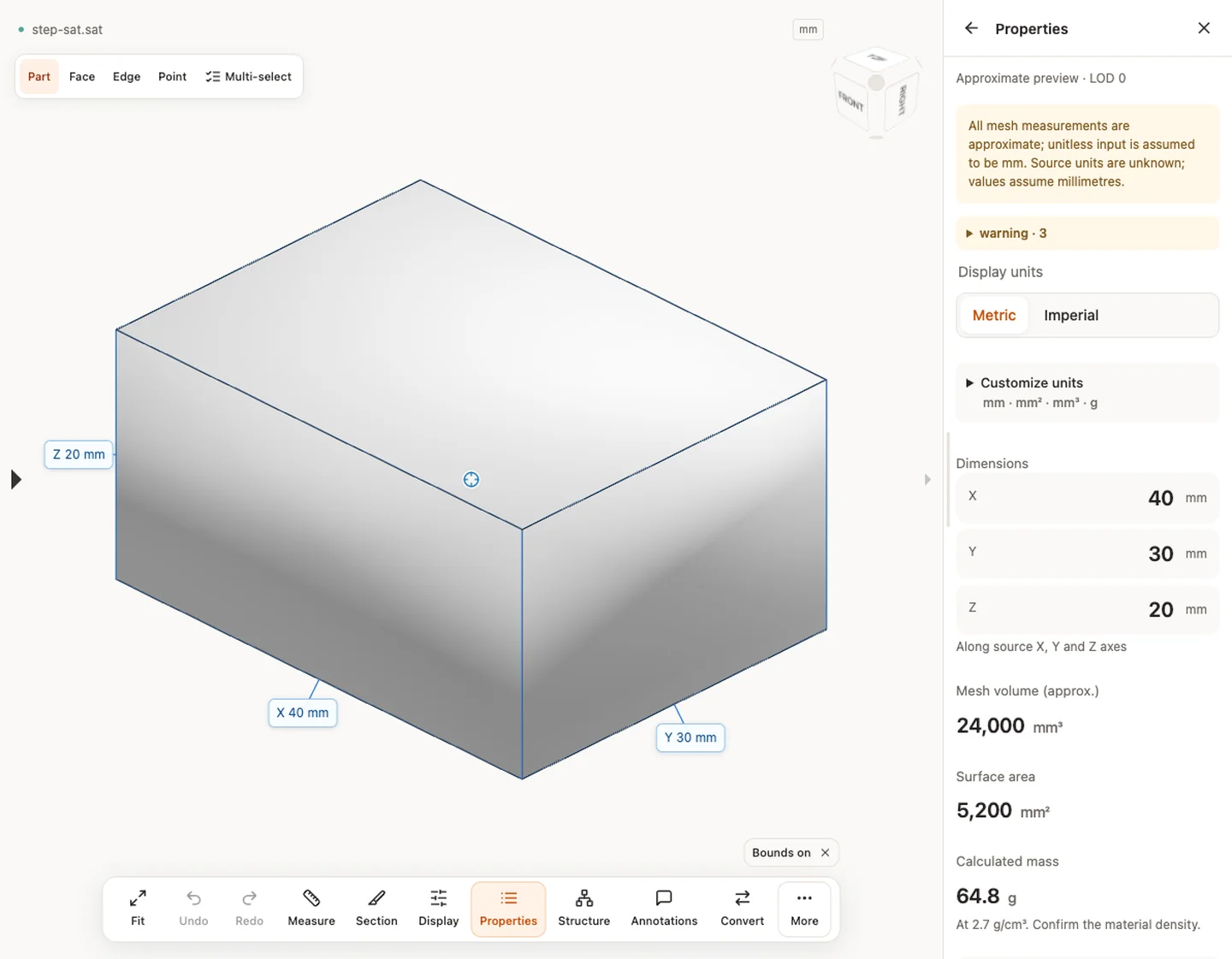
Three details in the panel matter more than the matching numbers:
- Unit assumption. The notice says the source units are unknown and the values assume millimetres. The numbers match only because this file was written in millimetres. A file written in inches would show the same digits with the wrong meaning. That is why the known-dimension check above comes first.
- Approximate preview. The panel header says Approximate preview, and the volume is a mesh volume. On a box the mesh is exact. On curved faces, mesh area and volume drift slightly from the analytic values.
- Density. The 64.8 g comes from 24 cm³ × 2.7 g/cm³, a default density. The SAT file does not carry a material. Confirm the density before you quote a weight.
This is one simple single-solid file. It does not show that every ACIS version or curved or surface-only geometry will load. Test a representative file from your own supplier before relying on the route.
Why a SAT file can display but still need validation
A readable 3D picture answers only one question: some geometry was interpreted. It does not tell you that every engineering detail required for the downstream task survived.
Check for these cases:
- Open or sheet geometry. A surface can be visible without enclosing a valid volume.
- Unexpected body count. Extra construction bodies or missing solids can change calculated properties.
- Version compatibility. ACIS-based exchange still depends on what the receiving reader supports.
- Tolerance or healing changes. A translation may repair or reinterpret problematic geometry rather than preserve it byte-for-byte.
- Lost source history. A geometry exchange does not recreate the original sketches, constraints or feature tree.
If volume is unavailable, do not manufacture a mass estimate from a bounding box. First confirm whether the input actually contains closed solids suitable for that calculation.
SAT to STEP: verify the result, not just the download
STEP is useful when the recipient does not have an ACIS-native workflow. The important part is not that a converter generated a .step file; it is that the result reopens with the expected geometry.
After conversion, compare:
| Check | Why it matters |
|---|---|
| Solid/body count | Detect missing or unexpectedly merged geometry |
| Overall dimensions | Catch scale or transform problems |
| One or more known features | Verify more than the bounding box |
| Orientation | Avoid handing off a rotated or displaced model unexpectedly |
| Volume where applicable | Catch major solid-geometry changes |
Use the CAD conversion checklist for a more complete handoff review. If somebody expects the neutral output to contain the source CAD feature history, read why STEP does not preserve the original feature tree.
When to ask the sender for another file
Ask for a fresh export rather than repeatedly translating the same questionable file when:
- the file uses standalone pattern records, which are not supported;
- the SAT version is not readable in the receiving workflow;
- the expected solid is missing or incomplete;
- known dimensions disagree after the unit assumptions are checked;
- the downstream application needs source features rather than exchange geometry.
A practical request is: “Please export the released model as SAT or STEP, confirm the units and revision, and keep the native design file available if editable history is required.” For supplier work, include the same revision context described in the CAD supplier handoff guide.
Open and convert a SAT file when you need to inspect supported ACIS text geometry without installing a full CAD system.
Explain which stage failed
Separate source reading, preview generation and STEP writing in your check record. A file can be readable enough for converted display without establishing a valid solid derivative for the receiving task. If STEP output fails, preserve the failure instead of describing the preview as a completed conversion.
For a wrong-looking body, compare source revision, intended body scope and one known dimension before changing any geometry. Extra construction bodies can enlarge the envelope; a selected subset can make it smaller. Neither symptom is resolved merely by switching SAT to STEP.
Keep the native ACIS-oriented source and the output independently. If the next system needs analytic solids, reopen the actual STEP and verify that its geometry supports the required operations. A shaded mesh image is not proof of analytic face selection or recovered source features.
Use a simple public fixture to understand the controls, then qualify your actual supported route with an appropriate representative model. One successful fixture should remain a documented example, not a promise for every ACIS version or part complexity.
Original article: CADProps · https://www.cadprops.com/guides/open-sat-file-online/