

A machine shop can quote faster from a clean STEP solid than from screenshots, but a STEP file is not the whole RFQ. The model answers the geometry question. The quote also depends on material, quantity, tolerances, threads, surface finish, post-processing, inspection and delivery assumptions.
The best preparation workflow is therefore not “export STEP and send.” It is verify the geometry, identify the manufacturing information that lives outside the geometry, and make the revision unambiguous.
CADProps can help with the geometry side of that check: open the STEP file, inspect dimensions and properties, and review supported simple holes. It does not decide your tolerance scheme, material grade or process plan.
1. Reopen the exported STEP before the shop sees it
Do not validate an export by looking only at the native CAD model you exported from. Open the actual .step or .stp deliverable in an independent reader.
Use the STEP viewer and check:
- the expected part loaded;
- the model has the intended orientation;
- units are plausible;
- X, Y and Z extents match a trusted dimension;
- the expected solid or bodies are present;
- volume is available when the part should be a closed solid;
- obvious holes, pockets and interfaces survived translation.
A viewer that displays something is not enough. A 25.4× scale error, a missing body or an open surface model can still look perfectly reasonable on a screen.
If the scale is suspicious, use the 25.4 scale-error guide before sending the RFQ.
2. Give the shop one authoritative revision
A folder containing final.step, final2.step, new-final.step and use-this-one.step is not a revision-controlled package.
Use a part identifier and revision that match the accompanying drawing or specification. For example:
BRACKET-1042_REV-C.stepBRACKET-1042_REV-C.pdf
The exact naming system is yours; the important point is that the model and its requirements can be paired without interpretation.
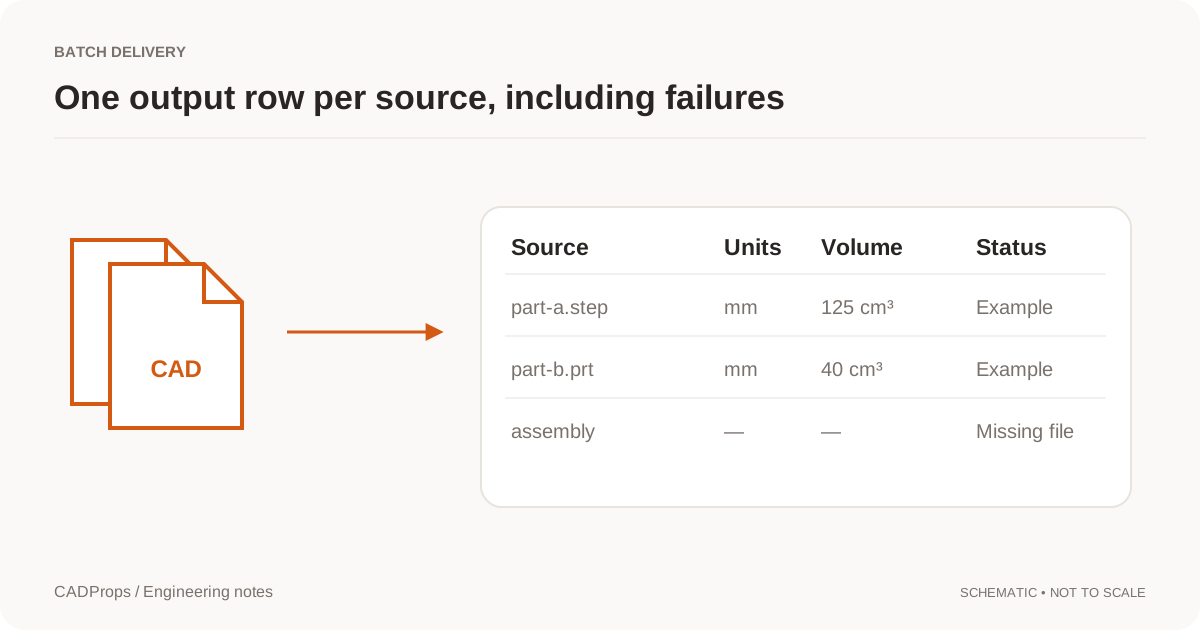
If you are sending several parts, the batch CAD properties workflow can help you inspect the set consistently before release. It is not a PLM system, so keep formal revision control in the system that owns your product definition.
3. Do not make the shop guess what STEP does not prove
STEP is capable of richer product definition than many people realize. AP242 can carry Product and Manufacturing Information (PMI), and NIST's STEP File Analyzer and Viewer distinguishes semantic and graphical PMI.
But a random STEP file arriving by email does not guarantee that those requirements are present or machine-readable. Unless you and the supplier have agreed on a validated model-based definition workflow, explicitly communicate the requirements that affect manufacturing and inspection.
Typical quote inputs include:
| Requirement | Why it affects the quote |
|---|---|
| Material grade and condition | Stock cost, cutting parameters and availability |
| Quantity | Setup cost is distributed differently at 1, 10 or 1,000 pieces |
| Critical tolerances / GD&T | Process choice, finishing passes and inspection effort |
| Threads | Tapping/thread milling, gauges and tooling |
| Surface finish | Tooling, feeds, finishing operations and inspection |
| Heat treatment / coating | Outside processing, masking and lead time |
| Inspection requirements | CMM, reports, gauges or first-article work |
| Delivery expectation | Scheduling and expedite assumptions |
Do not infer these from geometry when they are not explicit.
4. Check holes without pretending they are manufacturing callouts
Hole count, diameter and depth are useful quoting inputs. They influence drilling time, tool changes, access and sometimes machine selection.
CADProps has a conservative STEP hole recognizer for a limited subset of B-Rep geometry: simple full cylindrical through holes and flat-bottom blind holes that pass its single-solid checks. The STEP hole recognition guide lists the current limits.
Use that recognition as a review aid, not as a substitute for the drawing. A Ø10 cylindrical cavity does not tell the estimator whether it is:
- a clearance hole;
- a dowel hole requiring a tight tolerance;
- a reamed bore;
- a threaded preparation;
- a counterbore/countersink combination outside the simple recognizer;
- a sealing feature with a surface-finish requirement.
For threaded features in particular, read Threads Missing from a STEP File?.
5. Measure one known dimension, not twenty random ones
The fastest useful check is usually a trusted reference dimension. If a drawing says the part is 120 mm wide, confirm the STEP reports approximately 120 mm on the corresponding extent or feature.
That single comparison catches unit mistakes and wrong-file mistakes better than orbiting the model for several minutes.
Then use the CAD dimensions tool for the features that matter to the quote: overall stock envelope, deep pockets, long bores, thin walls you are concerned about, and important interfaces.
CAD measurement is not tolerance inspection. Nominal model dimensions do not establish the allowable variation of the finished part.
6. Verify that a solid is actually a solid
CAM and quoting workflows generally behave better with a valid closed solid than with disconnected surfaces. If the file should be a solid but volume is unavailable, investigate before sending it.
A zero or missing volume can indicate an open shell, invalid topology or a representation that is not a closed volumetric body. The why STEP volume is zero guide explains the geometry distinction.
Do not “fix” the issue by converting to STL just to get a visible model. A triangle mesh may be useful for visualization or additive manufacturing, but it is usually a worse neutral handoff for CNC geometry than a healthy STEP B-Rep.
7. Pair the model with a drawing or validated PMI when needed
For a simple, low-risk part under a supplier's documented standard tolerances, a shop may be able to quote from a model plus a short specification. For anything with functional tolerances, threads, GD&T, finish callouts or controlled interfaces, make the requirements explicit.
A 2D PDF drawing remains a practical way to do that across mixed suppliers. A validated AP242 semantic-PMI workflow can carry richer machine-readable information, but it needs agreement and interoperability testing on both ends.
This is why “STEP versus drawing” is the wrong argument. They answer different questions:
- the 3D model defines nominal shape;
- the manufacturing definition states which deviations and processes are acceptable.
In a mature model-based enterprise those may coexist in the same digital definition. In an ordinary RFQ email, they are often separate files.
8. Send less clutter, more context
Do not make the estimator choose between five neutral formats unless they asked for them. Send the requested format, the controlling requirements and a short note.
A useful RFQ note can be as short as:
Part BRACKET-1042 Rev C, quantity 25. STEP and drawing are the same revision. Material 6061-T6 per drawing. Please quote machining, clear anodize and the inspection requirements called out on the PDF.
The exact content will vary, but the structure removes ambiguity.
The supplier CAD handoff checklist covers revision, intended use and packaging in more detail.
A 60-second pre-RFQ checklist
Before pressing send, confirm:
- Correct file: the STEP is the intended part and revision.
- Correct scale: one known dimension matches.
- Usable geometry: expected solids/bodies are present; no unexplained missing volume.
- Critical features: important holes and interfaces are visually/analytically checked.
- Manufacturing definition: tolerances, threads, finishes and inspection requirements are explicit somewhere the supplier can read.
- Material: exact grade/condition is stated where needed.
- Quantity: prototype and production quantities are not left to guesswork.
- Revision consistency: model, drawing and notes identify the same release.
- Recipient format: the shop has not asked for a different neutral/native format.
- Confidentiality: you are permitted to upload/share the model through the chosen service.
A good RFQ package is not the one with the most files. It is the one in which the estimator can answer “what am I making, to what requirements, and from which revision?” without sending the first email back to you.
Original article: CADProps · https://www.cadprops.com/guides/prepare-step-file-for-cnc-quote/