

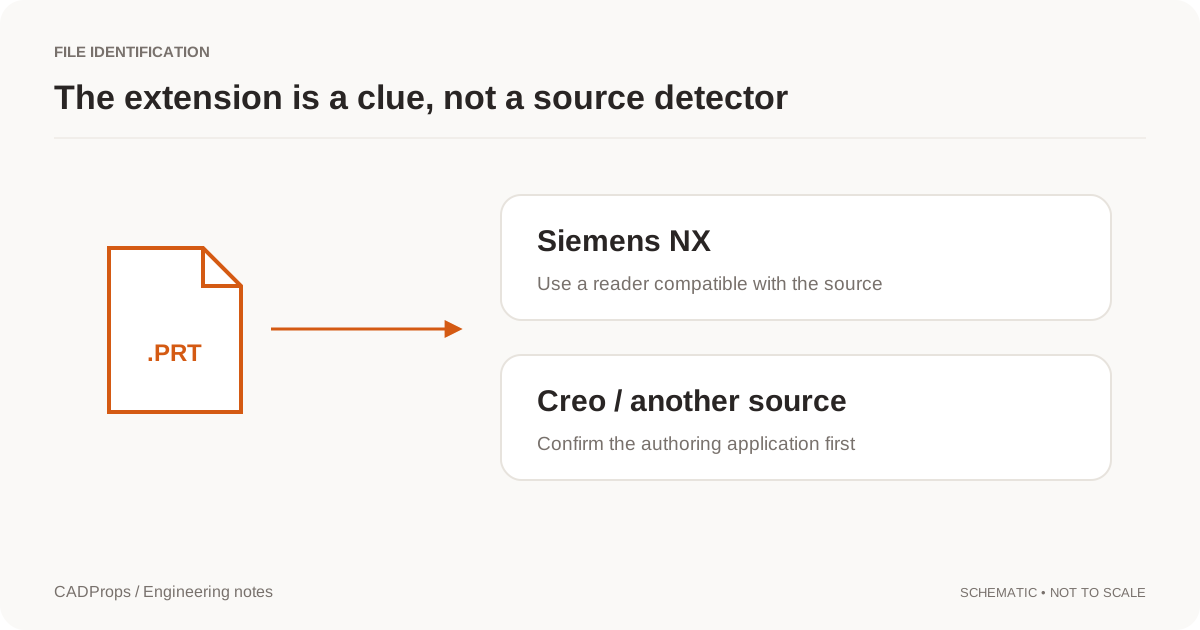
A file called housing.prt does not give enough information to select a CAD reader. In mechanical CAD, the PRT extension is used by both Siemens NX and Creo. A source-specific viewer may accept one and reject the other.
Ask for the source, not a new filename
The quickest useful questions are: which application created the file, which release saved it, and is it a standalone part or part of an assembly? If the sender is unsure, ask them to check the source application rather than forwarding the file through several converters.
Keep any version suffix supplied by the source workflow. Changing the extension, deleting suffixes or naming the file nx-model.prt does not translate its contents. A ZIP archive may also contain multiple PRT files from different workflows; each input still needs identification.
Do not rely on a file icon
The operating system associates extensions with applications. That association is a convenience, not a detector. The same file can show a different icon on another computer without changing a single byte. A website that lists the filename after upload has also not necessarily identified the format.
A production reader should identify its input from the content or from a documented import route, then report the result. If detection is uncertain, ask for confirmation. Do not silently select NX and return a misleading “corrupt file” message for a valid file from another system.
| Evidence | What you can reasonably conclude |
|---|---|
| Filename ends in PRT | The source still needs identification |
| Sender confirms NX and release | A specific compatible reader can be selected |
| Reader reports a known source | Continue with scope and geometry checks |
| Only a saved preview is available | Viewing may be possible, but geometry tasks remain limited |
Assemblies add a second question
Even after identifying NX, confirm whether the file depends on other components. A top-level assembly that opens with only some components should remain visibly incomplete. Ask for a collected package with the intended configuration and component references.
Do not generate a total mass, total surface area or “complete conversion” result from whatever happens to load without explaining the scope. The useful output distinguishes a source-format issue from a missing-reference issue.
When STEP is the better request
If the receiver only needs geometry exchange, ask the sender for a STEP file exported from the correct configuration. Agree the required units, assembly structure and any other data that must survive. STEP is not a way to preserve every editable native feature automatically, so keep the native original when future editing matters.
CADProps processes self-contained STEP/IGES geometry, supported static meshes and bounded ZIP packages. STEP pairs support solid differences; other 3D inputs support visual comparison. SolidWorks, Siemens NX / UG NX PRT and Inventor IPT/IAM support validated STEP conversion and viewing of the converted geometry. CADProps recognizes Creo PRT/ASM separately from NX, including numbered saves such as .prt.7. The Creo file check shows only the saved thumbnail when available; it does not decode 3D geometry, measure or export Creo to STEP. If the sender confirms Creo and you need geometry, follow open a Creo file without Creo and request STEP exported from Creo. Package assembly references in ZIP; partial geometry is flagged. DWG and DXF use the separate 2D viewer for bounded preview and basic measurement. Open the STEP workspace or open the DWG viewer.
A useful error message
Prefer “Source could not be identified; please confirm the authoring application and release” over “Invalid PRT.” If the application is known but the release is unsupported, say that. If referenced components are missing, list those instead. Precise error categories help a sender fix the right problem without making unnecessary exports.
Use a short source-identification request
Ask the sender for four facts: authoring application, saved release, part versus assembly, and intended revision/configuration. If they can supply the engineering source through their approved process, keep it unchanged. Avoid posting a proprietary file publicly to ask strangers which reader might recognize it.
If the sender confirms NX, use the source-specific route and inspect its warnings. If they confirm Creo, you can check its saved thumbnail here; request a STEP export from Creo for 3D viewing and measurement. If the source remains unknown, a direct neutral export from whoever owns the model is more useful than renaming it or stripping version suffixes.
After identification, resolve the second layer of uncertainty: compatibility and completeness. A correctly identified NX PRT can still have an unsupported save version or unresolved assembly references. A separately readable component cannot prove that the top-level assembly's placements and occurrence scope loaded.
Keep each outcome distinct in the receiving record: source confirmed, reader succeeded, scope checked and derivative verified. That makes a later handoff reproducible without treating the filename extension as a universal format detector.
Original article: CADProps · https://www.cadprops.com/guides/prt-file-nx-or-creo/