Multi-format CAD tools · View without an account

Privacy settings

Allow Google Analytics to measure visits and tool use so we can improve CADProps. You can change your choice anytime.

CADProps · CAD tools

IPT to STL Converter Online: Autodesk Inventor Parts & IAM

Convert Autodesk Inventor IPT parts and packaged IAM ZIP assemblies to STL meshes online. Preview triangles, check missing references and verify units before 3D printing.

Sign in to convert Temporary workspace

Open your CAD file

Drop a file here, or choose one from your computer.

File size: up to 95 MiB per file · IPTIAMSTEPIGESSTLSLDPRTCATPARTX_T
All 92 conversion input extensions

STEP · STP · IGES · IGS · STL · OBJ · 3MF · GLB · GLTF · ZIP · RAR · CATPART · CATPRODUCT · X_T · X_B · SAT · SAB · F3D · 3DM · PAR · PSM · ASM · JT · SLDPRT · SLDASM · PRT · IPT · IAM · DXF · DWG · SVG · PDF · DWF · DWFX · SLDDRW · DFT · CATDRAWING · DRW · PLY · WRL · VRML · WRZ · IFC · IFCZIP · X3DV · X3D · NEU · U3D · 3DXML · AMF · UNV · VDA · VDAFS · PRC · GCODE · IDW · 7Z · GZ · TGZ · CGM · EMF · WMF · PLT · PNG · JPG · BMP · GIF · TIFF · WEBP · TGA · PCX · ICO · XMT_TXT · XMT_BIN · STE · P21 · IGE · STPZ · STEPZ · PRTDOT · ASMDOT · DRWDOT · DWT · HPGL · HPG · HGL · JPEG · TIF · GCO · NC · NGC · TAP

Supported formats

Capabilities and limits

  • Convert Autodesk Inventor IPT parts and packaged IAM ZIP assemblies to downloadable STL meshes after browser inspection.
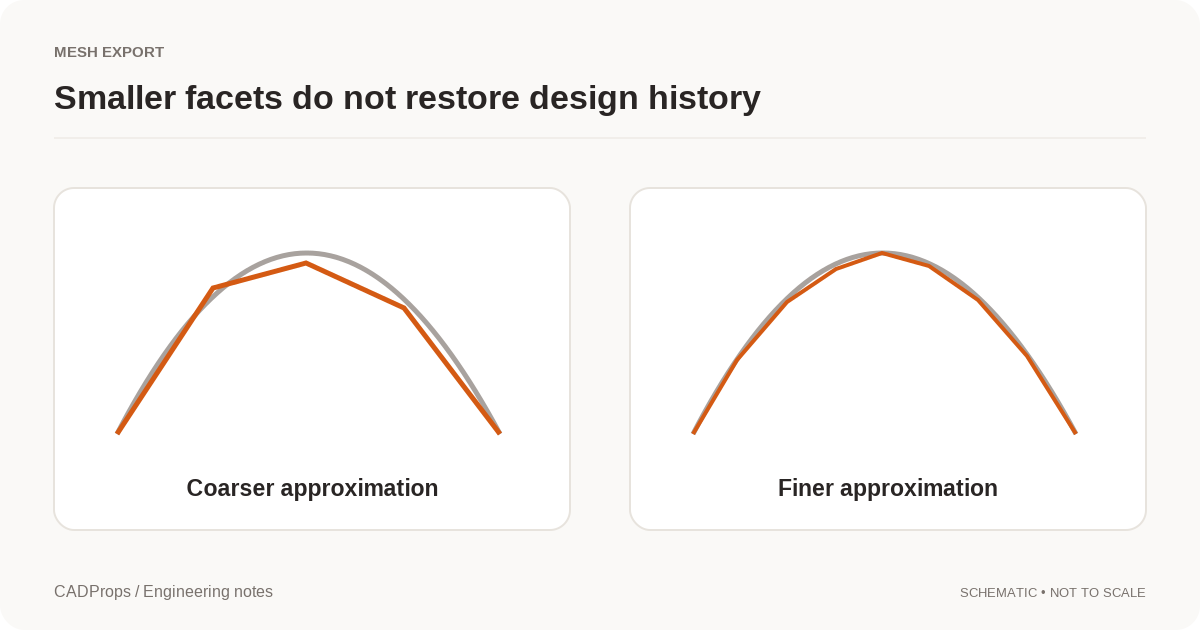
  • STL stores approximate triangles without iProperties, feature history or reliable unit metadata; IDW drawings are not converted.
  • Files are uploaded for temporary server processing; support depends on saving Inventor release, saved display geometry and assembly completeness.
  • Viewing and measuring do not require an account. Eligible new accounts receive trial points valid for 90 days; first download uses 1 point.
On this page

Convert an Autodesk Inventor IPT part or IAM assembly to a downloadable binary STL triangle mesh without installing Inventor. CADProps reads readable IPT geometry and saved display data and exports STL from validated preview triangles. View and measure without an account; sign in to convert.

Upload an IPT part or packaged IAM ZIP

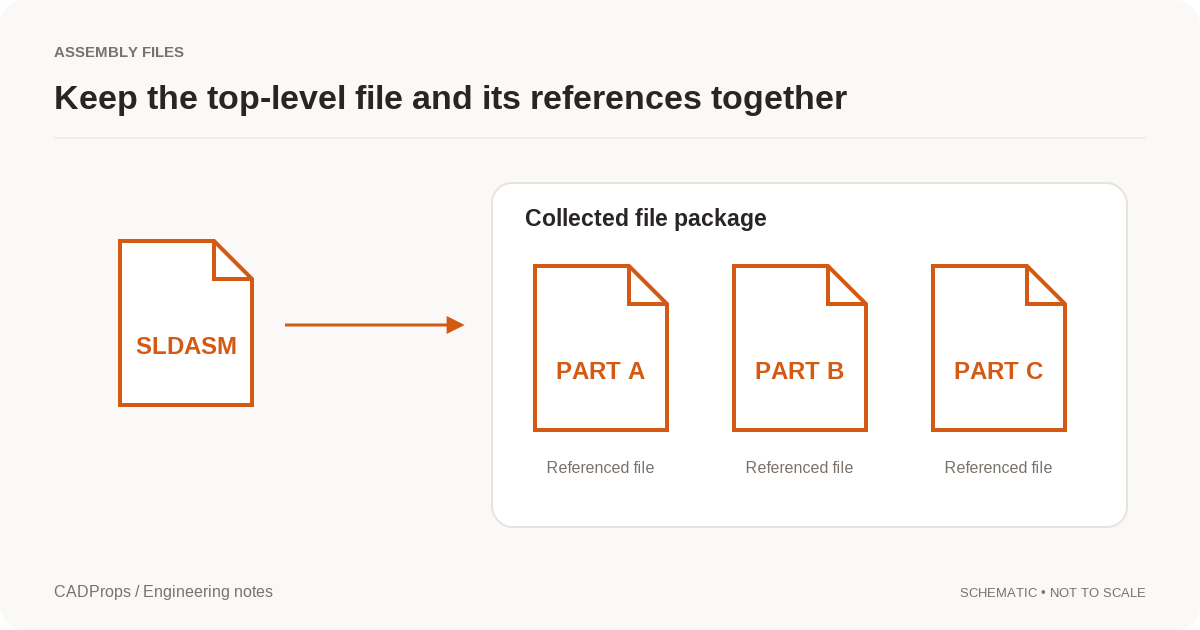
Upload a standalone .ipt part directly, or package the top-level .iam assembly with nested .iam subassemblies and referenced .ipt part files inside one ZIP while preserving relative folder paths. CADProps shows the loaded components and warns if referenced files are missing, leaving only the loaded geometry in the export.

STL mesh versus STEP handoff

STL stores surface triangles intended for 3D printing and mesh review. It does not preserve Autodesk Inventor sketches, constraints, iProperties, native feature history or editable B-Rep solids. When the next CAD or CAM system needs neutral solid surfaces, use the Inventor to STEP converter instead.

IDW limits and slicer unit checks

Autodesk Inventor IDW 2D drawings show only their saved preview image and cannot be converted to STL; export PDF, DWG or DXF directly from Inventor. Because STL has no reliable unit header, verify one known dimension and bounding box span in Properties before exporting, then confirm millimetres or inches in your slicer.

Input formats: IPT / IAM

Points: viewing and measuring are free. Eligible new accounts receive trial points. Free points are valid for 90 days. The first download uses 1 point and unlocks all available formats for this file for 30 days. Failed or incomplete conversions use no points. See pricing.

Open this tool

General steps for uploading, viewing, sectioning, measuring, converting and exporting are explained once in How it works. This page covers what is specific to this file type.

When a result needs another check

Viewing can start without an account. Conversion, account storage and share creation require signing in. Temporary files expire after the displayed retention period. Read the privacy statement for server processing and deletion, and the accuracy notes before using numerical results. Do not assume that hiding a part, clipping it or exploding an assembly changes the exported source geometry.

When a result needs another check · Input formats

Related CAD tools

Original article: CADProps · https://www.cadprops.com/tools/inventor-to-stl/
A reproducible example

Open an Inventor IPT part or packaged IAM ZIP, verify dimensions and any missing-component notices in Properties, then convert to STL and confirm scale in your slicer.

Repository-generated samples are synthetic test models. Verify your own model's units and geometry before using results.

Supported formats
All formats and limits →

Questions about Inventor to STL

Can I convert an IPT or IAM file to STL without Inventor?

Yes. Open the IPT part or packaged IAM ZIP in CADProps to check geometry first, then sign in and convert to downloadable binary STL.

Why is my IAM assembly missing parts in the STL preview?

An IAM assembly references external IPT part files. Upload the root IAM together with all referenced IPT and nested IAM files inside one ZIP keeping relative paths.

Can I convert an Inventor IDW drawing to STL?

No. IDW 2D drawings show only their saved preview image and have no 3D geometry for STL export; export PDF or DWG/DXF from Inventor instead.

When should I choose Inventor to STEP instead of STL?

Choose Inventor to STEP when another CAD or CAM tool needs solid surfaces and assembly structure. STL is a surface triangle mesh for 3D printing.