

 View without an account
 Temporary workspace
Upload a ZIP or single-volume RAR containing supported CAD models or a glTF scene with its local resources, then inspect the package in one workspace.
Open your file
Upload a ZIP or single-volume RAR containing supported CAD models or a glTF scene with its local resources, then inspect the package in one workspace. Select or drop the file to start processing immediately. For guests, temporary workspace copies remain limited to the browser session and expire after the configured retention period. Signed-in files are saved to the account library when space is available; otherwise they remain temporary.
What is supported
Up to 50 entries and 200 MiB expanded. No encrypted or multi-volume archives, nested ZIP or RAR archives, symlinks, parent paths or remote resources. Multiple 3D models retain their original coordinates; overlapping volume is not subtracted. Pack native assemblies with their referenced parts; missing components produce a warning when usable geometry remains. 7Z and TAR.GZ packages are repacked as ZIP on upload and follow the same limits. A single gzip-compressed file, such as part.step.gz, opens as the file it contains. A package with drawings but no 3D model opens its main drawing in the drawing viewer.
Read the result responsibly
Display units can be changed without changing source geometry. Confirm source units and material density before using physical properties. A preview is not a manufacturing validation.
Input formats: ZIP, RAR, 7Z, TAR.GZ or GZIP
General steps for uploading, viewing, sectioning, measuring, converting and exporting are explained once in How it works. This page covers what is specific to this file type.
Real CADProps screenshots
The screenshots show the English interface. Captions and instructions describe the same operations.
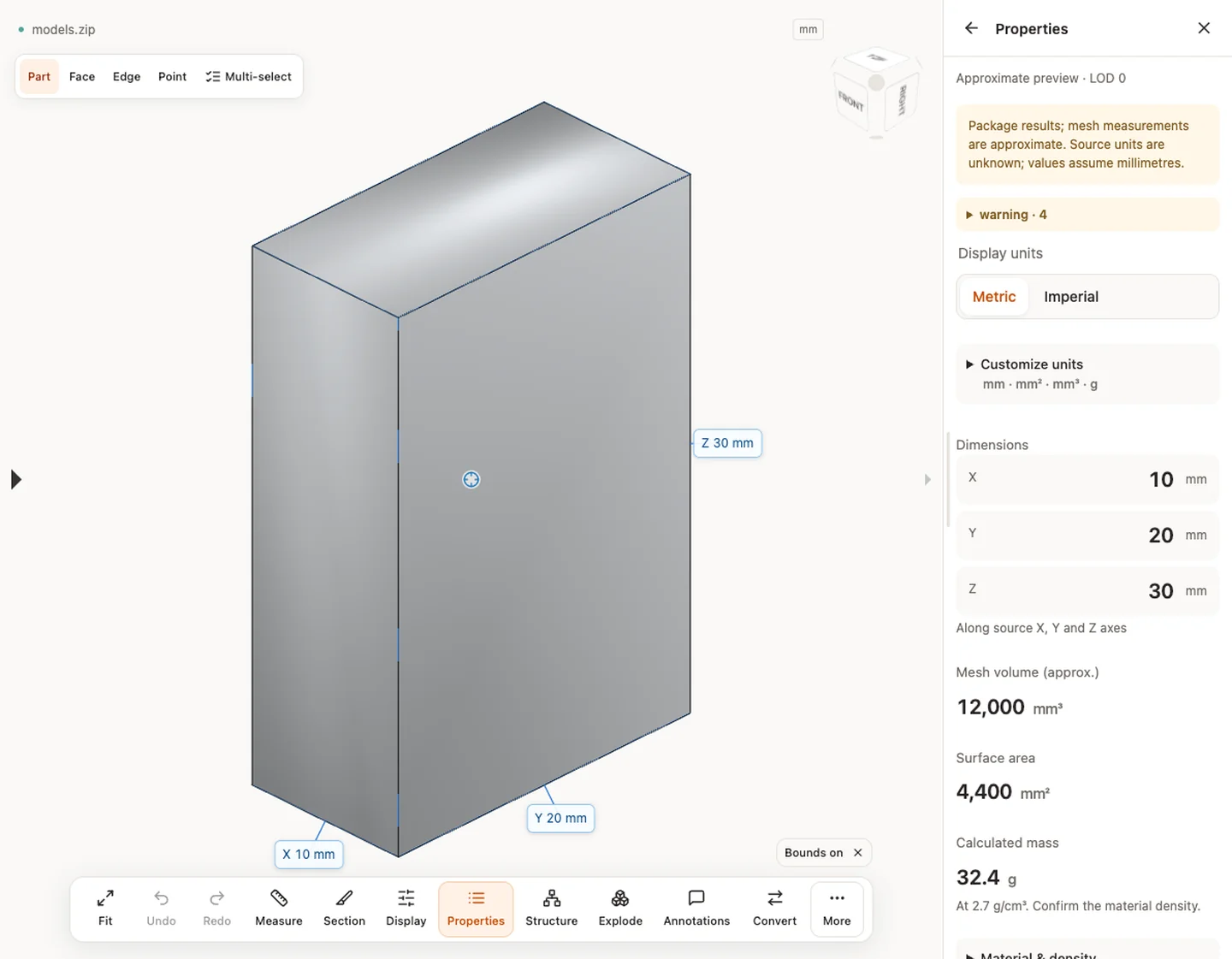
Sample source and verification
When a result needs another check
Viewing can start without an account. Conversion, account storage and share creation require signing in. Temporary files expire after the displayed retention period. Read the privacy statement for server processing and deletion, and the accuracy notes before using numerical results. Do not assume that hiding a part, clipping it or exploding an assembly changes the exported source geometry.
When a result needs another check · Input formats
Continue with a related task
- STEP File Dimensions Online: Measure X, Y, Z & Distances
- Batch STEP Properties: Export CAD Measurements to CSV
For fast part and assembly viewing, see Fast CAD viewing with CADProps, with real model examples and loading times.
Original article: CADProps · https://www.cadprops.com/tools/zip-viewer/
