
Autodesk Inventor (.idw) and Siemens Solid Edge (.dft) both keep 2D manufacturing drawings inside proprietary binary containers tied closely to their respective 3D part and assembly files. When an .idw or .dft shows up in an RFQ folder on a workstation without Inventor or Solid Edge installed, you still need a fast way to verify what the drawing shows—and avoid wasting hours trying to convert a 2D drawing sheet into 3D CAD.
In CADProps, opening an .idw or .dft extracts the embedded preview thumbnail saved inside the file container, when present. CADProps makes the capability boundary explicit: drawing views, interactive dimensions, GD&T frames, part lists and sheet text are not decoded from .idw or .dft, and 2D drawing files cannot convert to STEP or STL.
How .idw and .dft drawing containers work
Both .idw and .dft store associative 2D sheets using Microsoft OLE2 Compound File Binary (CFB) packaging rather than plain-text DXF or portable PDF streams:
- Autodesk Inventor
.idw(vs Inventor.dwg): Inventor offers two native drawing formats—.idw(Inventor Drawing) and Inventor.dwg. Both link associatively to external.iptparts and.iamassemblies. While.idwcontains no AutoCAD Model Space vector entities readable by generic DWG tools, OLE2SummaryInformationstores a Windows thumbnail preview bitmap (PID 17) whenever saved with thumbnails enabled. (Note: Inventor.dwgfiles saved cleanly with AutoCAD compatibility can often open vector sheets in DWG Viewer, whereas.idwis strictly thumbnail-preview-only outside Inventor.) - Siemens Solid Edge
.dft: Solid Edge Draft files embed projected 2D views referencing external.par,.psmsheet-metal or.asmassembly models. Like.idw, an OLE2 preview property stream (SummaryInformationthumbnail) is often saved alongside draft streams when created interactively. - External 3D model dependency: Neither
.idwnor.dftholds full rebuildable 3D B-Rep solids on its own; projected orthographic views depend on external part geometry unless detached/exported.
Honest preview scope: thumbnail inspection vs vector & 3D engineering
Understanding what each upload tier delivers ensures smooth supplier communication:
- What CADProps displays cleanly: When an
.idwor.dftembeds a preview image inside its OLE2 container, CADProps renders it in the 2D Viewer alongside a notice explaining that only the saved preview thumbnail is displayed. - What stays excluded by design: Vector entity snapping, 2D calibration/measurement, multi-sheet browsing, title-block OCR, BOM table extraction and PDF/SVG conversion are intentionally disabled on
.idwand.dftrather than guessing incomplete linework. - Zero 3D geometry or STEP export: Attempting to turn an
.idwor.dftdirectly into.stepor.stlis physically impossible because the file defines 2D projected drafting annotations rather than closed 3D solids. Always open accompanying.ipt/.par/.psmparts instead.
Step-by-step online .idw / .dft preview workflow
- Upload the
.idwor.dftfile into View mode: Drop the file cleanly in your browser (no account required; default file ceiling is 95 MiB). - Wait for OLE2 preview extraction: If Inventor or Solid Edge saved a preview bitmap inside the file, CADProps renders the sheet preview immediately with a clear status label confirming it is a saved preview image.
- Check overall layout and revision match only: Pan and zoom across the preview to confirm whether the drawing depicts the expected weldment, bracket or housing before requesting neutral formats from the sender.
- Act cleanly if no preview is embedded: If the author saved the drawing with thumbnail capture disabled, CADProps reports
drawing_preview_missinghonestly so you know immediately to ask for an exportedPDF,DXForDWG. - Switch to 3D when parts are present: Upload accompanying
.iptfiles into Inventor Viewer or.par/.psmfiles into Solid Edge Viewer to inspect 3D geometry and export qualifiedSTEP (Solid)models.
Comparison table: IDW / DFT vs Inventor DWG vs PDF vs IPT / PAR / STEP
Know which format to open—or ask your customer to export—based on the engineering decision in front of you:
| File Format | Stored Content | CADProps Support | Suitable for Tolerance / CNC Use? | Recommended Next Action |
|---|---|---|---|---|
.idw / .dft (Native Draft) |
Associative 2D draft views + OLE preview bitmap | Saved preview thumbnail only | No (identification check only) | Ask sender for PDF, DXF/DWG or 3D part |
.dwg / .dxf (2D CAD) |
Native vector lines, arcs, dimensions, layouts | Exact 2D vector view, calibrate & export PDF/SVG | Yes — 2D profiles, measurements & prints | Open in DWG & DXF Viewer |
.pdf (Exported Sheet) |
Multi-sheet crisp vector annotations & tables | Native PDF viewing in browser | Yes — QA, tolerances, GD&T & specs | Ask Inventor/Solid Edge user to Export PDF |
.ipt / .par / .psm (3D Native) |
Evaluated 3D solid & sheet-metal B-Rep | Full 3D inspect + exact STEP (Solid) when qualified |
Yes — bounds, volume & STEP export | Inspect in Inventor Viewer or Solid Edge Viewer |
.step / .stp (3D Neutral) |
Universal neutral B-Rep solid/surface | Full 3D inspection, sectioning, volume & mass | Yes — universal manufacturing handoff | Open directly in STEP Viewer |
Troubleshooting common .idw and .dft issues
- Error: "No saved preview image was found in this drawing": Inventor's Save Preview Picture option (
Document Settings / Application Options) or Solid Edge's preview snapshot setting was turned off when saving. Ask the originator to re-export as PDF (for readable dimensions and multi-page prints) or AutoCAD DWG/DXF. - Text, hole callouts and fractional tolerances look blurry: Windows OLE preview thumbnails are compact preview bitmaps meant for file icons—not legible high-DPI manufacturing drawings. Never read machining tolerances off a fuzzy icon; request a crisp PDF.
- Sender meant to attach the 3D model, not the drawing: An
.idwwithout.iptor.dftwithout.par/.psmleaves you without 3D solids. Reply referencing our Open IPT Without Inventor guide or ask forSTEP AP214alongside the PDF drawing. - Need flat sheet-metal laser profiles from Solid Edge
.dft/.psm: Ask the designer to export a clean1:1flat-pattern DXF directly from.psmrather than exporting scaled multi-view borders inside.dft, then inspect closure in DWG Viewer.
Two-line request template for Inventor & Solid Edge vendors
- 2D prints & GD&T specifications: Please export PDF (all sheets) plus
1:1DXF for any flat cut profiles instead of.idw/.dft. - 3D parts & assemblies: Please export
STEP AP214/AP242(or ZIP.iam+.ipt/.asm+.partogether preserving folder paths).
Pairing IDW / DFT previews with 3D assembly files
- When assemblies include both
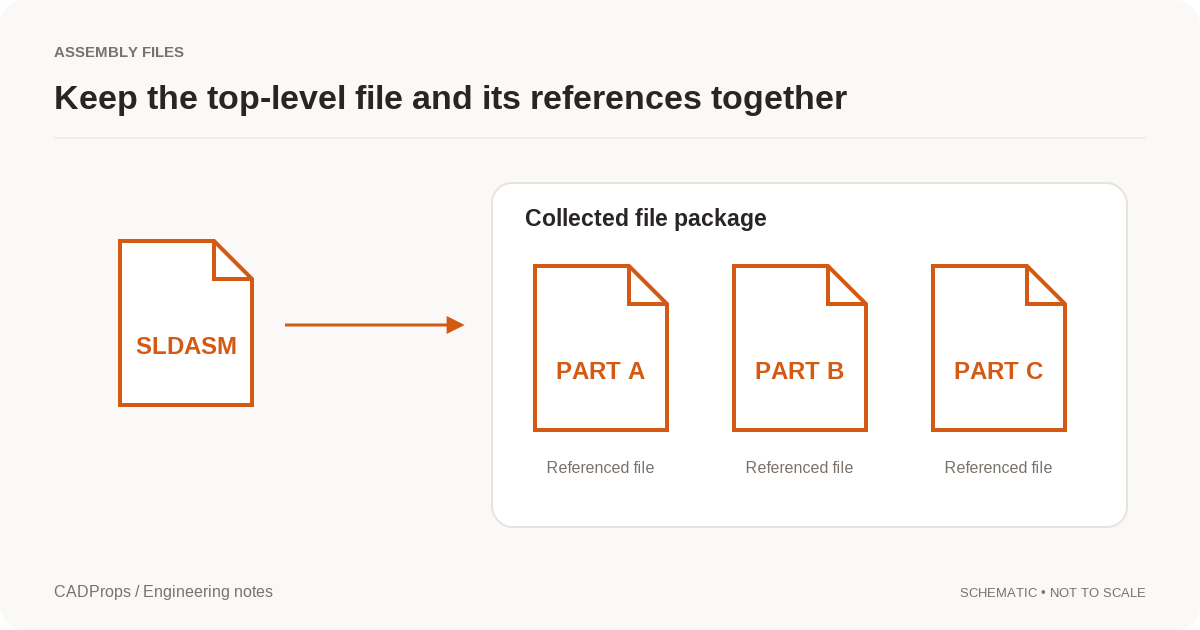
.idw/.dftand.iam/.asm: Remember that native assemblies require all referenced child.iptor.par/.psmfiles inside a single ZIP package preserving relative folder structure before CADProps can display full 3D assembly components. - Quick cross-check workflow: Open the
.idwor.dftsaved preview image to identify the assembly layout and sheet title block visually, then upload the zipped 3D assembly (or exportedSTEPfile) into Inventor Viewer or Solid Edge Viewer to measure 3D part dimensions and interferences. - Never guess blurred tolerances: Follow up immediately for exported vector PDF prints whenever decimal callouts, threads or surface finishes are unreadable at thumbnail resolution.
Frequently asked questions about IDW and DFT files
- Can I convert
.idwor.dftto STEP, STL or IGES? No. Both formats are 2D native drawing wrappers pointing to external 3D files (IPT/IAM/PAR/ASM) and contain no 3D solid geometry to export. - What is the difference between Inventor
.idwand Inventor.dwg? Both store associative Inventor drawing views, but Inventor.dwgembeds standard DWG structure compatibility alongside Inventor data whereas.idwis strictly Inventor-proprietary. Neither converts directly to 3D STEP. - How do I inspect the 3D part referenced by an
.idwor.dft? Request the paired.ipt(Inventor) or.par/.psm(Solid Edge) file and open it in Inventor Viewer or Solid Edge Viewer—or request a universalSTEPfile. - Are multiple sheets inside an
.idwor.dftvisible online? Only the saved single preview thumbnail embedded in the file header is read; multi-sheet inspection requires exporting a multi-page PDF or DWG/DXF from Inventor or Solid Edge. - How long are uploaded
.idwor.dftfiles stored on CADProps? Guest files expire automatically after the displayed workspace timer; signed-in accounts manage retention inside their file library under Privacy policy and Accuracy & calculation rules.
Original article: CADProps · https://www.cadprops.com/guides/open-idw-without-inventor/