
Receiving an .slddrw email attachment when you do not have SolidWorks installed is one of the most common CAD handoff bottlenecks in procurement and subcontracting. Engineers expect a readable blueprint or 3D model, yet opening an .slddrw file without SolidWorks or eDrawings requires understanding what the file actually stores—and what it leaves completely external.
In CADProps, uploading an .slddrw file extracts and displays the saved preview image embedded inside the drawing container, when one was saved. CADProps states that boundary clearly up front: it does not parse live drawing views, vector dimensions, GD&T frames or title block tables from .slddrw, nor does it reconstruct 3D solid geometry or convert .slddrw into STEP.
What an .slddrw SolidWorks drawing file actually contains
An .slddrw file is stored inside a Microsoft OLE2 Compound File Binary (CFB) container. Unlike a self-contained PDF or exported AutoCAD DWG sheet, a SolidWorks drawing acts largely as a layout wrapper linking back to external 3D models:
- View definitions pointing to external
.sldprt/.sldasmfiles: Standard orthographic views, section cuts, detail blowups and BOM tables in an.slddrwreference external SolidWorks part and assembly files by path and internal ID unless saved explicitly in SolidWorks Detached Drawing format. - Compressed SolidWorks sheet streams & metadata: Internal OLE streams store sheet formats, dimension annotations, geometric tolerances and notes in proprietary binary structures.
- Optional saved thumbnail / preview image: Depending on the author's SolidWorks System Options → General and Save preview image settings, the OLE2 summary properties (
SummaryInformationPID 17) and preview sections carry a raster bitmap or PNG/JPEG preview snapshot of the active drawing sheet.
Because CADProps operates purely with clean in-house decoders rather than automating proprietary Windows CAD executables, it safely reads only verified embedded preview streams without touching external file links.
Honest capability limits when viewing .slddrw in CADProps
Knowing exactly what a browser .slddrw preview can and cannot confirm prevents expensive quoting mistakes:
- What you get: When the
.slddrwfile carries a valid saved preview image, CADProps renders that snapshot inside the 2D Viewer so you can quickly confirm part silhouette, visual layout, whether you received the right revision or drawing file, and inspect general sheet composition without installing software. - What is omitted on purpose: CADProps does not render vector linework, multiple secondary drawing sheets, crisp zoomable tolerance text, layer visibility toggles, 2D snap measurements or clickable BOM cells from
.slddrw. - Why
.slddrwcannot export STEP or STL: A 2D drawing file is not a 3D B-Rep solid or closed mesh (display_cache/drawing_previewonly). If your vendor sent.slddrwthinking it was the 3D machining file, you must request.sldprt/.sldasm(or neutralSTEP) separately.
How to inspect an .slddrw preview online step by step
- Upload the
.slddrwfile to the CADProps workspace: Drag the file into View mode (no account required; default file limit is 95 MiB). - Confirm what appears in the drawing canvas: Wait for processing to finish. If SolidWorks saved a preview image in the container, the snapshot displays cleanly with a transparent badge stating that only the saved preview image is shown.
- Zoom and inspect sheet context cleanly: Pan and zoom across the preview thumbnail to verify part shape and orientation. If small tolerance callouts or thread notes are blurred by raster preview resolution, treat the preview as identification only—never guess illegible digits for manufacturing.
- Look for missing-preview warnings: If the sender disabled embedded previews or used an older template without a thumbnail, CADProps returns
drawing_preview_missinghonestly rather than inventing geometry. - Follow up using our companion 2D/3D viewers: Open any accompanying
.sldprtor.sldasmin SolidWorks Viewer, convert 3D SolidWorks parts toSTEP (Solid)via SolidWorks to STEP, or inspect exportedDWG/DXFsheets inside DWG & DXF Viewer.
Decision table: SLDDRW vs PDF vs DWG/DXF vs SLDPRT/STEP
Choose the right file request depending on whether you need readable tolerances, CNC programming geometry or a quick visual check:
| File Format | What It Carries | Can CADProps Read Vector / 3D? | Measurable in Browser? | Best Follow-up Request |
|---|---|---|---|---|
.slddrw (Native Drawing) |
Proprietary drawing sheets + saved thumbnail | Saved thumbnail preview only | Visual identification only | Ask sender for PDF (for tolerances) or DXF/DWG |
.pdf (Exported 2D Drawing) |
Crisp scalable drawing sheets & title blocks | Multi-page PDF sheet view | Print/scale check cleanly | Already ideal for inspection, QA & quoting tolerances |
.dwg / .dxf (2D Vector CAD) |
Layers, lines, arcs, dimensions, paper layouts | Exact 2D vector entities + saved preview | Calibrate & measure 2D spans + export PDF/SVG | Open directly in DWG Viewer |
.sldprt / .sldasm (3D Native) |
Evaluated Parasolid B-Rep & display mesh | Yes — full 3D view + B-Rep STEP when qualified | Full X/Y/Z bounds, area, volume & mass | Inspect in SolidWorks Viewer or convert to STEP |
.step / .stp (3D Neutral CAD) |
Standard closed/open B-Rep geometry | Exact 3D B-Rep solids & open surfaces | Exact solid bounds, area, volume, mass & holes | Authoritative CAM/quoting model via STEP Viewer |
Troubleshooting common .slddrw preview issues
- Error: "No saved preview image was found in this drawing": SolidWorks was set not to save thumbnails inside the file, or the preview stream was stripped during PDM vault check-in. Ask the sender to export PDF (
File → Save As → Adobe Portable Document Format) for 2D inspection and DXF/DWG if you need vector CAD profiles for laser cutting or sheet-metal bending. - Dimensions and GD&T datums look pixelated when zoomed in: Embedded OLE preview snapshots are small rasters (~512 px or lower) meant for Windows Explorer thumbnails, not shop-floor inspection. Never quote tight tolerances or thread pitch specifications off a thumbnail alone; ask for a vector PDF or exported DXF.
- You only received
.slddrwwhen you expected a 3D CNC model: Designers sometimes attach the drawing file while leaving.sldprtunchecked in an email or PLM export. Send back our SolidWorks Part Guide or request.step(AP214) +.pdftogether. - Confusing multi-sheet drawings: Even when a SolidWorks drawing has five sheets, only the saved active preview snapshot is embedded inside the header thumbnail stream. Export multi-sheet PDF or individual DXF/DWG files from SolidWorks before sharing externally.
Request checklist: getting usable drawings & 3D files from SolidWorks users
To avoid three rounds of back-and-forth emails with customers or overseas machine shops, reply with this exact two-line handoff standard:
- For 2D prints, tolerances, materials & title block specs: Export vector PDF (all sheets) and DXF/DWG (
1:1model/sheet scale, splines preserved) rather than.slddrw. - For 3D CAD, CAM programming, quoting volume & assembly checks: Export STEP (
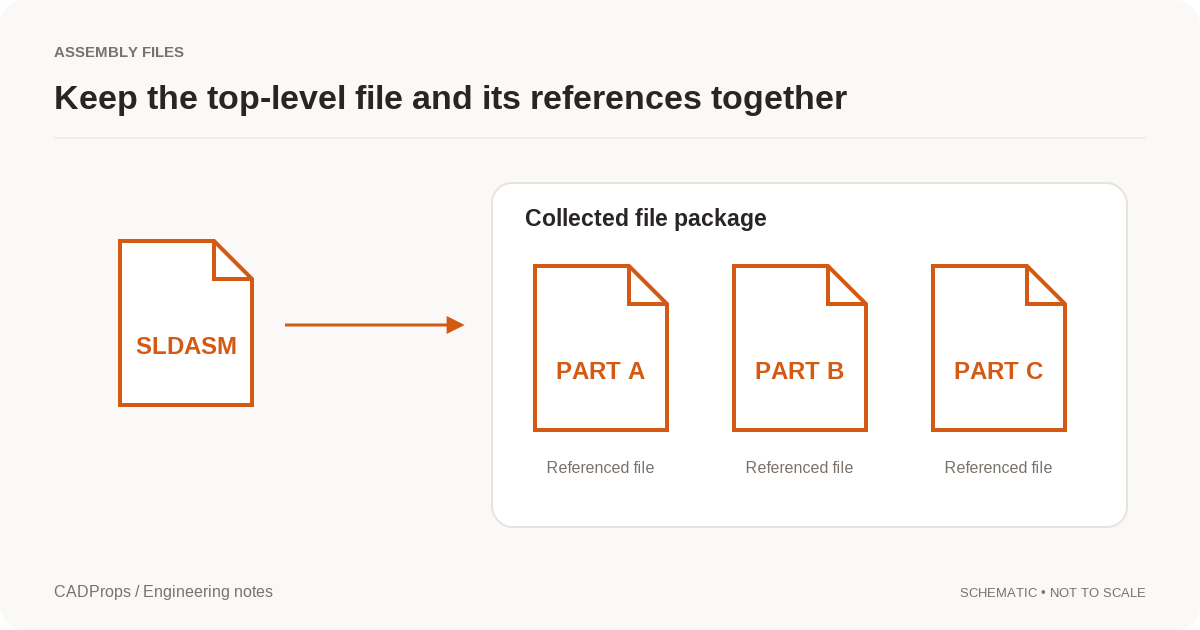
AP214/AP242) or package.sldasmtogether with every referenced.sldprtinside a single ZIP archive preserving relative folder paths.
SolidWorks Detached Drawings vs standard .slddrw files
- Standard
.slddrw: References external.sldprt/.sldasmmodels directly for view updates and BOM links. Outside SolidWorks, only the saved OLE thumbnail stream is safely readable. - Detached Drawing (
.slddrw): Caches view graphics locally inside SolidWorks so SolidWorks seats can open sheets offline without the 3D parts. Even then, third-party non-SolidWorks tools still rely on exported PDF or DXF/DWG for crisp dimensions and text rather than proprietary SolidWorks binary drawing streams. - Bottom line for external recipients: Ask SolidWorks senders for vector PDF (plus STEP for 3D or
1:1DXF for flat profiles) on every external RFQ package.
Frequently asked questions about SLDDRW files
- Can I convert an
.slddrwfile directly to.stepor.stl? No. An.slddrwfile holds 2D drawing views referencing an external.sldprtor.sldasm, not 3D solid B-Rep bodies. Ask for the.sldprt/.sldasmor.stepmodel instead. - Why does
.slddrwfail to show multi-page views without SolidWorks? Because SolidWorks relies on external part references and proprietary binary drawing streams; without SolidWorks running, only the single embedded preview thumbnail saved inside the file can be read safely. - Does CADProps store my uploaded
.slddrwpermanently? No. Guest uploads and their previews expire automatically after the displayed workspace window, while signed-in accounts control their own saved library and share links. - Is
.slddrwbetter converted to DXF or PDF by the sender? Send PDF when machinists and quality engineers need clean dimensions, GD&T datums and title blocks; send DXF when a laser, waterjet or router shop needs closed1:12D cutting profiles—see Check Closed DXF Contours. - What if I received
.sldprtand.sldasmalongside.slddrw? Zip the.sldasmand.sldprtfiles together and upload the ZIP directly into SolidWorks Viewer or SolidWorks to STEP to inspect 3D geometry and export neutralSTEP (Solid).
Original article: CADProps · https://www.cadprops.com/guides/open-slddrw-without-solidworks/