

You received an SLDPRT that opens in the CADProps SolidWorks viewer, but the drawing shows four mounting holes and the model shows two. Check the intended revision and configuration before converting the part. A readable preview means the viewer could show a shape. It does not establish which configuration the sender intended you to use.
Check a feature that differs between configurations
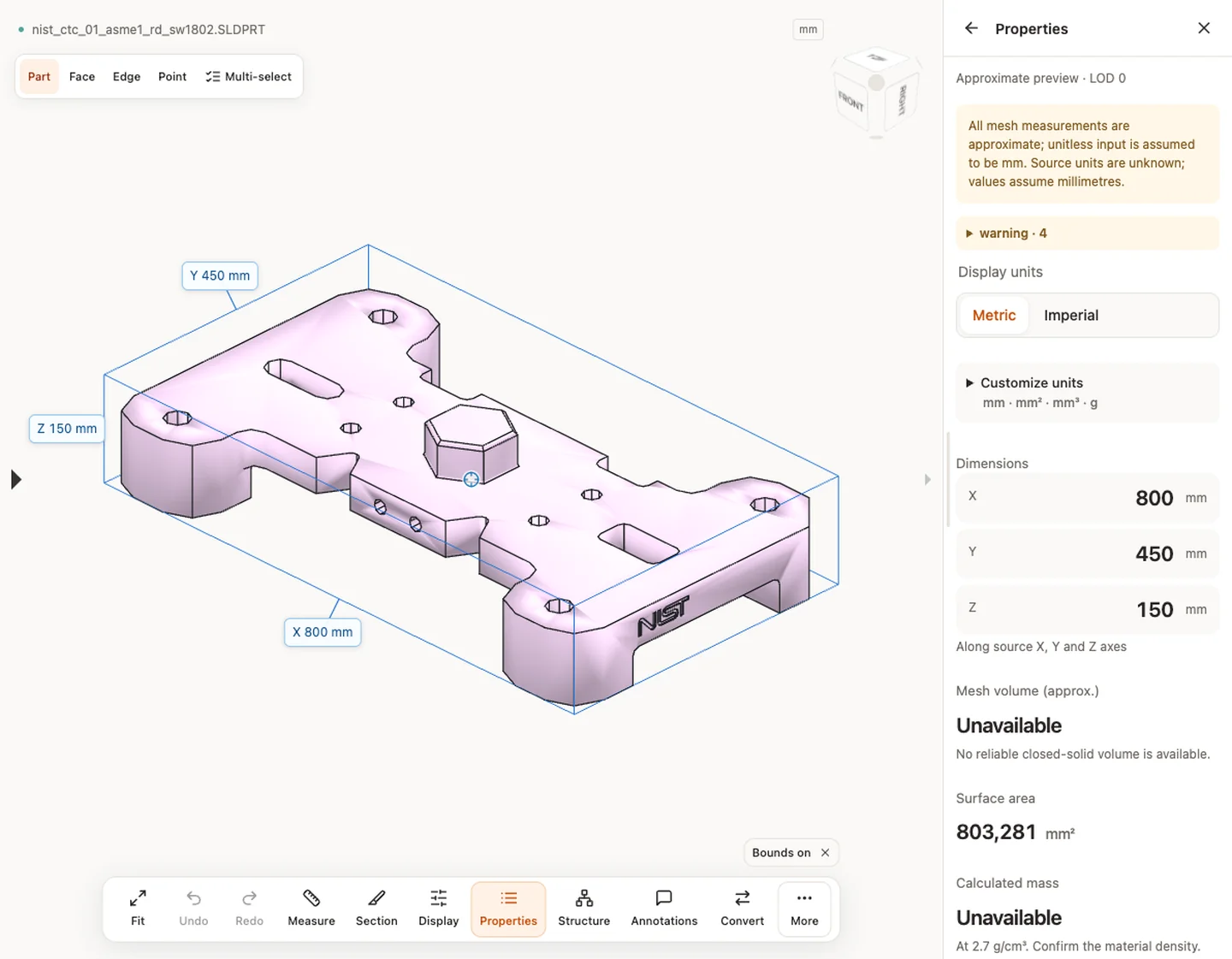
- Open the original SLDPRT and read any warnings. Compare the X, Y and Z extents in Properties with one known dimension.
- Rotate the model to the face where the configurations differ. Count the visible holes, check whether the relevant pocket is present, or compare another distinguishing feature from the drawing. Two configurations can share the same outer dimensions.
- Ask the sender for the exact configuration name and released revision. If the filename and drawing already agree, ask them to reopen the SLDPRT in SolidWorks, activate that configuration, and compare the disputed feature.
Ask for a configuration-specific handoff
If the recipient only needs the released geometry, ask the sender to export STEP from the intended SolidWorks configuration. Keep the configuration and revision in the handoff note. Reopen the new file in the STEP viewer and check the same dimensions and distinguishing features again.
If you use the CADProps SolidWorks to STEP converter, check which export option is offered. Exact STEP requires a qualifying native solid. When saved display data exists and the reconstructed solid clearly disagrees in overall size, CADProps rejects that solid for exact export. A match in overall size still leaves open the possibility of a different hole pattern. When no saved display is available, the sender must confirm the intended configuration in SolidWorks.
If the file fails to open altogether, take the separate SolidWorks version troubleshooting route. A version error and an unexpected shape call for different checks.
Original article: CADProps · https://www.cadprops.com/guides/solidworks-part-shows-wrong-configuration/