

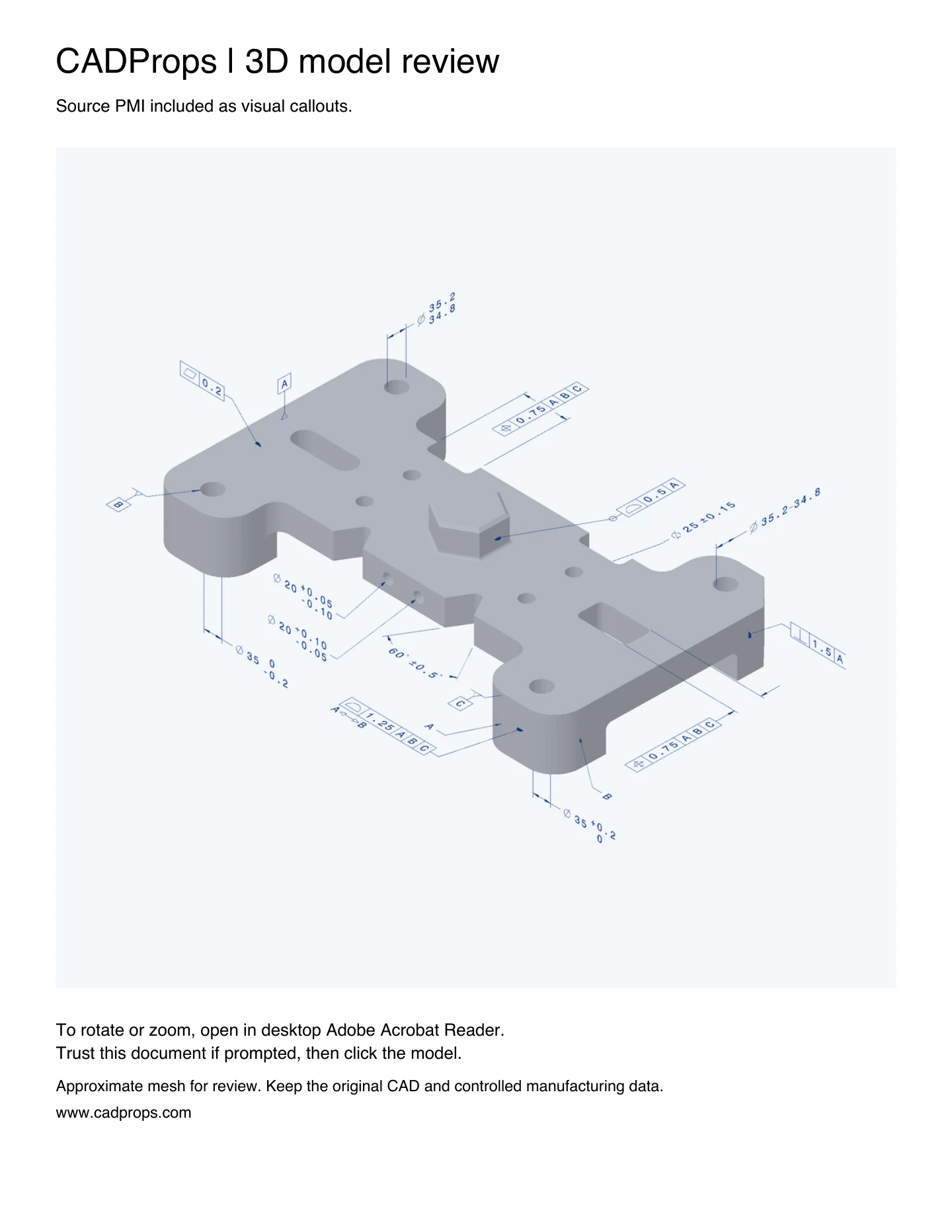
An interactive 3D PDF can help a recipient find a callout on a part without installing the source CAD application. For an eligible STEP AP242 file, CADProps embeds the model as a mesh and includes the graphical PMI in the same 3D scene. The callouts move with the part during rotation.
Export from the CADProps workspace
- Upload a single part saved as STEP AP242. Open Source PMI and verify the callouts you plan to share.
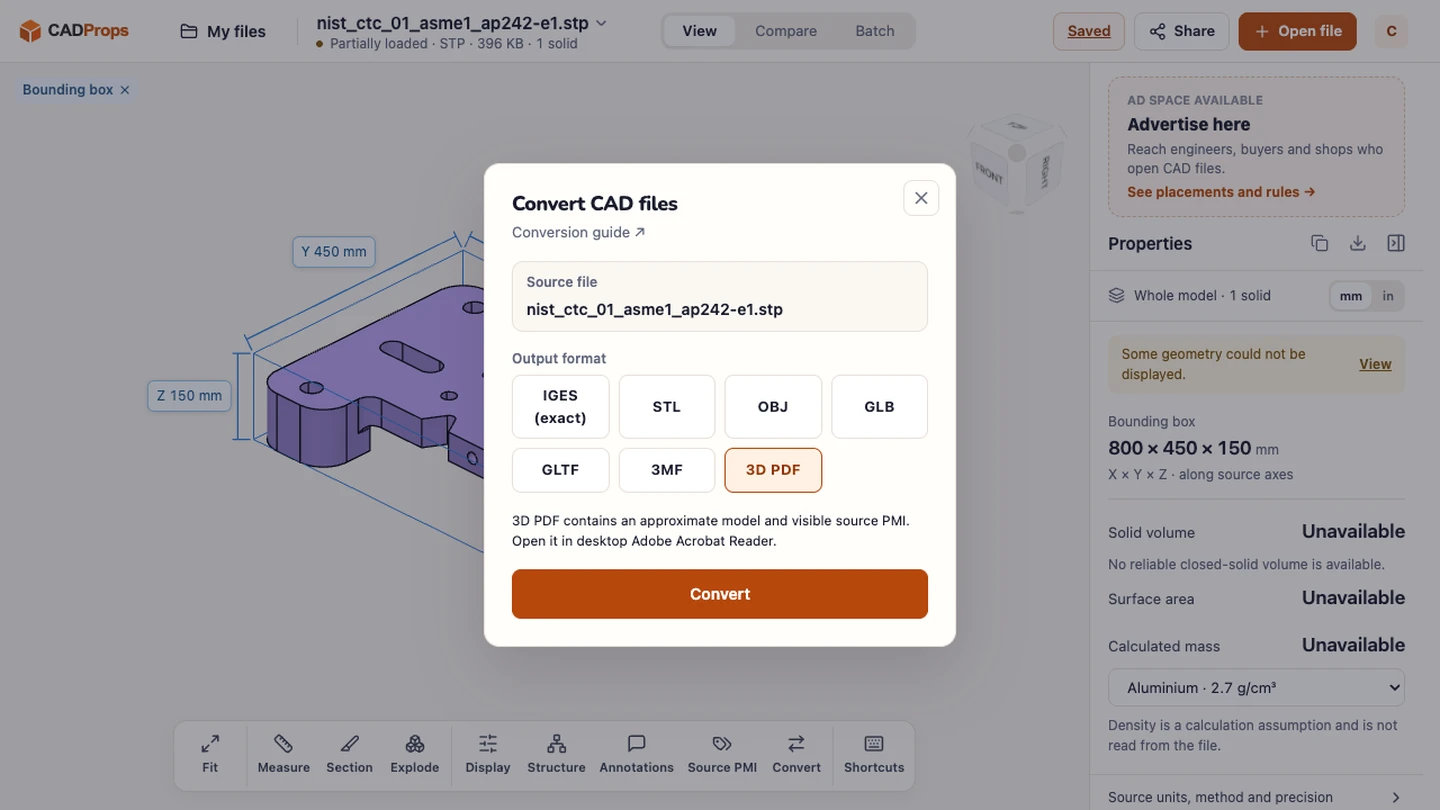
- Sign in and choose Convert → 3D PDF. The conversion panel shows whether the export can include source PMI or whether the file contains geometry only.
- Download the
-3d.pdfresult. If CADProps cannot preserve the source graphics or the model surfaces are incomplete, it blocks the export.
Open and rotate the result
Browser PDF previews and macOS Preview show the static cover. Save the PDF locally and open it in desktop Adobe Acrobat Reader. If Reader shows a 3D content prompt, use the trust option for the file you just generated, then click the model. Use the 3D toolbar to rotate, zoom and switch between saved views. The export starts from the first saved annotation view when available. Its lighting and framing can differ from the current workspace view. Adobe instructions for enabling 3D content
What the PDF carries
- Model geometry. A triangle mesh for visual review.
- PMI. Visible source callouts encoded as part of the 3D scene, together with the readable saved view directions and annotation groups. The export carries no machine-readable PMI or editable CAD surfaces.
- When the input has no PMI. An eligible AP242 part can export a geometry-only 3D PDF. CADProps labels this before conversion.
- Native CAD. For this PDF workflow, first export STEP AP242 with graphical PMI from the source CAD application.
The example uses nist_ctc_01_asme1_ap242-e1.stp from the NIST PMI STEP archive. After downloading the PDF, compare the 60° callout and the datum markers with the STEP viewer and the NIST reference sheet. Keep the original CAD or released drawing for manufacturing.
The PDF contains a PRC stream. CADProps can read supported standalone PRC files; an uploaded PDF opens as a flat page preview.
Original article: CADProps · https://www.cadprops.com/guides/export-3d-pdf-with-pmi/