# NX PRT to STEP Converter Online: Siemens NX / UG NX
Export Siemens NX / UG NX PRT files to a mesh STEP online from the display geometry saved in the file. Exact NX surfaces are not converted; check units and components.
Export a Siemens NX / UG NX PRT file to STEP. CADProps shows NX parts and assemblies from the display geometry NX saved in the file, so the STEP export is a mesh STEP: triangles that match what you see, not exact NX surfaces. View and measure without an account; sign in to convert.
## Confirm the PRT really comes from NX
PRT is not unique to Siemens NX. If the authoring application is unknown, identify it before using this converter. Renaming a Creo PRT or another file does not make it NX.
## What the STEP export contains
A mesh STEP stores display triangles in a STEP file. It suits visual review, overall size checks and fixture or packaging context, but CAM and CAD applications cannot use it as solid geometry for machining features or surface edits. When the recipient needs an exact solid, ask for a STEP export from NX. STL, OBJ and GLB are offered from the same preview.
## Assemblies and missing references
Upload the assembly PRT, or a ZIP with the top-level PRT and referenced component files keeping relative paths. CADProps shows the components it can read and warns when references are missing; the export covers only the loaded components.
## STEP does not carry NX history
The export does not reconstruct NX sketches, constraints, expressions or the feature tree. Keep the native PRT as the editable source.
## Verify scale, bodies and placements
Check one known dimension, expected bodies/components and placements after conversion. A unit or scope problem can survive a technically successful export.
## When a file will not open
Compatibility with every NX release is not established. Files saved without display geometry show their saved thumbnail. Record the saving release when asking the sender for a fresh STEP export.
**Input formats:** PRT
**Points:** viewing and measuring are free. A new account gets 3 free conversion points; free points are valid for 90 days. One point converts one file to every output format for 30 days, and a failed or incomplete conversion uses none. See [pricing](https://www.cadprops.com/pricing/).
[Open this tool](https://www.cadprops.com/workspace/index.md)
General steps for uploading, viewing, sectioning, measuring, converting and exporting are explained once in [How it works](https://www.cadprops.com/how-it-works/index.md). This page covers what is specific to this file type.
## Real CADProps screenshots
The screenshots show the English interface. Captions and instructions describe the same operations.
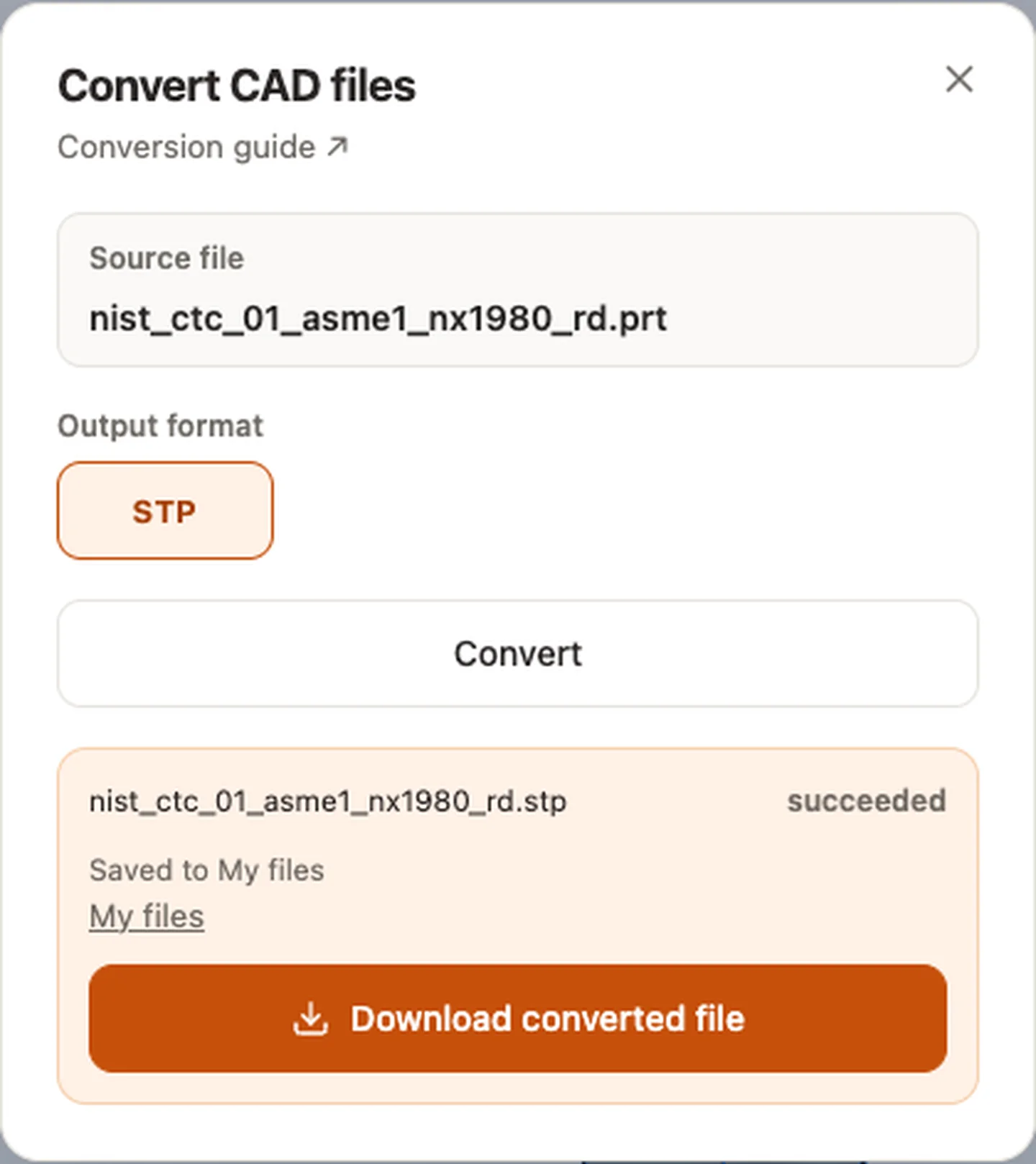
Convert CAD files — nist_ctc_01_asme1_nx1980_rd.prt
[Sample source and verification](https://www.nist.gov/ctl/smart-connected-systems-division/smart-connected-manufacturing-systems-group/mbe-pmi-0)
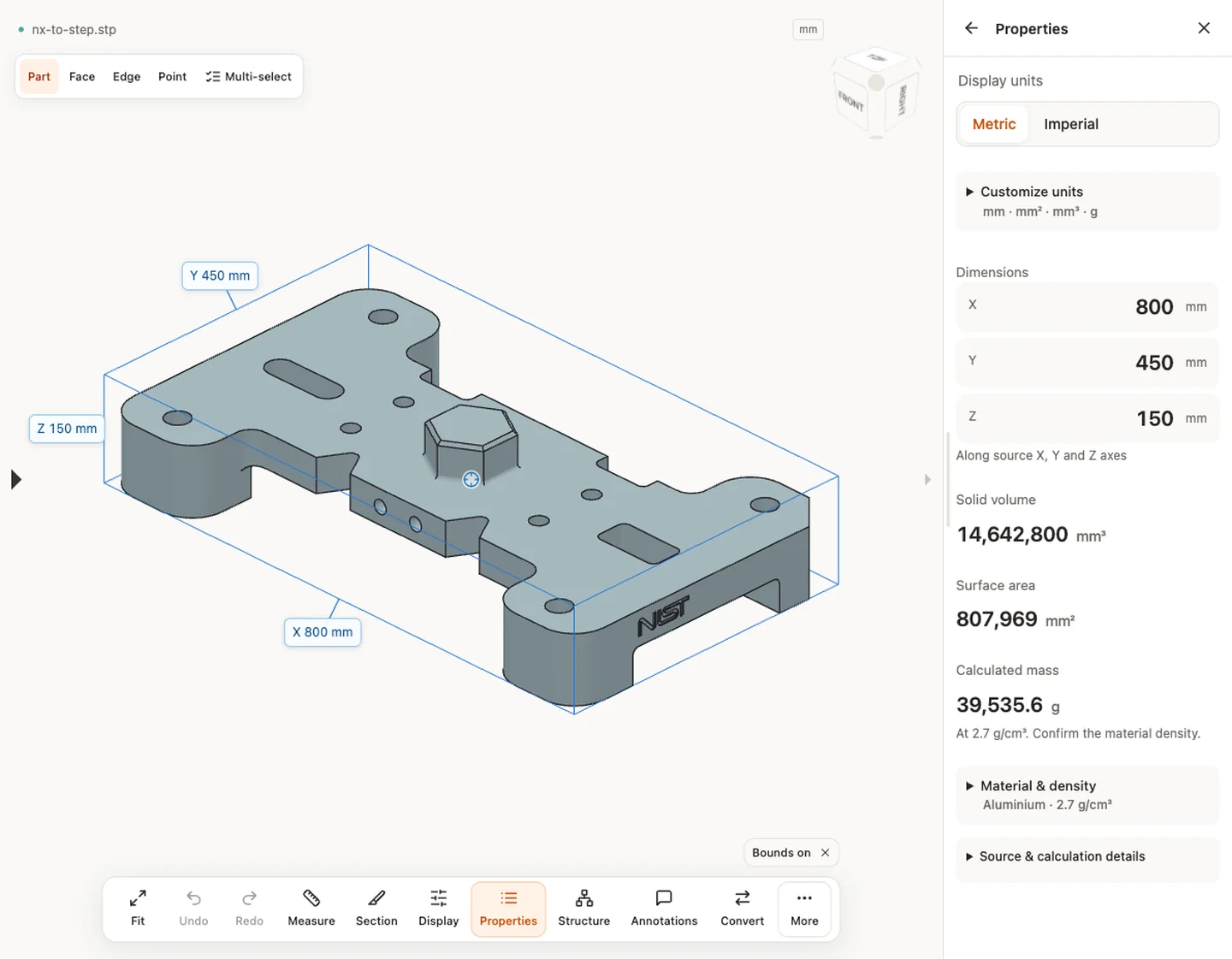
Properties — nx-to-step.stp · 800 × 450 × 150 mm · 14,642,817.838 mm³ · 807,968.657 mm²
## When a result needs another check
Viewing can start without an account. Conversion, account storage and share creation require signing in. Temporary files expire after the displayed retention period. Read the privacy statement for server processing and deletion, and the accuracy notes before using numerical results. Do not assume that hiding a part, clipping it or exploding an assembly changes the exported source geometry.
[When a result needs another check](https://www.cadprops.com/accuracy/index.md) · [Input formats](https://www.cadprops.com/supported-formats/index.md)
## Continue with a related task
- [NX Viewer Online: Open Siemens NX & UG PRT Files](https://www.cadprops.com/tools/nx-viewer/index.md)
- [STEP File Viewer Online: Open STP Files, No Account](https://www.cadprops.com/tools/step-viewer/index.md)
- [STEP File Dimensions Online: Measure X, Y, Z & Distances](https://www.cadprops.com/tools/cad-dimensions/index.md)
## Capabilities and limits
- Export Siemens NX / UG NX PRT files to a mesh STEP online from the display geometry saved in the file. Exact NX surfaces are not converted; check units and components.
- STEP export is a mesh STEP from the saved display geometry; exact NX surfaces and feature history are not converted.
- Files are uploaded for server processing; support depends on format, version and geometry.
- Viewing and measuring do not require an account. Free conversion points are valid for 90 days. Sign in to convert, save files across devices or create share links.
## Questions about this task
### Can I convert NX PRT to STEP online?
Yes, as a mesh STEP built from the display geometry saved in the PRT. Exact NX surfaces are not converted; ask for a STEP export from NX when you need a solid.
### Does the converter support every NX release?
No universal compatibility is implied. Native CAD versions vary; unsupported files should be checked against the source application/release.
### Can CAM software machine from the mesh STEP?
Not as solid geometry. A mesh STEP contains triangles; use it for review and overall size, and request an exact STEP from NX for machining.
### Will NX features remain editable in STEP?
No. STEP carries neutral product geometry/data, not the original NX parametric feature history.
### What if an assembly has missing parts?
The loaded geometry can still be viewed, but the result and its export are incomplete. Add the missing references and convert again.
### Do I need an account to convert files?
View and measure without an account. Register or sign in to convert, save files and create share links. Recipients can view shared models without an account.
HTML page: https://www.cadprops.com/tools/nx-to-step/