# Compare CAD Files Online: STEP Geometry & Properties
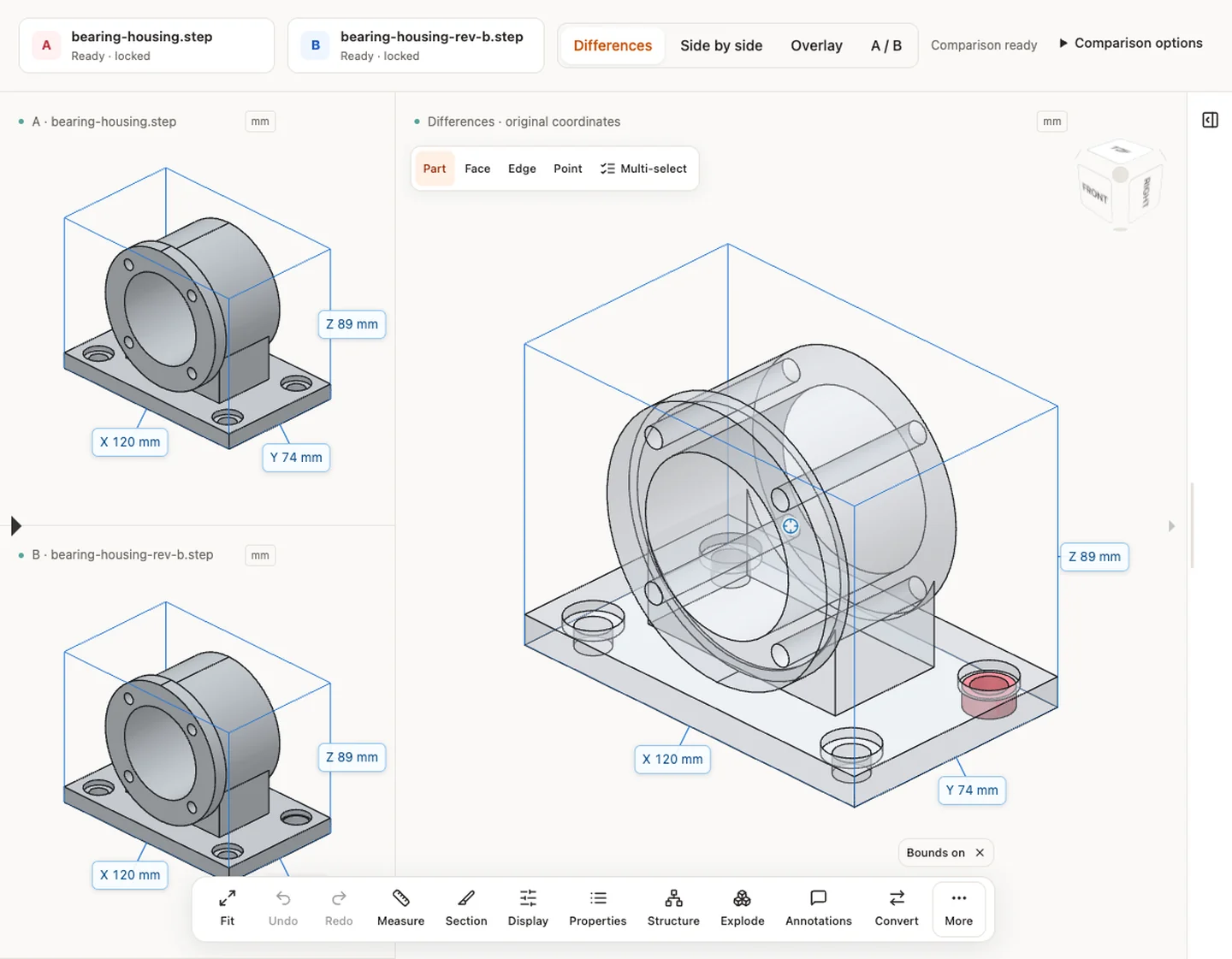
Compare two 3D models visually and inspect their properties. STEP pairs additionally support automatic solid differences.
Compare two 3D models visually and inspect their properties. STEP pairs additionally support automatic solid differences.
## Upload two versions once
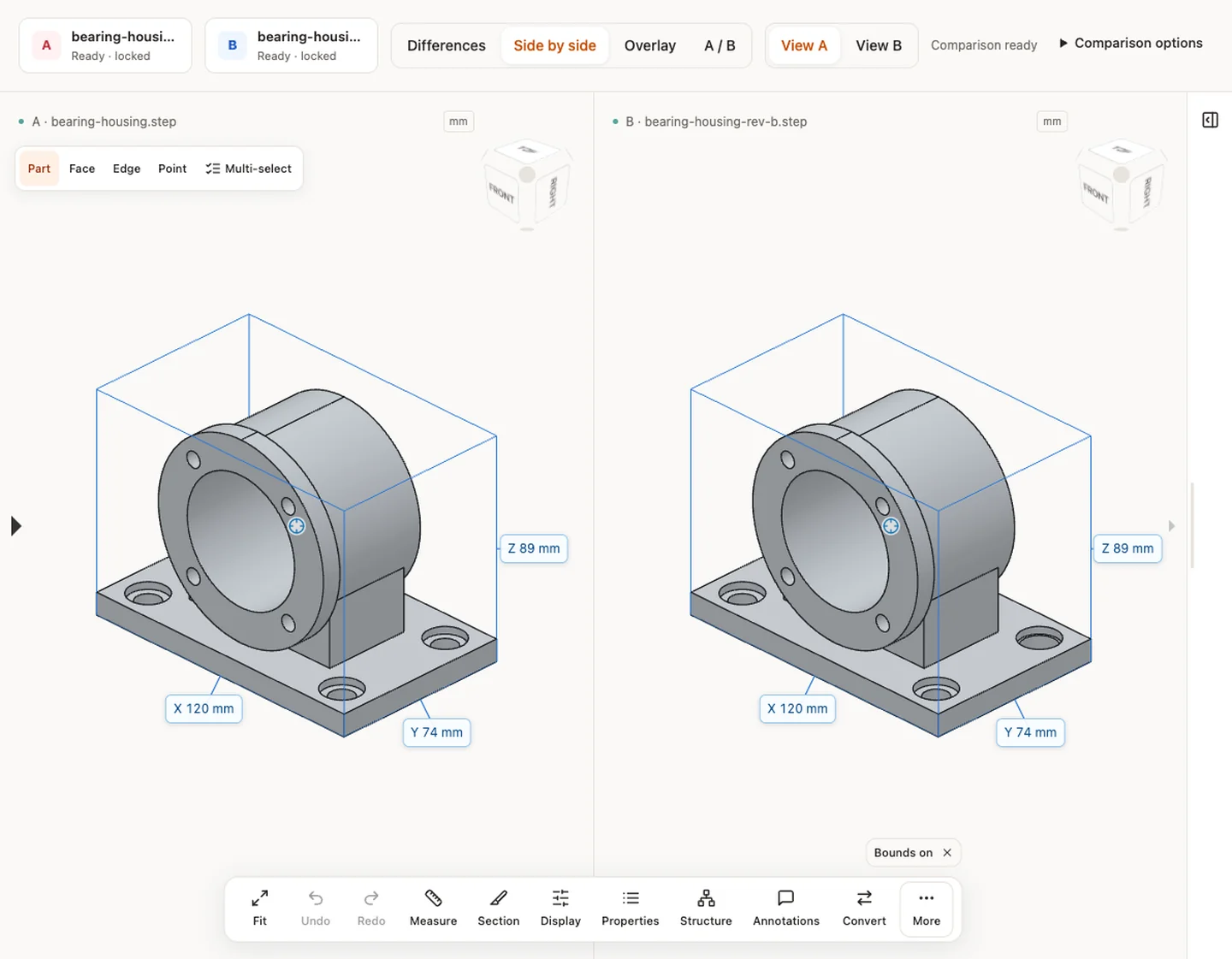
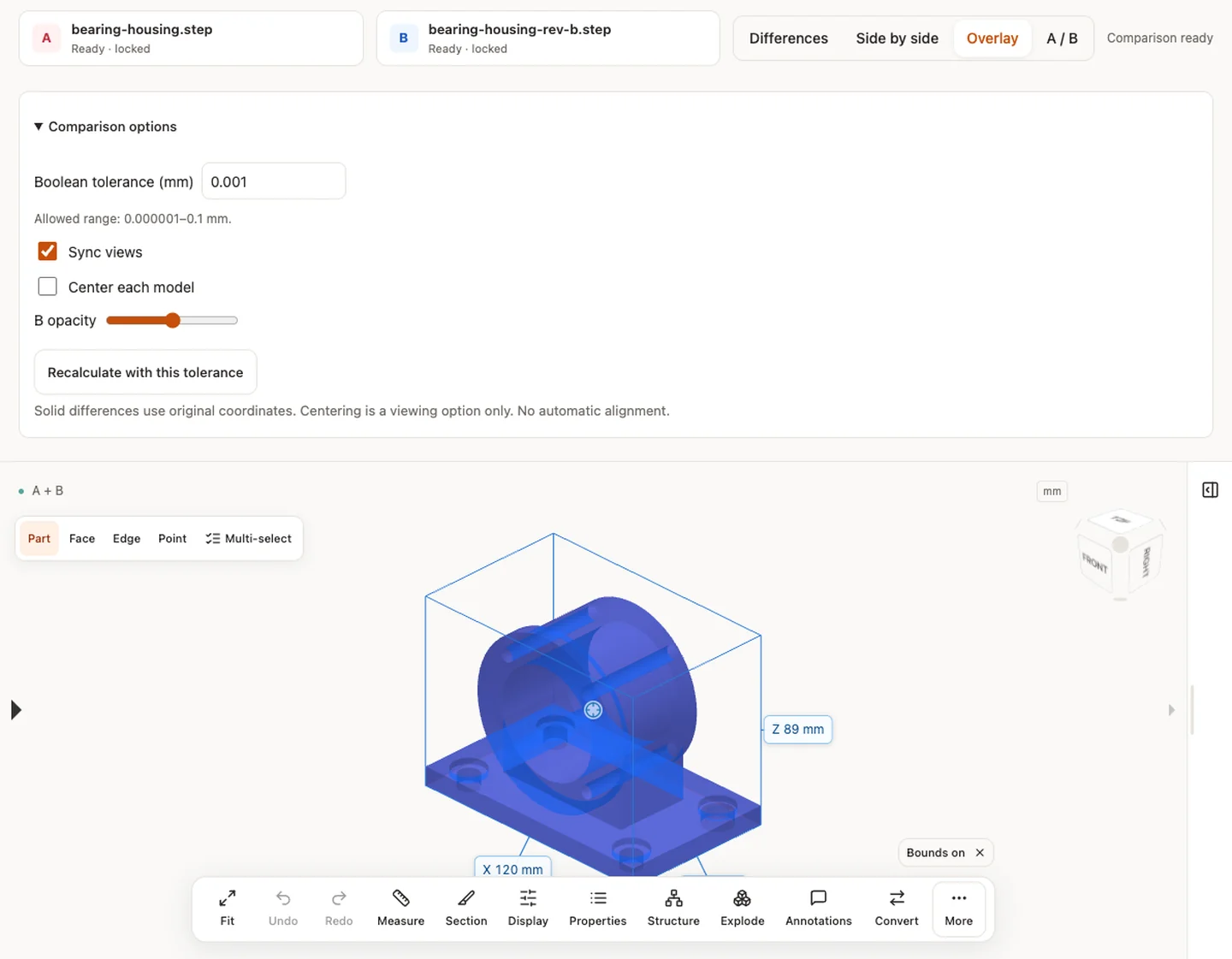
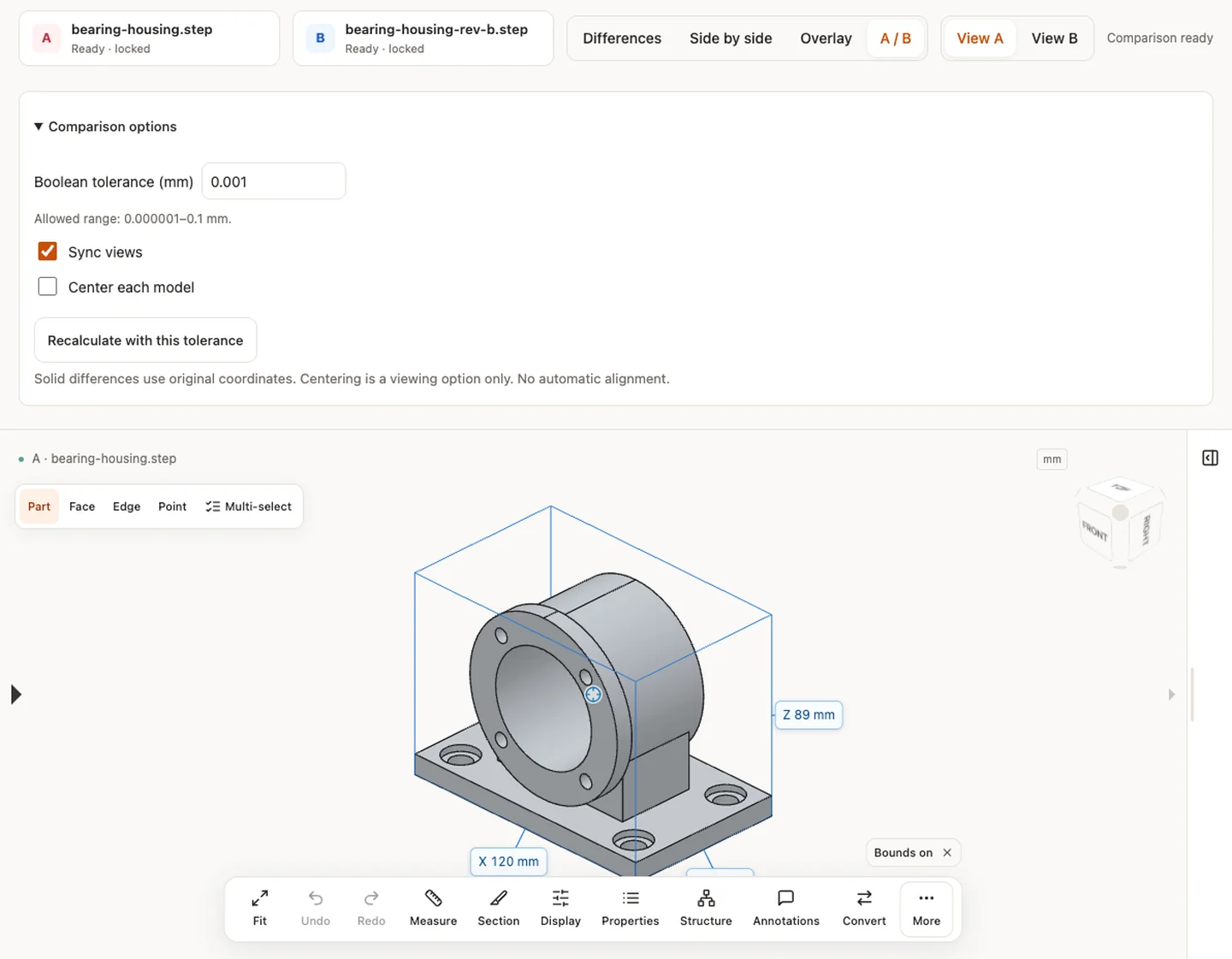
Upload A and B; the pair remains fixed until you start a new comparison. STEP pairs calculate red/blue solid differences automatically. Other 3D formats use visual side-by-side, overlay or A/B views.
## Preserve coordinates
No automatic alignment is performed. Centering is a display option, not a geometric registration.
## Know the geometry
Mesh results are approximate; STL/OBJ assume mm. Do not compare physical dimensions before verifying source units. DWG and DXF drawings use the separate 2D viewer for bounded preview and basic measurement; they are not 3D mesh inputs.
**Input formats:** STEP / STP
[Open this tool](https://www.cadprops.com/workspace/index.md)
General steps for uploading, viewing, sectioning, measuring, converting and exporting are explained once in [How it works](https://www.cadprops.com/how-it-works/index.md). This page covers what is specific to this file type.
## Real CADProps screenshots
The screenshots show the English interface. Captions and instructions describe the same operations.
Solid differences — bearing-housing.step / bearing-housing-rev-b.step
[Sample source and verification](https://www.cadprops.com/samples/bearing-housing-rev-b.step)
Side by side — bearing-housing.step / bearing-housing-rev-b.step
[Sample source and verification](https://www.cadprops.com/samples/bearing-housing-rev-b.step)
Overlay — bearing-housing.step / bearing-housing-rev-b.step
[Sample source and verification](https://www.cadprops.com/samples/bearing-housing-rev-b.step)
Inspect the model — bearing-housing.step / bearing-housing-rev-b.step
[Sample source and verification](https://www.cadprops.com/samples/bearing-housing-rev-b.step)
## When a result needs another check
Viewing can start without an account. Conversion, account storage and share creation require signing in. Temporary files expire after the displayed retention period. Read the privacy statement for server processing and deletion, and the accuracy notes before using numerical results. Do not assume that hiding a part, clipping it or exploding an assembly changes the exported source geometry.
[When a result needs another check](https://www.cadprops.com/accuracy/index.md) · [Input formats](https://www.cadprops.com/supported-formats/index.md)
## Continue with a related task
- [STEP File Dimensions Online: Measure X, Y, Z & Distances](https://www.cadprops.com/tools/cad-dimensions/index.md)
- [STEP File Viewer Online: Open STP Files, No Account](https://www.cadprops.com/tools/step-viewer/index.md)
- [Batch STEP Properties: Export CAD Measurements to CSV](https://www.cadprops.com/tools/batch-cad-processing/index.md)
## Capabilities and limits
- Compare two 3D models visually and inspect their properties. STEP pairs additionally support automatic solid differences.
- Solid comparison requires supported closed B-Rep geometry; visual overlay is a separate comparison method.
- Files are uploaded for server processing; support depends on format, version and geometry.
- Viewing and measuring do not require an account. Sign in to convert, save files across devices or create share links.
## Questions about this task
### Which CAD files can I compare using solid differences?
Two valid closed STEP models can produce A-only, B-only and common material. Other supported 3D inputs provide visual comparison.
### Are CAD models aligned automatically before revision comparison?
No. Boolean comparison uses source coordinates. Display centering is not geometric registration or manufacturing tolerance certification.
### Are my CAD revisions uploaded to a server for comparison?
Selecting a file starts temporary server processing. For guests, access to the workspace copy is limited to the browser session; it can be deleted early and expires after the displayed period. Signed-in files are saved to the account library when space is available; otherwise they remain temporary.
HTML page: https://www.cadprops.com/tools/compare-cad-files/