# How to Make an Exploded STEP Assembly View for Review
Separate a STEP assembly in CADProps, export a PNG for a review note and restore the original positions before measuring.
If a spacer is sandwiched between two plates, an assembled view may show only its edge. Open the [CADProps STEP viewer](https://www.cadprops.com/tools/step-viewer/index.md), check that the three components are present, then use **Explode** to spread them apart for a review picture.
## Separate the parts just enough to see the stack
1. Open a self-contained STEP and check **Structure**. Restore hidden parts with **Show all**. Explode needs at least two visible component occurrences.
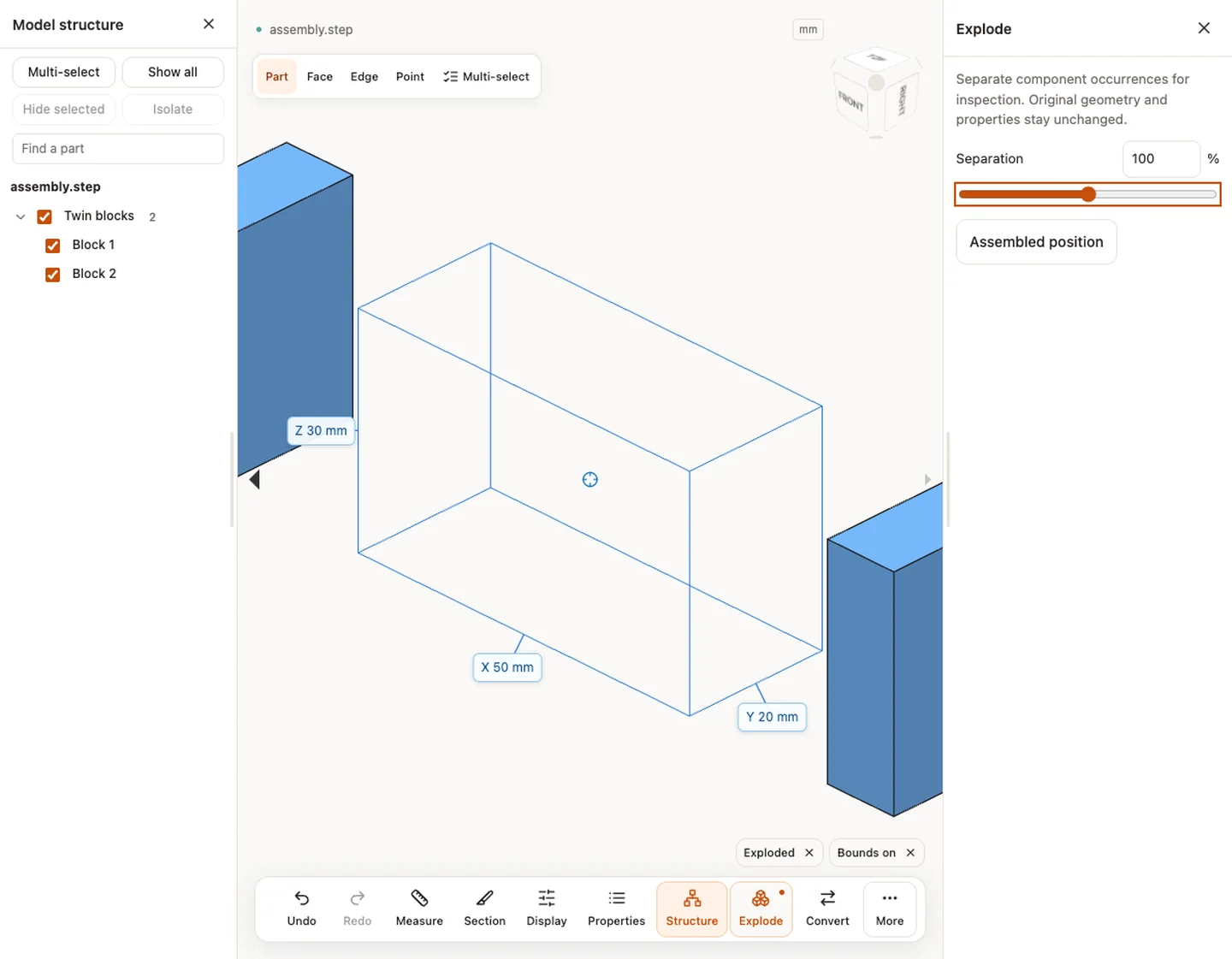
2. Open **Explode** and increase **Separation**. Rotate the view so the parts remain in their assembly order without blocking each other.
3. Stop when the spacer is visible. If you only need to inspect the spacer and one mating plate, use [Isolate](https://www.cadprops.com/guides/isolate-part-in-step-assembly/index.md) instead of trying to hide them with a larger separation.
Twin blocks separated in CADProps. The spacing in this view is for inspection and does not change the STEP assembly.
## Send a picture and keep the dimensions separate
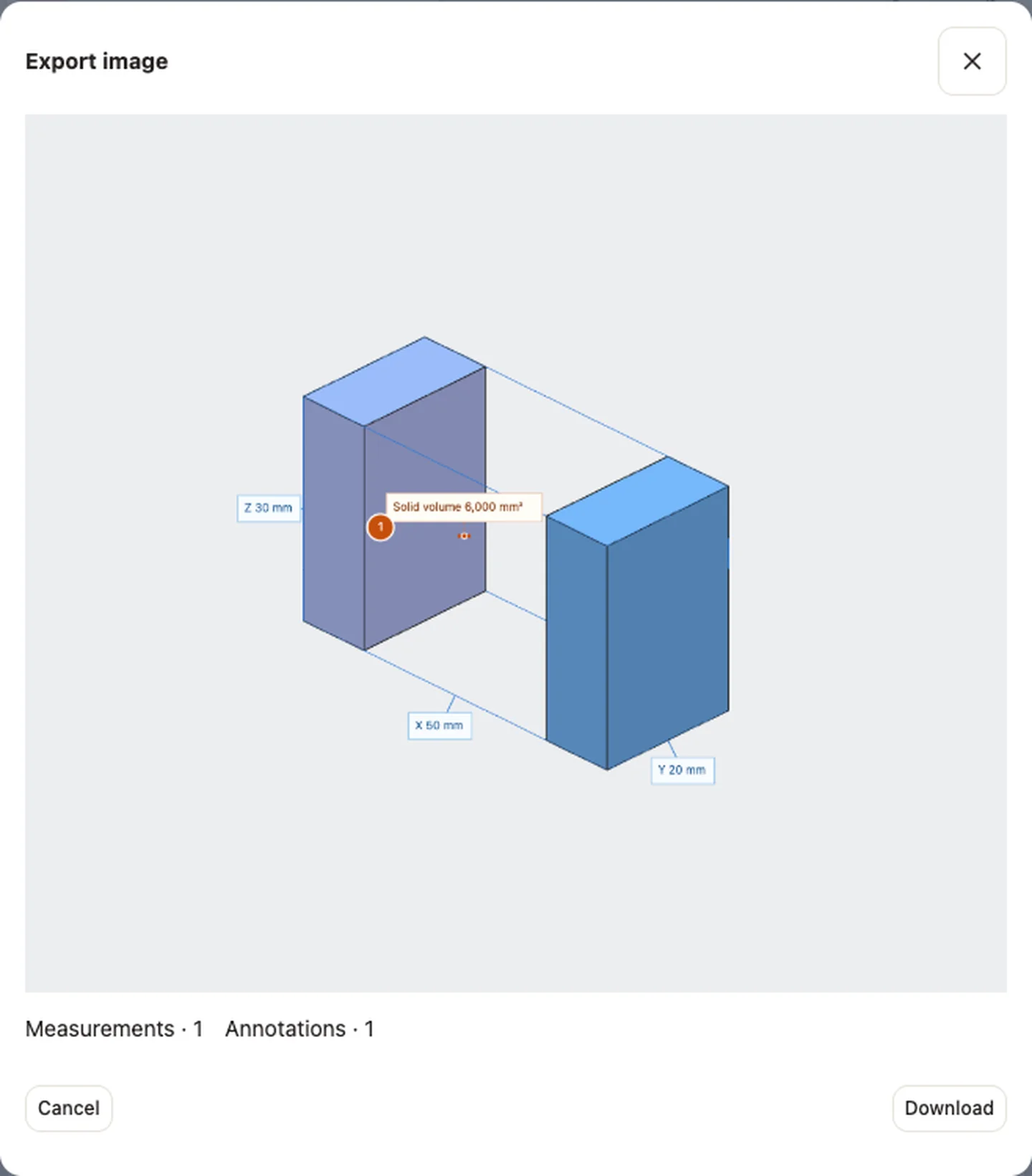
For an email review, finish any active measurement or annotation mode, open **Share**, and choose **Export current view as an image**. Check the preview before downloading the PNG. Include the file revision in the message so the recipient can match the image to the assembly.
Choose **Assembled position** before checking a real clearance or fit. The gap in the exploded view is an illustration. CADProps measurements refer to the original geometry, and a CAD export still uses the assembled model. If the task is to confirm a missing component, use the model tree and loading warnings. Increasing separation cannot recover a part absent from the file.
The image export preview is the last chance to check the view and visible overlays before sending a PNG.
## Related reading
- [Annotate a CAD Model Online and Share Review Notes](https://www.cadprops.com/guides/annotate-cad-model-online/index.md)
- [How to Use CADProps: Open, Inspect and Save a CAD File](https://www.cadprops.com/guides/get-started-with-cadprops/index.md)
- [How to Isolate a Part in a STEP Assembly in CADProps](https://www.cadprops.com/guides/isolate-part-in-step-assembly/index.md)
- [Open a Rhino 3DM File Without Rhino](https://www.cadprops.com/guides/open-3dm-without-rhino/index.md)
- [Open CAD Files on Mac: STEP Viewers and Format Options](https://www.cadprops.com/guides/open-cad-files-on-mac/index.md)
- [Open a Creo File Without Creo](https://www.cadprops.com/guides/open-creo-without-creo/index.md)
- [Open DWG or DXF Files Without AutoCAD](https://www.cadprops.com/guides/open-dwg-dxf-without-autocad/index.md)
- [F3D Files: How to Open a Fusion 360 Design Online Without Fusion](https://www.cadprops.com/guides/open-f3d-file-online/index.md)
- [How to Open an IAM File Without Autodesk Inventor](https://www.cadprops.com/guides/open-iam-without-inventor/index.md)
- [IFC Files: How to Open a BIM Model Online and What You Will See](https://www.cadprops.com/guides/open-ifc-file-online/index.md)
- [How to Open an IPT File Online Without Inventor](https://www.cadprops.com/guides/open-ipt-without-inventor/index.md)
- [JT File (.jt): What It Is and How to Open It Online](https://www.cadprops.com/guides/open-jt-file-online/index.md)
- [NEU Files: How to Open a Creo / Pro/ENGINEER Neutral File Online](https://www.cadprops.com/guides/open-neu-file-online/index.md)
- [PRC Files: What They Are and How to Open Them Online](https://www.cadprops.com/guides/open-prc-file-online/index.md)
- [How to Open SAT Files Online Without an ACIS CAD System](https://www.cadprops.com/guides/open-sat-file-online/index.md)
- [U3D Files: What They Are and How to Open Them Online](https://www.cadprops.com/guides/open-u3d-file-online/index.md)
- [UNV Files: What They Are and How to Open Them Online](https://www.cadprops.com/guides/open-unv-file-online/index.md)
- [VDA-FS Files: What They Are and How to Open Them Online](https://www.cadprops.com/guides/open-vda-file-online/index.md)
- [X3D and X3DV Files: What They Are and How to Open Them Online](https://www.cadprops.com/guides/open-x3d-file-online/index.md)
- [How to Inspect an Internal Passage in a STEP Section View](https://www.cadprops.com/guides/step-section-view-internal-passage/index.md)
- [Pack a CAD Assembly ZIP: Choose the Root and Keep Paths](https://www.cadprops.com/guides/zip-packaged-cad-models/index.md)
Original article: https://www.cadprops.com/guides/explode-step-assembly-for-review/
HTML page: https://www.cadprops.com/guides/explode-step-assembly-for-review/